Most homeowners with more than one cooling device are accidentally working against themselves. The central AC is fighting the window unit, the portable cooler is dumping heat back into the house, and the thermostat is calling for more cooling than it should. The result is a monthly electric bill that climbs in July and August without a clear explanation. If you have a mix of cooling equipment in your home, how you coordinate those devices matters just as much as which devices you own.
The good news is that multiple cooling devices are genuinely useful when managed correctly. A central system paired with a window AC or mini-split can cut the load on your main system, let you cool only occupied rooms, and reduce runtime across the board. Done right, this approach is called zone cooling, and it is one of the most effective strategies a homeowner can use to lower summer bills without a major renovation or equipment upgrade.
This post covers the building science behind why uncoordinated cooling wastes so much energy, and walks you through two practical approaches: a no-cost coordination strategy you can implement today, and a smarter DIY setup using smart plugs and scheduling to automate the whole system. Real numbers are included throughout so you can estimate your own savings before you start.
What You’ll Need
Click on an item below to shop for the recommended items for this recipe on Amazon.
As an Amazon Associate, we earn from qualifying purchases.
How to Do It
- Walk through your home and identify which rooms are occupied most during the day and which are empty for 4 or more hours at a time. Write this down, as this is the foundation of your zone plan.
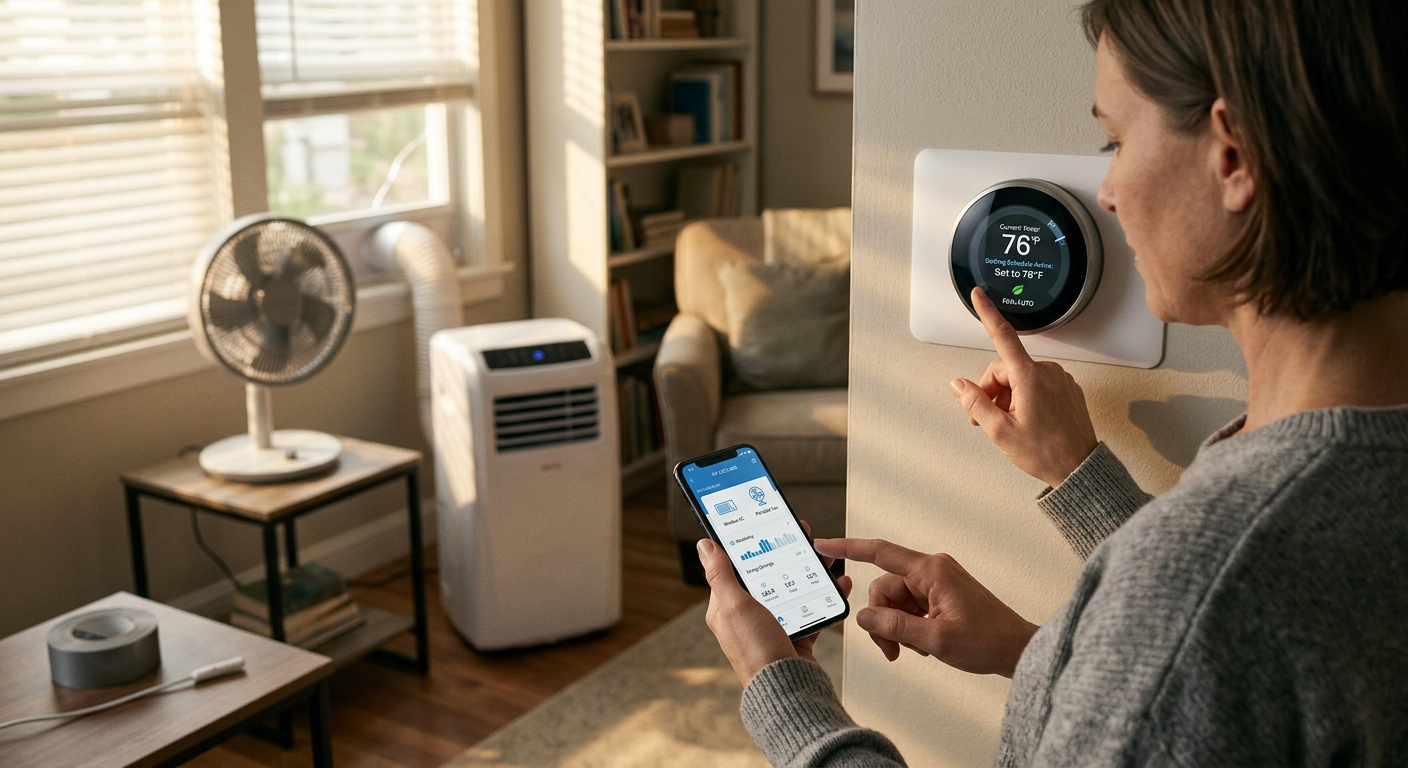
- Set your central thermostat 4 to 6 degrees warmer than your comfort target. For example, if you want 72F in the living area, set the central system to 76F and let the secondary unit in the main occupied room handle the gap.
- Close supply vents in rooms being cooled by a window or portable unit. This redirects central AC airflow to other areas and prevents the two systems from competing in the same space.
- Check the exhaust hose on any portable air conditioner and confirm it exits through a tightly sealed window kit. A loose seal lets the hot exhaust air re-enter the room, adding heat load to every device running.
- Set window units and portable coolers on their lowest acceptable temperature (typically 72 to 74F) and let them run continuously at a lower fan speed rather than cycling on and off at a colder setting. Steady operation is more efficient than burst cooling.
- Before bed, raise the central thermostat setpoint by another 2 degrees and let the bedroom unit carry the overnight load alone. Bedrooms are small volumes and a single window AC handles them far more efficiently than a whole-house system.
- Purchase one smart plug per secondary cooling device. Look for models rated to at least 15 amps with energy monitoring built in. Brands like Kasa, Govee, and Emporia offer reliable options in the $15 to $30 range each.
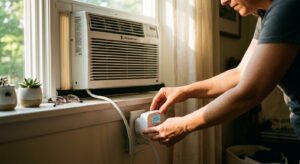
- Install each smart plug between the wall outlet and your window or portable AC unit. Follow the app setup instructions to connect each plug to your home Wi-Fi network.
- Use the app scheduling feature to program secondary units to turn on 20 minutes before rooms are typically occupied, and turn off 30 minutes before the room is vacated. This pre-cooling window captures the room’s thermal mass before you arrive, reducing the runtime while you are present.
- Enable the energy monitoring dashboard and record each device’s daily kWh consumption for one week. This baseline helps you identify which device is the biggest cost driver and whether your coordination strategy is working.
- If your smart thermostat supports it, create an automation that raises the central AC setpoint by 4F whenever the secondary smart plug units are switched on. This prevents the central system from running simultaneously and competing with the window units.
- After two weeks, compare your energy monitoring data to your pre-coordination baseline. Most homeowners see a 20 to 30% drop in secondary device runtime, confirming the coordination is working. Adjust schedules seasonally as occupancy patterns change.
Why It Works: The Benefits
Properly zoned cooling reduces total system runtime by 25 to 40%, which translates to $30 to $90 less per month on a typical summer electric bill depending on your climate and home size.
Using a window unit or mini-split to handle a bedroom or home office takes meaningful load off the central compressor, potentially extending its service life by several years and delaying a $4,000 to $8,000 replacement.
Zone cooling lets you keep occupied rooms at 72F while letting empty rooms drift to 80F, delivering better personal comfort without conditioning unused space.
If your utility uses time-of-use pricing, a small window unit can handle spot cooling during expensive peak hours (typically 4 to 9 PM) while the central system rests, shaving the highest-cost consumption of the day.
When outdoor temps exceed 95F, a single central system often struggles to maintain setpoint. A secondary unit in the bedroom ensures safe sleeping temperatures even when the main system is working at its limit.
💰 Savings Impact by Action
Aligning thermostat setpoints and closing off unoccupied zones reduces total compressor runtime by up to 25% in a typical two-device home.
Automating secondary unit schedules to match actual occupancy patterns eliminates idle runtime and cuts secondary device energy use by roughly 15%.
Properly sealing a portable AC exhaust hose eliminates hot air re-entry and can restore up to 20% of the unit’s effective cooling output at no equipment cost.
Using ceiling fans to raise the perceived comfort temperature by 4F allows a 4-degree thermostat setback, reducing central AC energy use by approximately 10%.
Switching overnight cooling entirely to a bedroom window unit instead of running central AC saves up to 30% of nighttime electricity cost for a typical 3-bedroom home.
🏠 Key Concepts Explained
The Science Behind It
Every air conditioner operates on the same refrigeration cycle: it moves heat from inside your home to outside. The efficiency of this process is measured in BTUs per watt-hour, or for central systems, as a SEER rating. The key insight is that every cooling device becomes less efficient as the temperature difference between indoors and outdoors grows. On a 100F day, your AC works significantly harder than on a 85F day, consuming more watts to move the same amount of heat. This is why runtime and load management matter so much on the hottest days of the year.
When two cooling devices operate in the same thermal zone without coordination, they create a condition called simultaneous overcooling. The combined BTU output exceeds the heat gain rate of the space, causing compressors to short-cycle. Each startup draws 3 to 5 times the steady-state running current for a brief moment, and frequent starts reduce efficiency and increase mechanical wear. By separating your home into distinct thermal zones and assigning each device its own zone, you allow each compressor to run in longer, steadier cycles, which is the most efficient operating mode for any refrigeration equipment.
Humidity plays an equally important role. Air conditioners remove moisture from the air as a byproduct of cooling, and drier air feels cooler at the same temperature. When a poorly sealed portable AC unit recirculates warm humid exhaust back into the room, it raises the dew point of the indoor air, making the space feel warmer and forcing every cooling device to run longer to achieve the same comfort level. Sealing the exhaust path tightly and keeping interior humidity between 40 and 50% relative humidity reduces the perceived temperature by 2 to 4 degrees without changing the thermostat setpoint at all.
Frequently Asked Questions
▼ My central AC runs constantly even with the window unit helping. What is wrong?
The most likely cause is a thermostat setpoint conflict. If your central thermostat is set to 72F and the window unit is only cooling one room, the rest of the house may never reach 72F, keeping the central system locked on. Raise the central thermostat to 76 to 78F and let the secondary unit handle comfort in the occupied room. Also check for air leaks around windows and doors that may be letting outdoor heat overwhelm the system.
▼ Can I use a smart plug to control my window AC if it does not have remote or app features?
Yes, with one important check. After plugging the AC into the smart plug and cutting power, confirm that your AC unit restarts automatically when power is restored. Some older units require you to press the power button manually after a power interruption. If yours does, the smart plug scheduling will not work. Look for units with an ‘auto restart’ feature, which is standard on most modern window ACs made after 2015.
▼ My portable AC is not cooling the room even though it is running. Could it be interfering with the central system?
The most common culprit is a leaky exhaust hose connection. If the hose is not sealed tightly at the window kit, hot compressed exhaust air re-enters the room and negates the cooling output entirely. Seal the connection with foam tape and make sure the window panel has no gaps larger than a quarter inch. If that does not help, also check whether the unit’s filter is clogged and whether the room has enough return airflow.
▼ Is it cheaper to run a window AC or central AC for a single bedroom overnight?
A window AC almost always wins for a single bedroom. A typical 8,000 BTU window unit draws 500 to 700 watts, while a 3-ton central system draws 3,000 to 3,500 watts even when only conditioning one room. At the average US electricity rate of $0.16 per kWh, an 8-hour night costs roughly $0.65 with the window unit versus $4.50 with central air, saving over $100 across a three-month cooling season for just one bedroom.
▼ How do I know if my home is actually saving energy or if I am just shifting the load between devices?
The best way is to use the energy monitoring feature on a smart plug to track each secondary device’s daily kWh, then compare your utility bill’s total kWh against the same months from prior years. A 15 to 25% reduction in total kWh consumed confirms you are saving, not just shifting load. If your total consumption has not changed, close more interior doors to prevent overlap between zones and re-evaluate your central thermostat setpoint.
Quick Tips
- Pre-cool your primary living area in the morning between 6 and 9 AM when outdoor temps are lowest, then raise the thermostat setpoint during peak afternoon heat. Thermal mass in floors and walls holds the cool for 2 to 3 hours.
- Use ceiling fans in every occupied room alongside your cooling devices. Moving air raises the effective comfort temperature by about 4F, meaning you can set the thermostat 4 degrees higher for the same feeling of comfort.
- Check that your window AC filter is cleaned every two to three weeks during heavy-use months. A clogged filter reduces airflow and can drop the unit’s effective BTU output by 15%, forcing it to run longer to compensate.
- Position portable fans to push cool air from your secondary units into adjacent hallways during transition hours. A $20 box fan can distribute cold air from one zone into a neighboring space without running an additional compressor.
Variations for Your Situation
- Apartment or Rental: Renters typically cannot modify central HVAC settings or ductwork, but can still benefit from zone coordination using one or two window ACs or portable units. Focus entirely on sealing the portable unit exhaust hose, using smart plugs with scheduling to avoid peak rate hours, and running a ceiling fan or box fan to distribute cool air. A single 8,000 BTU window AC in the main living area paired with a 6,000 BTU unit in the bedroom typically costs $150 to $350 for both units and can cut cooling costs by 20 to 30% versus relying on a building-supplied system running at a fixed setpoint.
- Tight Budget Under $50: Skip smart plugs entirely and focus on the free coordination strategy in approach one. The highest-impact zero-cost actions are raising the central thermostat setpoint by 4 to 6 degrees, sealing the portable AC exhaust with foam tape from a hardware store (under $5), closing vents in rooms served by window units, and running ceiling fans in all occupied rooms. These steps alone can reduce total cooling runtime by 20% or more with no equipment purchase.
- Older Home Pre-1980: Older homes typically have significantly more air leakage, lower insulation levels, and single-pane windows, which means cooling loads are 30 to 50% higher per square foot than a modern home. In this context, zone coordination still works, but you should prioritize sealing window AC units with foam backer rod and tape before anything else, since a poorly sealed unit in a leaky older window can lose 20 to 30% of its cooling output to infiltration. Consider adding window insulation film to single-pane glass in rooms with secondary cooling units to reduce solar heat gain, which runs $20 to $40 per window and can reduce that room’s cooling load by 15 to 20%.