Your HVAC system is the single largest energy consumer in your home, responsible for 40 to 50% of your total electricity bill. Yet most homeowners configure it once and never revisit those settings, even as seasons change, households shift, and energy prices climb. The result is a system that runs harder than it needs to, delivers uneven comfort, and costs far more than it should.
The three settings that cause the most trouble are not hidden or complicated. They are the fan mode, the temperature setback schedule, and the filter change interval. Each one is easy to overlook, and each one has a measurable dollar cost when ignored. Together, they can add 15 to 30% to your annual heating and cooling bills without triggering any obvious warning signs.
This post walks through exactly what each setting should be, why the wrong setting costs you money, and how to fix all three in under an hour. Whether you have a basic programmable thermostat or a smart thermostat, these adjustments apply and the savings are real.
What You’ll Need
Click on an item below to shop for the recommended items for this recipe on Amazon.
As an Amazon Associate, we earn from qualifying purchases.
How to Do It
- Switch your thermostat fan setting from ON to AUTO. This single change stops the blower from running 24 hours a day and typically saves $30 to $50 per month during peak seasons.
- Set a cooling schedule: 78F when home and awake, 85F when away for more than 2 hours, and 82F when sleeping. For heating, use 68F when active, 60F when away, and 65F when sleeping. These setpoints follow DOE recommendations and save roughly 10% annually.
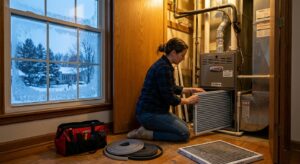
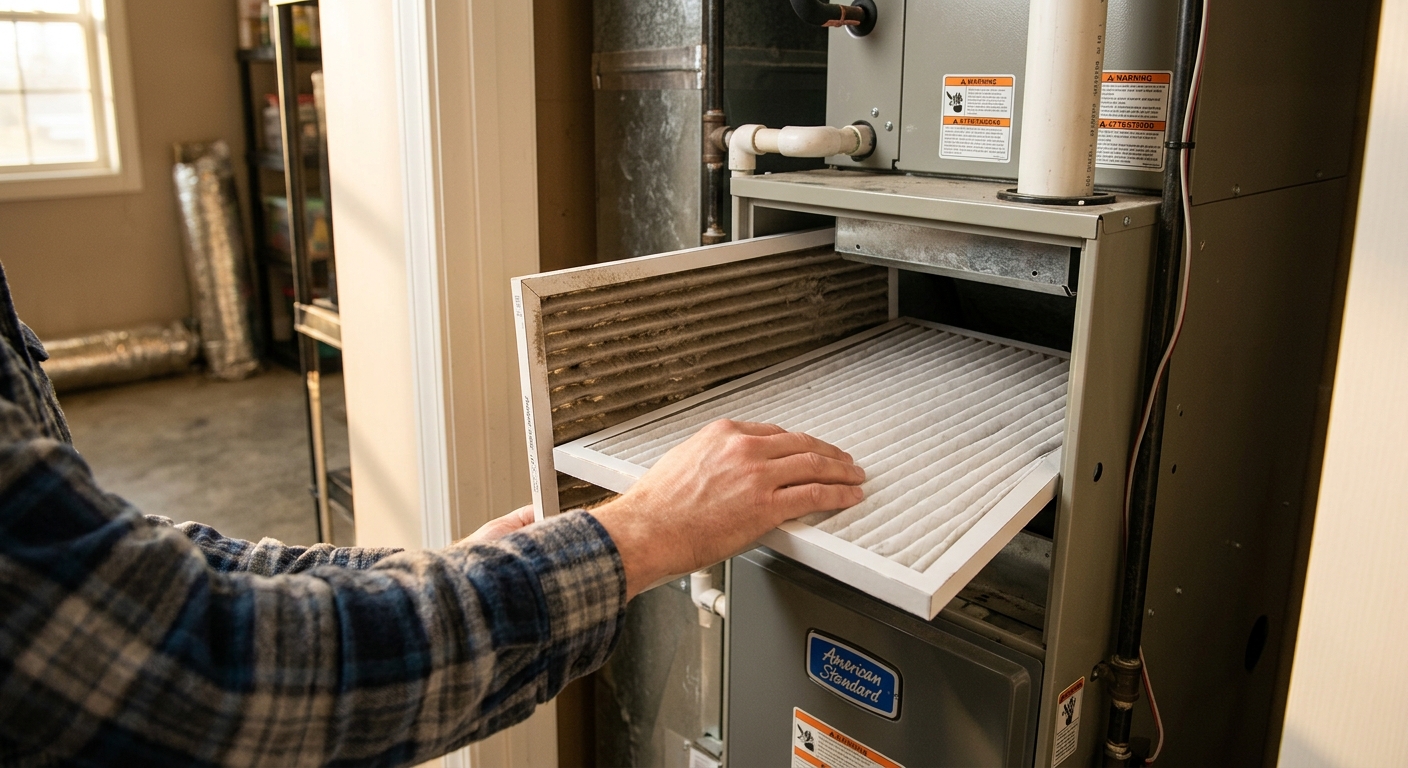
- Check your air filter right now. Pull it out and hold it up to a light source. If you cannot see light through it, replace it immediately. Write the replacement date on the filter frame with a marker.
- Set a phone calendar reminder to check your filter every 30 days. Most 1-inch filters need replacement every 60 to 90 days, but checking monthly keeps you ahead of restriction buildup.
- Walk to your thermostat and confirm it is not within 3 feet of a supply vent, sunny window, or heat-generating appliance. If it is, note this as a longer-term fix to address when possible.
- Purchase a Wi-Fi or smart thermostat compatible with your system type (check whether you have a heat pump, single-stage, or multi-stage system before buying). Popular models from Ecobee, Google Nest, and Honeywell Home range from $80 to $180.
- Turn off power to your HVAC system at the breaker before removing the old thermostat. Photograph the existing wiring before disconnecting anything, labeling each wire by its terminal letter.
- Install the new thermostat following the manufacturer wiring guide. Most smart thermostats include a compatibility checker on their website where you enter your wire colors to confirm correct installation before powering on.
- Set up the thermostat schedule using the app or display. Program at least four daily periods: wake, away, home, and sleep. Enable any geofencing or occupancy features so the thermostat adjusts automatically when you leave.
- Enable the smart thermostat’s humidity display if available. Set a cooling humidity target of 50% relative humidity. If your system has a variable speed fan, enable humidity-based fan control to reduce dehumidification cycles.
- Sign up for a filter subscription service (Second Nature, FilterEasy, or a similar provider) matched to your filter size. Subscriptions deliver filters on a schedule and cost $10 to $20 per filter, removing the main reason homeowners skip changes.
- Schedule a seasonal HVAC tune-up with a licensed HVAC technician. Ask specifically for a full system inspection that includes refrigerant charge verification, airflow measurement, and duct leakage assessment.
- Ask the technician to verify your thermostat calibration. Thermostats can drift 2 to 4 degrees over time. A miscalibrated thermostat makes every schedule and setpoint you program inaccurate.
- Request a static pressure test on your duct system. Duct leakage rates above 15% are common in homes built before 2000 and can waste more energy than all three HVAC settings combined. Your technician can identify whether sealing is worth pursuing.
- Discuss your current filter type and MERV rating with the technician. Some older systems cannot handle MERV 11 or higher filters without airflow restriction. Confirm the right MERV rating for your specific blower and coil configuration.
- Review the tune-up report and ask for a summary of which issues, if fixed, would deliver the fastest payback. Prioritize refrigerant charge correction and duct sealing if identified, as these directly affect the efficiency of every setting you program.
Why It Works: The Benefits
Correcting all three settings together typically reduces HVAC energy consumption by 15 to 30%, translating to $150 to $400 per year for a home with average $1,200 in annual heating and cooling costs.
Proper filter changes and avoiding continuous fan operation reduce blower motor and compressor wear, potentially adding 3 to 5 years to the life of a system that might otherwise need replacement after 12 to 15 years.
Temperature setback schedules eliminate the overheating or over-cooling that happens when an HVAC runs without a schedule, resulting in steadier indoor temperatures and fewer hot or cold spots.
A clean, properly rated filter removes more airborne particles per pass. Replacing filters on schedule reduces dust, allergens, and particulates, which matters most for households with asthma or allergy sufferers.
Pre-cooling or pre-heating during off-peak hours using a scheduled thermostat can shift consumption away from peak utility rate windows, saving an additional 5 to 15% for homeowners on time-of-use rate plans.
💰 Savings Impact by Action
Switching the fan from ON to Auto stops continuous blower operation and reduces electrical consumption by $30 to $50 per month during peak seasons.
Following DOE setback recommendations of 7 to 10 degrees for 8 hours daily saves approximately 10% annually on heating and cooling costs.
Keeping filters clean maintains design airflow and refrigeration cycle efficiency, preventing the 5 to 15% capacity loss caused by restricted filters.
ENERGY STAR-certified smart thermostats save an average of 8 to 15% on HVAC costs through occupancy sensing, adaptive learning, and demand response participation.
Maintaining indoor humidity at 40 to 55% allows raising the cooling setpoint 2 to 3 degrees with equivalent perceived comfort, reducing compressor runtime by 6 to 9%.
🏠 Key Concepts Explained
The Science Behind It
The physics behind thermostat scheduling comes down to a principle called Newton’s Law of Cooling: the rate of heat transfer between two objects is proportional to the temperature difference between them. When your home is at 68F and the outside is 95F, heat pushes in at a steady rate. If you let the indoor temp rise to 80F while you are away, the temperature gap shrinks from 27 degrees to just 15 degrees, slowing heat intrusion by nearly 45% during those hours. That directly reduces how long the compressor runs when you return and pre-cool the home.
The fan-on-auto issue is about motor physics. A standard PSC blower motor, which is the type found in most older HVAC systems, draws the same wattage whether it is moving conditioned air during an active cycle or just circulating room air on a mild day. Running it 24 hours instead of the 8 to 12 hours a typical system actually conditions air means the motor runs two to three times more than necessary. Electronically commutated motors (ECM) found in newer systems are more efficient at low speeds, but even they cost money to run continuously with no thermal benefit.
Filter restriction creates a cascade effect. As a filter loads with particles, resistance to airflow increases. The blower must spin harder to maintain the same cubic feet per minute of air delivery. On systems with fixed-speed blowers, this actually reduces airflow, which reduces heat transfer across the evaporator coil, which means the refrigerant does not absorb as much heat per cycle, which means the compressor runs longer to satisfy the thermostat setpoint. A dirty filter does not just reduce air quality. It directly degrades the thermodynamic efficiency of the entire refrigeration cycle.
Frequently Asked Questions
▼ Why is my AC still running all day even after I fixed these three settings?
Continuous AC operation despite correct settings usually points to one of three causes: low refrigerant charge reducing system capacity, duct leakage losing conditioned air before it reaches living spaces, or excessive envelope leakage letting hot air into the home faster than the system can remove it. Start by checking whether the air coming from your supply vents feels cold (below 55F ideally). If it does not, call an HVAC technician to check refrigerant charge. If supply air is cold but the house still will not cool, duct sealing or air sealing is the next step.
▼ Will setting my thermostat back really save money, or does it cost more to reheat or re-cool the house?
The re-heating myth is one of the most persistent in home energy efficiency, but it is not supported by building science. It always takes less energy to let a home drift toward outdoor temperatures and then recover than it does to maintain a comfortable setpoint continuously. The only exception is heat pumps in very cold climates, where a large recovery setback can trigger electric resistance emergency heat, which is far less efficient. On heat pump systems in climates below 35F, limit setbacks to 2 to 3 degrees to avoid triggering the backup strips.
▼ Can renters do any of this without landlord permission?
Renters can safely and immediately change the fan setting from ON to AUTO, adjust the temperature schedule on any existing thermostat, and replace air filters, since these are maintenance tasks, not modifications. Installing a smart thermostat is a gray area that typically requires landlord permission since it involves wiring changes, though many landlords approve it when renters offer to restore the original thermostat at move-out. Keep the original thermostat in a box if you install a replacement.
▼ How long before I actually see the savings on my bill?
You should see the fan-mode change reflected in your very next billing cycle, since it reduces continuous motor load immediately. Thermostat scheduling savings show up within the first full billing period that includes the new schedule, typically one to two months. Because utility bills fluctuate with weather, compare your bill to the same month in the prior year rather than the previous month for a fair comparison. Your utility’s website may also offer a year-over-year usage graph that makes this easier.
▼ What if my home has multiple zones or a mini-split system?
Multi-zone and mini-split systems follow the same principles but require individual attention at each unit or zone controller. Set each zone’s fan to Auto and program occupancy-based schedules for each room independently. Avoid the common mistake of setting unoccupied zone temperatures to extreme setpoints (like 60F or 90F), which forces the system to work hard to recover. A 5 to 7 degree setback from your comfort setpoint is the sweet spot for zone-level savings without overcycling.
Quick Tips
- Use the 78F and 68F baselines from the DOE as your starting setpoints, then adjust one degree at a time until you find your comfort threshold. Each degree of setback saves approximately 1% on your bill.
- In humid climates, prioritize humidity control over temperature. A room at 76F and 45% relative humidity feels cooler than 74F at 65% humidity, so you can raise your cooling setpoint and save more.
- If your smart thermostat shows a runtime report in the app, check it monthly. A sudden increase in daily runtime hours without a weather change is an early sign of refrigerant loss, filter restriction, or duct leakage.
- Seal supply and return registers in unused rooms rather than closing them entirely. Fully closed vents increase static pressure and can cause duct leaks. Partially reducing airflow to unused spaces is safer and still saves a small amount.
Variations for Your Situation
- Apartment or Rental: Focus first on the fan mode setting and thermostat schedule since these require no tools or landlord approval. If your unit uses a window AC or PTACs (the wall units common in apartments), set the fan to Auto, use the built-in timer or a smart plug with scheduling to avoid running the unit during away hours, and clean or replace the washable filter monthly. These steps alone can cut cooling costs 10 to 20% with no upfront investment.
- Tight Budget (Under $50): Correct all three settings for free today using the Quick Fix approach. If you have $15 to $20, buy a 3-month supply of the correct size filters and set phone reminders to replace them. If you have $25 to $40, add a basic 7-day programmable thermostat (Honeywell RTH7560E or similar) if your current thermostat has no scheduling capability. That single upgrade delivers most of the scheduling benefit of a smart thermostat at a fraction of the cost.
- Older Home (Pre-1980): Homes built before 1980 typically have higher envelope leakage rates, undersized or leaky ductwork, and thermostats that may have drifted significantly out of calibration. Correct the three settings first, but expect smaller-than-average savings from scheduling alone since air leakage continually works against setback efforts. Pair the settings fixes with basic weatherstripping on doors and caulking around window frames to reduce the infiltration load. A professional duct leakage test is especially worthwhile for pre-1980 homes, where duct loss rates of 25 to 35% are common.