Your thermostat is the brain of your home’s heating and cooling system, yet most homeowners never upgrade beyond the basic unit that came with the house. That default thermostat runs your HVAC at the same temperature 24 hours a day, whether you’re home, asleep, or away on vacation. The Department of Energy estimates that setting back your thermostat 7 to 10 degrees Fahrenheit for 8 hours a day can save as much as 10% per year on heating and cooling costs.
The catch is that not every programmable thermostat works with every HVAC system. A smart thermostat designed for a standard forced-air system can cause short-cycling, blown fuses, or outright failure if installed on a heat pump, multi-stage system, or radiant heating setup. Choosing the wrong model isn’t just a waste of money – it can damage expensive equipment.
This guide walks you through exactly how to identify your system type, what thermostat features actually matter versus marketing fluff, how to compare models, and how to install or upgrade with confidence. Whether you want a $30 basic programmable unit or a $250 smart thermostat with remote access, this post gives you the information to make the right call for your home and budget.
What You’ll Need
Click on an item below to shop for the recommended items for this recipe on Amazon.
As an Amazon Associate, we earn from qualifying purchases.
How to Do It
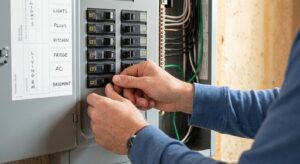
- Turn off power to your HVAC system at the breaker before touching any wiring.
- Remove your current thermostat faceplate and photograph the wiring. Note every wire color and the terminal label it connects to (R, C, W, Y, G, O/B, etc.). This photo is your compatibility reference.
- Count your wires: 2 wires indicates a millivolt or line-voltage system (electric baseboard or old gas valve), 4 to 5 wires indicates a standard single-stage forced-air system, and 6 to 8 wires suggests a multi-stage or heat pump system.
- Check if you have a C-wire (usually blue, connected to the C terminal). If no C-wire is present, look up whether your furnace control board has an unused C terminal on the board itself, since many do.
- Use your wire photo and system type to run the compatibility checker on the Nest, Ecobee, or Honeywell Home website. All three offer free tools that confirm which models work with your exact wiring configuration.
- Compare at least three thermostat models on price, schedule type (5-2, 5-1-1, or 7-day), smart features, and utility rebate eligibility before purchasing.
- Turn off the HVAC system at the breaker. Verify power is off using a non-contact voltage tester at the thermostat wires before touching anything.
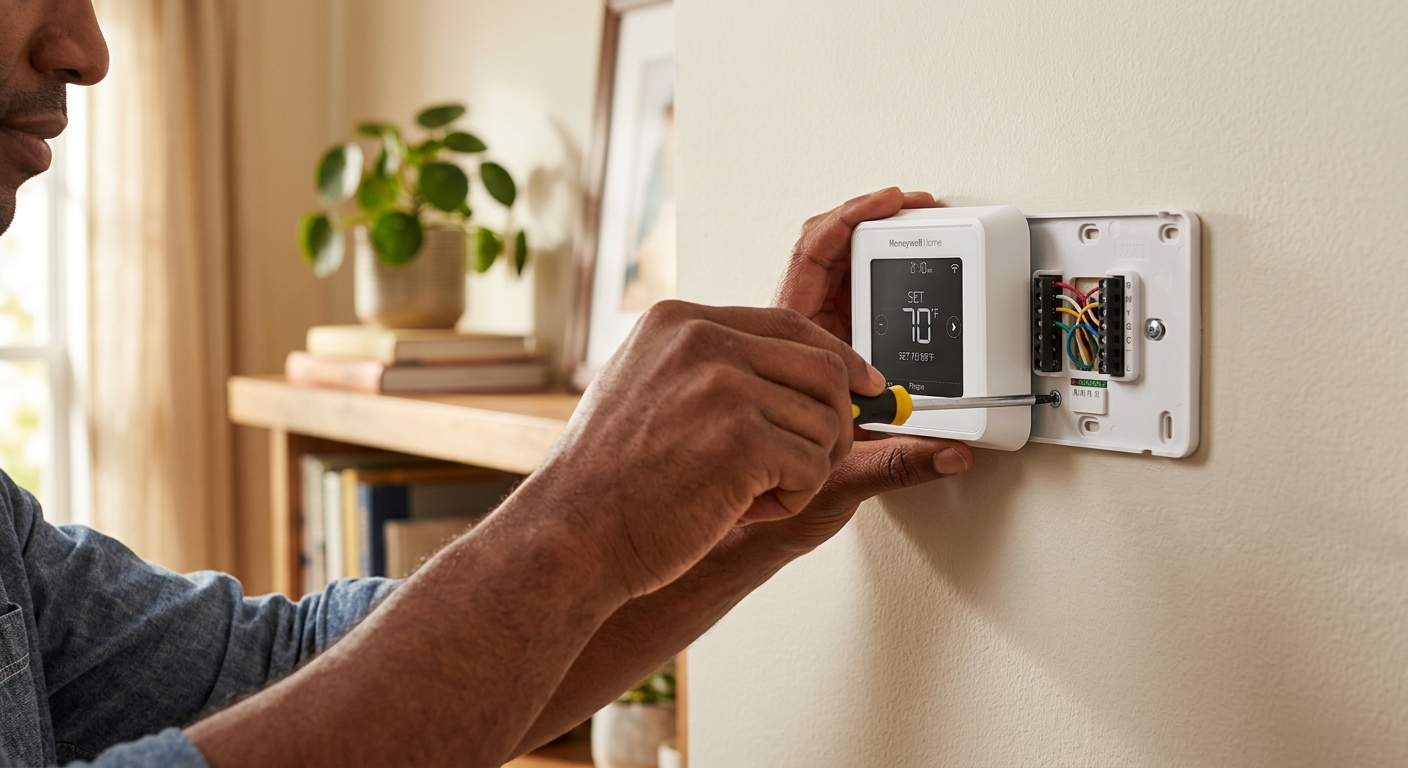
- Label each wire with the included stickers or masking tape matching the terminal letter, then disconnect all wires from the old thermostat. Do not let thin wires fall back into the wall cavity – tape them to the wall if needed.
- Mount the new thermostat base plate level on the wall. If the old hole pattern doesn’t match, most bases include a cover plate to hide the gap cleanly.
- Connect each wire to the matching terminal on the new base. Follow your wire photo precisely. If your new thermostat requires a C-wire and you don’t have one, install the included power adapter kit (Ecobee and some Honeywell models include these) or run the C-wire from the furnace board.
- Snap on the thermostat display, restore power at the breaker, and follow the setup wizard. Enter your system type (heat pump vs. conventional), fuel type, number of stages, and fan control when prompted.
- Program your schedule: set a 65 to 68 degree Fahrenheit setback for sleeping hours and unoccupied periods in winter, and a 78 to 80 degree Fahrenheit setback when away in summer. Verify the system heats and cools correctly by manually triggering each mode and listening for the equipment to start.
- Call your HVAC contractor and describe your system: brand, age, whether it’s a heat pump or conventional, and how many zones you have. Ask if they carry or recommend specific thermostat brands for your equipment.
- Request that the technician verify C-wire availability and run a new wire from the furnace if needed, rather than relying on a power steal adapter on a complex system.
- Ask the technician to configure system-specific settings such as auxiliary heat lockout temperature (typically 35 to 40 degrees Fahrenheit), balance point settings, and compressor minimum off-time during the same visit.
- Have the technician demonstrate the programming interface and confirm your heating and cooling setpoints are entered correctly before they leave.
- Check for utility rebates before the appointment. Some utilities require the rebate form to be submitted within 30 days of installation, and the technician can often provide the documentation you need.
Why It Works: The Benefits
Proper temperature setbacks of 7 to 10 degrees Fahrenheit for 8 hours daily saves roughly 10% per year on heating and cooling. For a household spending $2,000 annually on energy, that’s $200 back in your pocket each year.
A well-programmed thermostat warms or cools the house before you wake up or return from work, so comfort is waiting for you rather than something you have to chase manually every day.
Wi-Fi smart thermostats let you adjust settings from anywhere via smartphone, and many send alerts if your home temperature drops dangerously low in winter or climbs abnormally high in summer, which is especially valuable for vacation homes or during extreme weather.
Many utilities offer rebates of $25 to $100 for installing qualifying smart thermostats such as Ecobee or Nest. Combined with energy savings, this can reduce the payback period to under 12 months in some regions.
Thermostats with compressor protection delays and multi-stage logic reduce unnecessary short-cycling, which can extend compressor and heat exchanger life by reducing wear during the most stressful part of the operating cycle.
💰 Savings Impact by Action
Setting back temperature 7 to 10 degrees for 8 hours daily saves approximately 10 to 15% annually on heating and cooling costs per DOE data.
Smart thermostats with occupancy sensors reduce unnecessary conditioning by detecting empty homes and adjusting setpoints automatically, saving an additional 8% beyond basic scheduling.
Rebates of $25 to $100 from utilities reduce the out-of-pocket thermostat cost by up to 40%, shortening the payback period significantly.
Switching the fan from ‘On’ to ‘Auto’ mode eliminates continuous blower operation and reduces electricity use by roughly 10% of total HVAC energy draw.
Enrolling a smart thermostat in a utility demand-response program can add $20 to $50 in annual bill credits, equivalent to roughly 2 to 5% of a typical cooling season bill.
🏠 Key Concepts Explained
The Science Behind It
The core physics behind thermostat setbacks is rooted in Newton’s Law of Cooling: the rate of heat transfer between your home and the outdoors is proportional to the temperature difference between them. When your home is 72 degrees Fahrenheit and it’s 95 degrees outside, heat flows inward quickly. But if you let the indoor temperature rise to 80 degrees while you’re away, that 15-degree differential is much smaller than the original 23-degree gap, and heat flows in significantly more slowly. Your air conditioner runs less often and for shorter periods when it finally does kick on.
The same principle works in reverse in winter. Allowing your home to cool from 70 to 62 degrees Fahrenheit while you sleep reduces the temperature gap with the cold outdoors, slowing heat loss through walls, windows, and the ceiling. Your furnace fires less often. The 10% annual savings figure from the DOE is a measured, real-world average across a range of climates and home sizes, not a theoretical best case. Homes in climates with large indoor-outdoor temperature swings – very cold winters or very hot summers – often see savings at the higher end of the 10 to 15% range.
Smart thermostats add another layer of savings through occupancy sensing and learning algorithms. Models like the Ecobee use room sensors to detect whether anyone is actually home, avoiding the common problem where a vacation setback gets overridden because the thermostat assumes someone is present based on a fixed schedule. Some utilities also enroll smart thermostats in demand-response programs, briefly adjusting setpoints by 2 to 4 degrees during peak grid demand periods in exchange for bill credits, which can add another $20 to $50 per year in value without any noticeable comfort impact.
Frequently Asked Questions
▼ My new thermostat display is blank or keeps losing its settings after I installed it. What’s wrong?
A blank display after installation almost always means the thermostat isn’t getting continuous power, which points to a missing or non-functional C-wire. Check whether you connected a wire to the C terminal on both the thermostat and the furnace control board. If no C-wire exists in your wall, use the power adapter kit included with your thermostat (Ecobee calls theirs the Power Extender Kit) or have an electrician run a new wire from the furnace.
▼ My heat pump is running the backup electric heat constantly since I installed the new thermostat. Why?
Your thermostat is almost certainly not configured for a heat pump system, or the O/B reversing valve wire is connected to the wrong terminal. Re-enter setup mode and verify you selected ‘Heat Pump’ as the system type and that the O or B wire is assigned correctly for your equipment brand (most use O for cooling mode, but some Rheem and Ruud systems use B). If the auxiliary heat still runs excessively after correcting these settings, set an auxiliary heat lockout temperature of 35 to 40 degrees Fahrenheit to prevent it from triggering above that outdoor threshold.
▼ How long until I actually see lower energy bills after installing a programmable thermostat?
You should see a measurable difference on the first full billing cycle after installation, typically 30 days, provided your schedule is programmed with genuine setbacks of at least 7 degrees for 8 or more hours. Savings are most visible on months with extreme temperatures since that’s when HVAC runtime is highest. If your first bill shows no change, check whether the programmed schedule is actually activating by reviewing the thermostat’s runtime history in the app or display menu.
▼ Can I install a smart thermostat if I have a two-stage furnace and a two-stage air conditioner?
Yes, but you need a thermostat specifically rated for two-stage or multi-stage systems. The Ecobee SmartThermostat, Honeywell Home T10 Pro, and Nest Learning Thermostat (third generation and later) all support two-stage heating and cooling. During setup you’ll need to specify two-stage operation and connect the Y2 and W2 terminals where applicable. A two-stage thermostat communicates with the second stage only when the first stage can’t keep up, which improves both efficiency and humidity control.
▼ My thermostat is compatible but the HVAC system short-cycles every few minutes. What do I do?
Short-cycling after a new thermostat install usually means the compressor protection delay is disabled or set to zero. Go into the thermostat’s advanced or installer settings and enable the minimum off-time, typically set to 3 to 5 minutes. This prevents the compressor from restarting too soon after shutdown, which causes short-cycling and compressor stress. If short-cycling continues after enabling this setting, the problem may be an oversized system or a refrigerant issue that requires an HVAC technician.
Quick Tips
- Set your thermostat’s fan to ‘Auto’ rather than ‘On’ unless you have an air quality reason to run it continuously. Continuous fan operation adds $15 to $25 per month in electricity costs without meaningful comfort benefit in most homes.
- In winter, avoid large setbacks greater than 10 degrees Fahrenheit on heat pump systems. The heat pump will trigger expensive auxiliary electric resistance heat to recover the temperature quickly, which costs more than the setback saved.
- Place your thermostat on an interior wall away from supply vents, windows, doors, and direct sunlight. A thermostat reading 74 degrees because afternoon sun hits it will overcool the rest of the house trying to reach that ghost reading.
- After installation, use your utility’s online energy dashboard or the thermostat app’s own energy history to verify savings. If runtime increases rather than decreases after programming, your schedule may be fighting your household’s actual occupancy pattern and needs adjustment.
Variations for Your Situation
- Apartment/Rental: Many landlords own the thermostat and won’t permit replacement, but some will if you offer to restore the original at move-out. Start by asking in writing. If replacement isn’t allowed, a smart plug with a compatible portable heater or a standalone temperature monitor paired with a window AC unit can still automate comfort in individual rooms for under $50 without touching the central system.
- Tight Budget (under $50): A basic 7-day programmable thermostat such as the Honeywell Home RTH7560E retails for $30 to $40 and delivers nearly the same setback savings as a $250 smart model. Skip Wi-Fi and learning features and focus on a model with a straightforward programming interface. Set two to three setback periods per day and you’ll capture most of the available 10% annual savings without the complexity.
- Older Home (pre-1980): Homes built before 1980 frequently have two-wire thermostat circuits with no C-wire and sometimes use millivolt or line-voltage systems for older heating equipment. Before purchasing anything, identify your system type using a non-contact voltage tester at the thermostat terminals. If voltage reads 24V AC, you have a standard low-voltage system and can proceed with a compatible model and a power adapter kit. If you read 120V or higher, or less than 1V DC, call an HVAC technician before purchasing any thermostat.