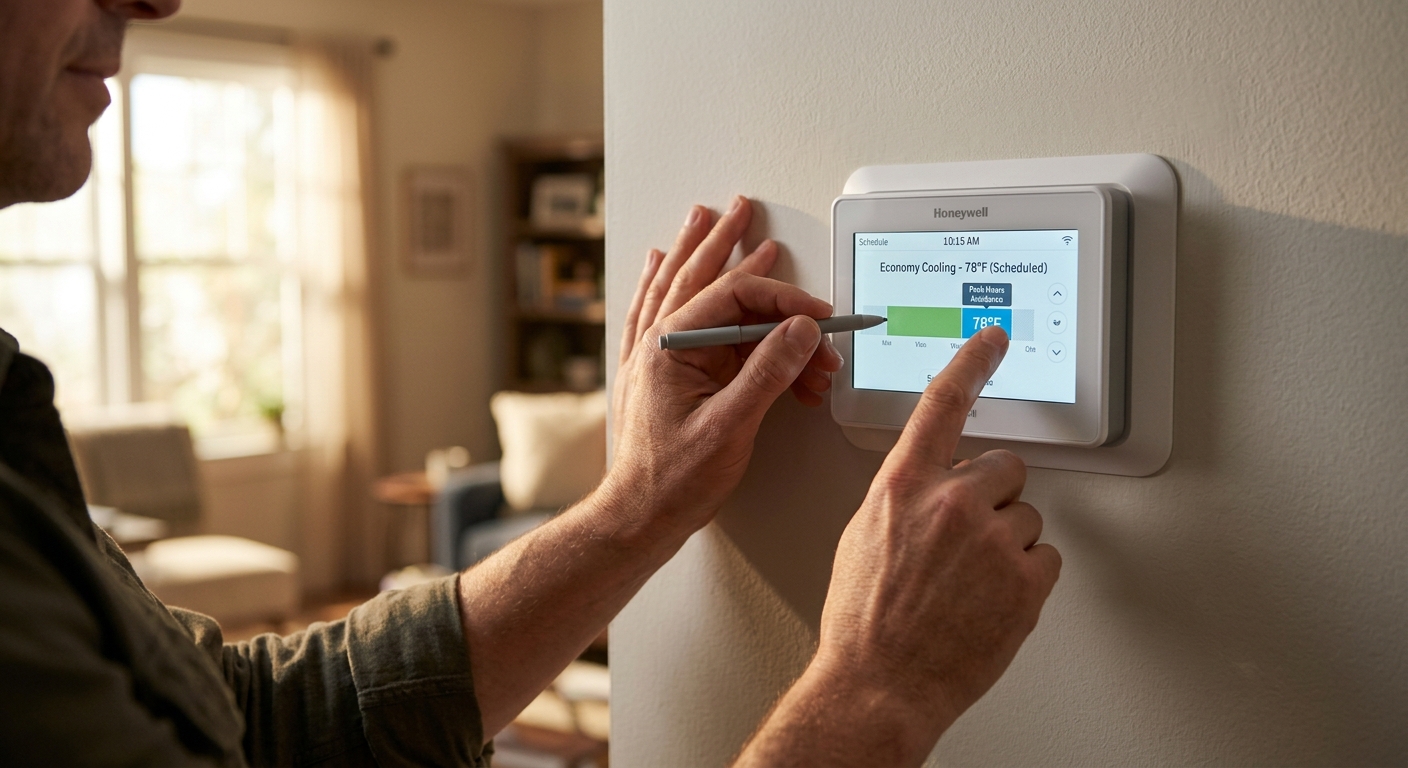
Your air conditioner does not know what electricity costs at 3pm versus 11pm, but your wallet certainly does. Most households run their AC on a simple on/off schedule tied to comfort alone, leaving serious money on the table. Electricity rates, outdoor temperatures, and your home’s ability to store coolness all follow predictable daily patterns, and aligning your cooling schedule with those patterns is one of the highest-leverage moves you can make without spending a dime on equipment.
The core idea is called load shifting: pre-cool your home during cheaper, cooler periods so your AC runs less during the hottest and most expensive parts of the day. Paired with a programmable or smart thermostat and a basic understanding of your utility’s rate structure, this strategy typically saves homeowners 20 to 45% on cooling-season electricity, with some households on time-of-use rates saving even more. A typical American household spends roughly $500 per year on air conditioning, so those percentages represent real money.
In this post you will learn exactly which hours to target, how to program a pre-cooling schedule, whether your utility offers time-of-use rates that amplify your savings, and how to get your home to hold coolness longer so the AC stays off when rates are high. Whether you have a basic programmable thermostat or a smart home setup, there is an approach here that works for you.
What You’ll Need
Click on an item below to shop for the recommended items for this recipe on Amazon.
As an Amazon Associate, we earn from qualifying purchases.
How to Do It
- Check your utility’s rate schedule online or on your bill. Look for time-of-use or tiered rates. Note exactly when peak hours begin and end (commonly 2pm to 8pm, but verify for your provider).
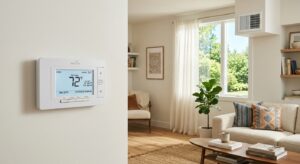
- Set your thermostat to pre-cool to 70 to 72°F starting at 10am to 11am, before outdoor temperatures peak and before peak rate hours begin.
- Program a setback to 76 to 78°F from the start of peak hours (e.g., 2pm) through 8pm. Your pre-cooled thermal mass will absorb the comfort gap.
- Set a recovery to your normal evening comfort temperature (typically 72 to 74°F) starting at 8pm when off-peak rates resume and outdoor temps drop.
- Program a nighttime setback to 74 to 76°F from 10pm onward, or use natural ventilation if outdoor temps fall below 70°F in your climate.
- After your first billing cycle, compare your bill to the same period last year. Adjust pre-cool start time or setback depth if the home feels too warm by 6pm.
- Call or log in to your utility account and ask about time-of-use or peak pricing rate plans. Many utilities offer bill credits or free smart thermostats as an enrollment incentive, reducing your out-of-pocket cost.
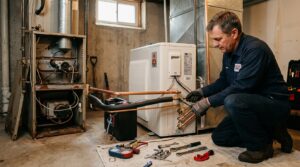
- Purchase a compatible smart thermostat. Ecobee and Nest both support utility demand-response programs and have guided scheduling features. Confirm C-wire compatibility before purchasing by checking your existing thermostat wiring.
- Turn off power to your HVAC system at the breaker before removing the old thermostat. Label each wire with the included stickers as you detach them.
- Mount and wire the new thermostat following the manufacturer’s app-guided setup. Most installs take 30 to 45 minutes with no electrical experience required.
- In the thermostat app, input your utility’s peak hours and enable the pre-cooling or energy savings schedule. Set pre-cool target to 71°F starting at 10am and peak setback to 77°F from 2pm to 8pm.
- Enable occupancy sensing if available. Smart thermostats with occupancy detection will automatically deepen setbacks on days you are away, saving an additional 10 to 15% without any manual adjustment.
- On a hot afternoon, walk your home and feel for warm drafts near window frames, door frames, attic hatches, recessed lights, and where walls meet floors. These are your biggest heat infiltration points.
- Apply weatherstripping to all exterior door frames that show daylight or feel drafty. Self-adhesive foam tape costs under $10 per door and takes 10 minutes each.
- Caulk around window frames on the interior side using paintable latex caulk. Focus on windows that face south and west since those receive the highest afternoon solar gain.
- Seal attic hatch edges with adhesive foam weatherstripping and add a rigid foam insulation board to the top of the hatch. Attics reach 130 to 150°F in summer and an unsealed hatch pours heat directly into living space.
- Install door sweeps on all exterior doors that show a light gap at the bottom. This single step can reduce infiltration by 10 to 15% in older homes.
- After sealing, return to your thermostat schedule from Approach 1 or 2 and extend your peak setback by one additional degree. A tighter envelope means pre-cooled air persists 30 to 60 minutes longer, stretching your off-peak savings further.
Why It Works: The Benefits
Homeowners on time-of-use utility rates who shift cooling to off-peak hours report savings of 20 to 45% on their cooling-season bills, equivalent to $100 to $225 per summer for an average household.
Some utilities add a demand charge based on your highest 15-minute consumption spike. Keeping the AC off or at a higher setpoint during peak windows can eliminate or reduce this charge entirely, sometimes saving an additional $10 to $30 per month.
Running the AC at a steady pre-cool pace in the morning is easier on the compressor than forcing it to catch up during the hottest afternoon hours, reducing short-cycling stress and extending system life.
Pre-cooling keeps indoor temperatures steadier throughout the day, avoiding the uncomfortable 78 to 82°F spike that happens when a reactive thermostat struggles to keep up with peak afternoon heat gain.
Shifting load off the 2pm to 8pm peak reduces demand on fossil-fuel peaker plants, which are the dirtiest and most expensive generators on the grid. Load-shifting households collectively lower grid carbon intensity during summer afternoons.
💰 Savings Impact by Action
Moving AC runtime from peak-rate hours to off-peak hours reduces the cost of the same energy by 30 to 45% on time-of-use utility plans without changing how much electricity you use.
Pre-cooling to 71°F before peak heat arrives reduces compressor runtime during the hottest afternoon hours by 15 to 20% compared to reactive cooling.
A consistent 7 to 10 degree setback during away or sleeping hours saves approximately 10% on annual cooling costs according to DOE data.
Sealing door frames, window frames, and attic hatches reduces infiltration heat gain by up to 20%, extending the duration that pre-cooled air holds the home at target temperature.
Closing blinds or adding solar shades on south and west windows reduces solar heat gain by 40 to 65%, cutting peak cooling load by 10 to 15% in sun-exposed homes.
🏠 Key Concepts Explained
The Science Behind It
The physics behind pre-cooling come down to two principles: heat transfer lag and the thermal flywheel effect. Your home’s walls, slab, furniture, and framing have thermal mass, meaning they absorb heat slowly and release it slowly. When you cool the air in your home to 71°F before peak heat arrives, that coolness is stored not just in the air but in every surface the cooled air contacts. When you raise the thermostat setpoint to 77°F during peak hours, your body does not immediately feel warmer because the surrounding surfaces are still radiating coolness at you. This lag can buy 2 to 4 hours of comfort without the compressor running at all, depending on how well insulated and sealed your home is.
The outdoor temperature curve also works in your favor. Peak ambient temperatures typically occur between 3pm and 5pm, but heat conduction through your walls and roof means your attic and wall cavities do not reach maximum temperature until 1 to 3 hours after the outdoor peak. This means your AC is fighting a rising tide all afternoon if you wait to cool reactively. Pre-cooling from 10am to 1pm puts you ahead of that curve so the thermal mass in your home is absorbing excess heat energy rather than demanding the compressor compensate in real time.
On time-of-use utility rates, the economic leverage multiplies the physical benefit. If off-peak electricity costs $0.09 per kilowatt-hour and peak electricity costs $0.28 per kilowatt-hour, the exact same kilowatt-hour of cooling costs three times more depending purely on when you use it. Running a 3-ton AC system for 2 hours at off-peak rates costs roughly $0.54 in electricity. That same 2 hours during peak costs $1.68. Multiply that difference across a 90-day cooling season and the scheduling choice alone is worth $100 or more annually with zero hardware changes.
Frequently Asked Questions
▼ My home is still hot by 5pm even after pre-cooling to 71°F. What am I doing wrong?
The most common cause is either poor attic insulation or significant air leakage that bleeds off the pre-cooled air within an hour or two. Check your attic insulation depth first: anything less than R-30 (about 9 inches of fiberglass) in a hot climate means heat is pouring in through the ceiling continuously. As a near-term fix, start your pre-cool an hour earlier and drop the target to 69 to 70°F to build a deeper thermal buffer.
▼ I do not have time-of-use rates. Is pre-cooling still worth it on a flat rate plan?
Yes, but the savings mechanism shifts from price arbitrage to pure efficiency. Pre-cooling during the cooler morning hours (when the outdoor to indoor temperature difference is smaller) means the AC moves heat against a smaller gradient and runs more efficiently, using 10 to 18% less electricity per degree of cooling than it would during peak afternoon heat. Call your utility and ask about TOU rate enrollment since most utilities that offer it will let you switch back if the first month does not show savings.
▼ How long before I see the savings on my actual bill?
You should see a measurable difference within your first full billing cycle after implementing a consistent schedule. Most utilities bill monthly, so expect to compare your new bill against the same month from the prior year (not last month, since seasonal variation skews the comparison). A 20 to 30% drop in cooling-related consumption is realistic in the first month with both scheduling and basic envelope work in place.
▼ Can I do this if I work from home and need to stay comfortable all day?
Absolutely. The strategy still applies: pre-cool to 70 to 71°F in the morning so you build up thermal buffer, then set your thermostat to 74 to 75°F during peak hours instead of your usual 72°F. The two to three degree difference is barely perceptible, especially with a ceiling fan running, and you still avoid the highest-cost electricity hours. You will save less than someone who is away all day, but 10 to 20% savings are still realistic.
▼ My AC takes forever to cool down the house in the morning. Is my system too small?
If your system cannot bring the home from 76°F to 71°F within 60 to 90 minutes on a mild morning, the system may be undersized or your air filter may be clogged, restricting airflow and reducing capacity by 15 to 25%. Check and replace your filter first. If that does not help, have an HVAC technician check refrigerant charge and airflow. A properly sized and functioning 3-ton system should cool a 1,500 to 2,000 square foot home by 5 to 6 degrees in under an hour.
Quick Tips
- Close blinds and shades on south-facing and west-facing windows by 11am. Interior cellular shades or exterior solar screens reduce solar heat gain by 40 to 65%, making your pre-cooled air last significantly longer into the afternoon.
- Run your ceiling fans during the peak setback period. Fans do not lower air temperature but the wind-chill effect lets you feel comfortable at 77 to 78°F instead of 74°F, allowing a deeper and longer setback without discomfort.
- Avoid using the oven, dishwasher, or clothes dryer during peak hours (2pm to 8pm). These appliances add 1,500 to 5,000 watts of heat load directly into your living space, forcing the AC to recover from both the outdoor heat and internal gain simultaneously.
- Check whether your utility app shows hourly usage data. Plotting your AC runtime against the rate schedule visually shows exactly how much overlap exists and whether your pre-cool window needs to shift earlier or later for your specific home.
Variations for Your Situation
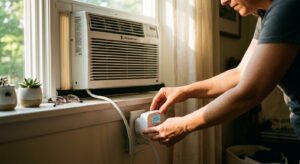
- Apartment/Rental: Renters with a wall AC unit or window AC can apply the same pre-cooling schedule manually or with a $15 to $25 smart plug with scheduling (such as the Kasa EP25 or Amazon Smart Plug). Set the unit to run on high cool from 9am to 1pm, then switch to fan-only or a higher temperature setting from 2pm to 8pm. Close all blinds before 11am and use a portable fan to extend comfort. Savings of 15 to 25% are realistic without any landlord permission required.
- Tight Budget (under $50): Focus entirely on the free scheduling changes using your existing thermostat plus two low-cost upgrades: foam weatherstripping for your worst door ($8 to $12) and a window film or reflective shade for your largest west-facing window ($15 to $30). These three steps combined can deliver 15 to 20% savings with under $50 invested and no thermostat purchase needed. Check your utility website for a free energy audit or rebate program before spending anything.
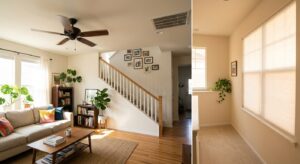
- Older Home (pre-1980): Homes built before 1980 typically have wall insulation of R-7 to R-11 and significant air leakage, which means pre-cooled air escapes quickly and the thermal mass benefit is reduced. Start with attic insulation if it is below R-30 since the attic is the single biggest heat entry point. Then focus on door and window sealing before worrying about thermostat scheduling. In a leaky older home, every degree of pre-cooling you create will bleed out in 30 to 60 minutes rather than 2 to 4 hours, so envelope improvements must come first to make scheduling worthwhile.