You installed a programmable thermostat because you were told it would save money. Maybe it even came with your home. But if your energy bills still feel stubbornly high, or certain rooms never quite reach the right temperature, the thermostat itself probably is not the problem. The programming almost certainly is. Studies by Lawrence Berkeley National Laboratory found that a majority of programmable thermostat owners either never set a schedule or use settings that actively work against efficiency.
The core issue is this: a programmable thermostat is only as smart as the schedule you give it. Set the wrong temperatures, the wrong times, or the wrong recovery windows, and your HVAC system will work harder than it would on manual mode. Worse, many homeowners unknowingly set recovery periods that force the system to blast at full capacity for an hour, wiping out the savings from the setback entirely.
This post covers the specific mistakes that turn a money-saving tool into a money-wasting one, and walks you through two approaches to fix it, from a 15-minute reprogramming session to a full smart thermostat upgrade that pays for itself in under two years. You will get real setback temperatures, timing windows, and the building science behind why they work.
What You’ll Need
Click on an item below to shop for the recommended items for this recipe on Amazon.
As an Amazon Associate, we earn from qualifying purchases.
How to Do It
- Identify your actual daily schedule by writing down the four key time windows: wake time, leave time, return time, and sleep time. Be honest about these, not aspirational.
- Set your wake setpoint to your comfort temperature, typically 68 to 70 degrees for heating or 74 to 76 degrees for cooling, programmed to reach that temperature by wake time, not starting at wake time. Work backward by 1 hour for most forced-air systems.
- Set your away setpoint to 60 to 62 degrees in winter or 78 to 80 degrees in summer for the hours your home is unoccupied. This is the biggest lever for savings.
- Set your return setpoint to your comfort temperature starting 30 to 60 minutes before you typically arrive home so the house is ready when you walk in.
- Set your sleep setpoint to 65 to 68 degrees for heating in winter. In summer, raise the cooling setpoint to 76 to 78 degrees at bedtime since most people sleep fine with a fan.
- Disable or minimize manual override use. If you find yourself overriding the schedule more than twice a week, the schedule does not match your life and needs to be revised, not bypassed.
- Confirm compatibility before buying. Take a photo of your existing thermostat wiring or use the compatibility checker on the manufacturer website (Ecobee, Google Nest, and Honeywell all have these). Heat pump systems and older two-wire systems may require additional wiring or an adapter.
- Turn off power to your HVAC system at the breaker before removing the old thermostat. Label each wire with masking tape and a marker matching the terminal it came from (R, G, Y, W, C, etc.).
- Mount the new thermostat base, connect the labeled wires to the matching terminals, and snap the display unit onto the base. Restore power and follow the setup wizard.
- During setup, enter your home’s square footage, insulation level, and heating and cooling system type when prompted. These inputs allow the thermostat’s algorithms to calculate accurate recovery times automatically.
- Enable the learning or auto-schedule feature if available, but also manually set a baseline schedule matching your actual routine so the thermostat does not have to learn from scratch over two weeks of suboptimal performance.
- Connect to your home Wi-Fi and enable geofencing if supported. Geofencing uses your phone’s location to automatically switch to away mode when you leave and start recovery before you return, eliminating the biggest source of wasted energy: forgetting to adjust the thermostat when plans change.
Why It Works: The Benefits
The DOE estimates that proper setback programming saves 10 to 15 percent on heating and cooling annually, averaging $150 to $250 per year for a typical 2,000 square foot home depending on climate and fuel type.
A correctly programmed thermostat pre-conditions your home before you need it, so you wake up or come home to the right temperature rather than waiting 30 to 60 minutes for the system to catch up.
Eliminating unnecessary run cycles and preventing the system from blasting at full recovery extends compressor and blower motor life, potentially adding years to your equipment before a costly replacement is needed.
Sleep researchers recommend a bedroom temperature of 65 to 68 degrees Fahrenheit for optimal sleep. A nighttime setback schedule that reaches this range passively, rather than relying on manual adjustments, improves sleep without wasting energy keeping the whole home at that temperature during waking hours.
💰 Savings Impact by Action
Setting back 8 to 10 degrees for 8 or more hours while away saves approximately 12 percent on that period’s heating or cooling energy based on DOE data.
An overnight setback of 7 degrees for 8 hours saves roughly 8 percent on heating costs annually for a typical home.
Smart thermostats with geofencing and predictive recovery reduce total HVAC runtime by up to 15 percent compared to fixed programmable schedules by eliminating wasted pre-conditioning time.
A clogged air filter raises system static pressure and can increase HVAC energy consumption by up to 15 percent while reducing equipment lifespan.
🏠 Key Concepts Explained
The Science Behind It
Your home loses heat in winter and gains heat in summer at a rate governed by the temperature difference between inside and outside, a principle called the Delta-T relationship. The greater the difference, the faster the heat transfer. When you set back your thermostat by 8 to 10 degrees overnight, you reduce that temperature differential, slowing heat loss or gain through your walls, windows, and roof. The result is that your HVAC system runs less frequently and for shorter cycles, which is where the energy savings come from.
The common myth that it takes more energy to reheat a cold home than to keep it warm all day is false for almost every residential situation. The energy consumed reheating the home during a recovery period is always less than the energy that would have been consumed maintaining a higher temperature continuously. The crossover point, where keeping the home warm becomes more efficient than setback and recovery, only occurs in extremely short absences of less than 2 to 3 hours in very well-insulated homes, which is not the typical use case.
Smart thermostats improve on basic programmable models by using predictive algorithms that factor in outdoor temperature, humidity, and historical runtime data to calculate how early to start recovery. Where a basic thermostat blindly starts at a fixed time you programmed, a smart thermostat running on a 20-degree morning knows it needs more lead time than on a 45-degree morning and adjusts automatically. This prevents the common mistake of setting recovery too early in mild weather, which wastes energy, or too late in extreme weather, which means coming home to an uncomfortable house.
Frequently Asked Questions
▼ Why is my programmable thermostat not reaching the set temperature before I wake up?
Your recovery start time is set too late for your system’s capacity and the current outdoor temperature. Move your wake-time program start back by 30 to 60 minutes and monitor whether the home reaches the target temperature before your actual wake time. In very cold climates during extreme weather, you may need to reduce your overnight setback from 10 degrees to 6 or 7 degrees so the recovery window stays manageable.
▼ My heating bill went up after I programmed the thermostat. What went wrong?
The most likely cause is either a heat pump triggering expensive auxiliary heat during recovery, or recovery windows set so early that the home is fully heated for hours before anyone is awake. Check your thermostat’s runtime log if available. For heat pumps, limit setbacks to 2 degrees or upgrade to a heat-pump-specific smart thermostat that manages recovery rate intelligently.
▼ Can I use a smart thermostat in a rental apartment?
In many apartments you can replace a thermostat yourself since no structural changes are required, but you should check your lease and ask your landlord first. If the HVAC is central and controlled by building management, you will not have access to the thermostat at all. In units where you control your own thermostat, a smart thermostat is typically removable and you can reinstall the original when you move out.
▼ How long until I see savings on my energy bill after reprogramming?
You should see a measurable reduction within one full billing cycle, typically 30 days. Compare your usage in kilowatt-hours or therms rather than the dollar amount, since fuel prices fluctuate. A 10 to 15 percent reduction in consumption is realistic within the first month of correct programming, with savings most visible during heating and cooling peaks.
▼ My thermostat schedule is correct but one room is always too hot or too cold. Is the thermostat the problem?
Almost certainly not. Uneven temperatures between rooms are caused by duct imbalances, blocked vents, missing insulation, or air sealing deficiencies, not the thermostat setting. Start by confirming all supply and return vents in the problem room are fully open and unobstructed. If that does not help, a duct pressure test or blower door test by an HVAC technician will identify the root cause.
Quick Tips
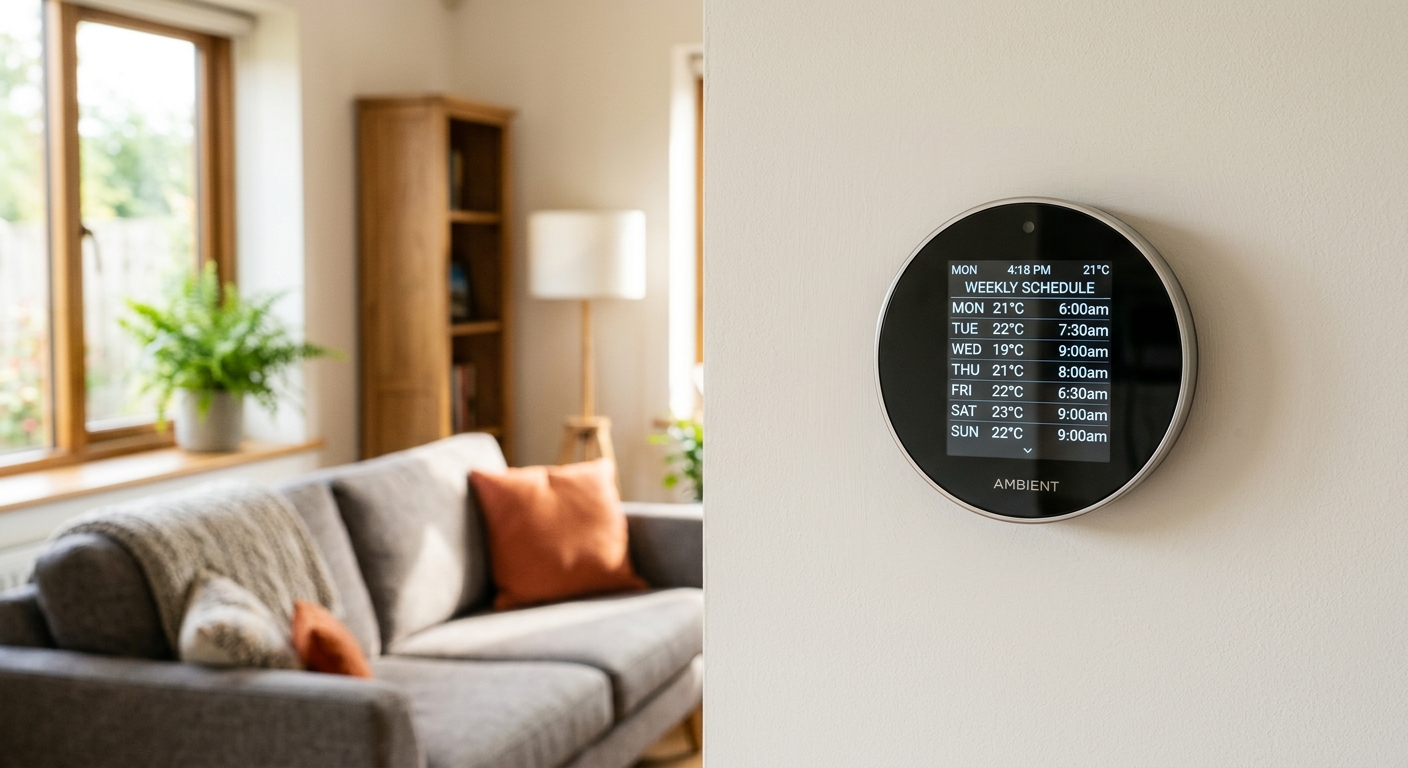
- Set separate weekday and weekend schedules if your routine differs significantly. Most programmable thermostats support 5-2 or 5-1-1 day programming, and using a single 7-day schedule for different routines wastes energy on days that do not match the pattern.
- In cooling season, raise your setpoint by 4 degrees instead of lowering it, and run ceiling fans when occupied. Fans create a wind-chill effect that makes 78 degrees feel like 74 degrees at a fraction of the energy cost of running the compressor harder.
- If you have a multi-zone system, treat each zone’s thermostat as independent and avoid setting unoccupied zones to extreme temperatures. A variance of more than 10 to 15 degrees between zones can create pressure imbalances in duct systems not designed for it.
- Check that your thermostat is not located near a heat source such as a lamp, sunny window, exterior door, or supply vent. A thermostat sensing false heat will short-cycle the system and create hot and cold spots throughout the home.
Variations for Your Situation
- Apartment or Rental: If you control your own thermostat, the reprogramming approach in this post applies directly and costs nothing. Skip the smart thermostat upgrade unless your lease explicitly permits it or your landlord approves. Instead, focus on maximizing setbacks during work hours and overnight, and use a simple $25 to $40 programmable thermostat if the existing one is manual-only and your landlord allows a swap you will reverse on move-out.
- Tight Budget (Under $50): The reprogram approach is entirely free and delivers most of the available savings. If your thermostat is older than 10 years or is a basic analog model, a basic 7-day programmable thermostat costs $25 to $40 at any hardware store and installs in under 30 minutes. Focus the savings on the away-setback window, which is the highest-value single change you can make.
- Older Home (Pre-1980): Older homes typically have higher infiltration rates, meaning more heat loss per hour during setbacks, which actually makes setbacks slightly more valuable in terms of percentage savings. However, older wiring may lack a C-wire, making some smart thermostats incompatible without an adapter or new wire run. Check for a C-wire first, and if absent, look for smart thermostats with a built-in power adapter kit or choose a battery-powered model that does not require the C-wire.