Your thermostat is one of the most powerful energy controls in your home, yet most households never touch the schedule after the initial setup. If your heat runs at the same temperature while you are at work, asleep, or away for the weekend, you are spending real money warming space that nobody is using. According to the U.S. Department of Energy, turning your thermostat back 7 to 10 degrees Fahrenheit for 8 hours a day can save up to 10% per year on heating and cooling costs.
The good news is that reprogramming your thermostat schedule costs nothing and takes about 15 minutes. Whether you have a basic programmable model from a decade ago or a modern smart thermostat with app control, the core strategy is the same: align your heating schedule with when people are actually home and awake. Small temperature setbacks add up to meaningful savings over a full heating season.
This post walks you through how to audit your current schedule, build a smarter one from scratch, and, if you are ready for an upgrade, how a smart thermostat can automate the whole process and pay for itself in under two years. Real numbers, real steps, no guesswork.
What You’ll Need
Click on an item below to shop for the recommended items for this recipe on Amazon.
As an Amazon Associate, we earn from qualifying purchases.
How to Do It
- Locate your thermostat manual or search the model number online to find the programming instructions. Most programmable thermostats use a similar interface: a program or schedule button, day selectors, and up and down arrows for time and temperature.
- Write out your actual daily schedule before touching the thermostat. Identify four key events per day: wake time, leave time, return time, and bedtime. Be honest about when the house is actually empty.
- Set your wake temperature to your comfort level, typically 68 to 70 degrees Fahrenheit. Program the heat to start 30 minutes before your actual wake time to account for recovery.
- Set your away temperature to 60 to 62 degrees Fahrenheit for the hours your home is unoccupied. This 8 to 10 degree setback is where the bulk of your savings come from.
- Set your return temperature back up to 68 to 70 degrees, starting 30 minutes before you typically arrive home.
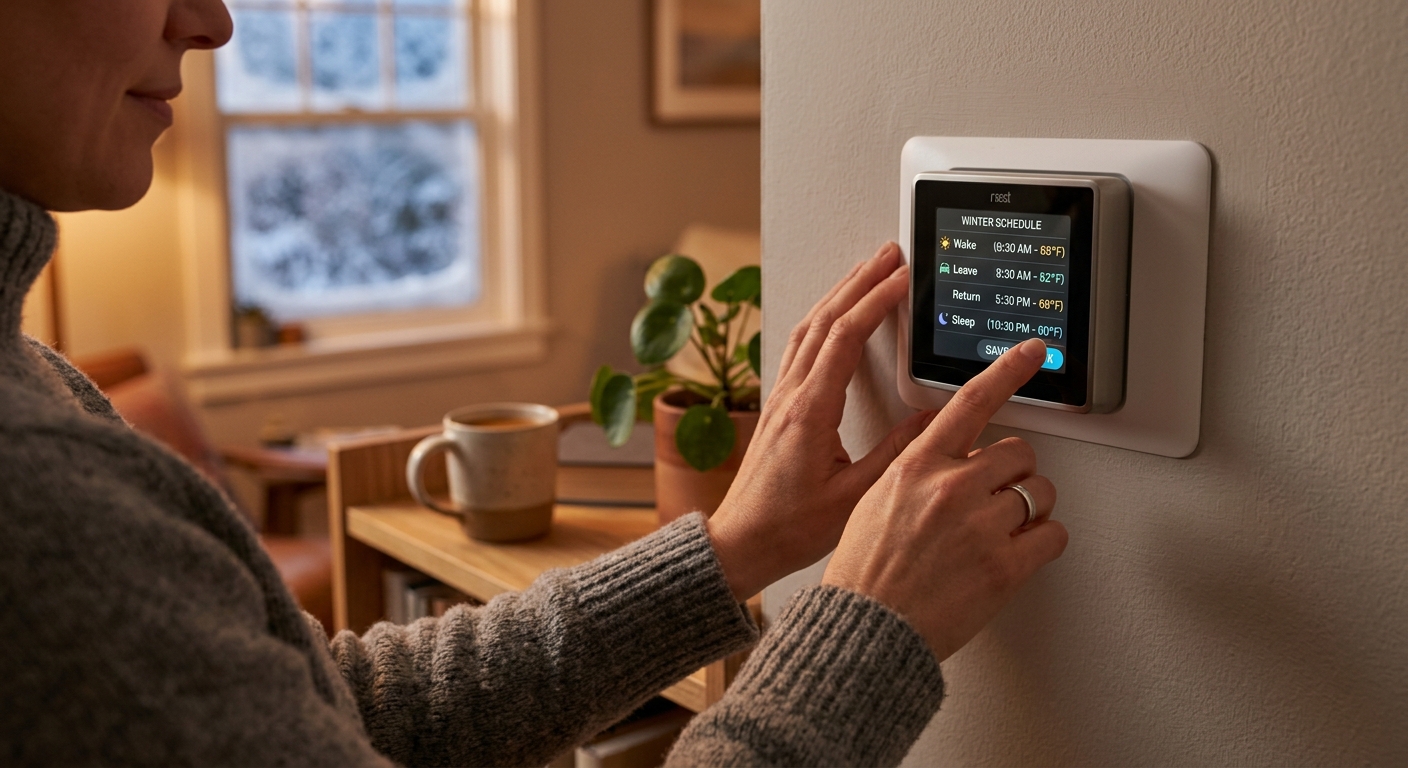
- Set your sleep temperature to 65 to 67 degrees Fahrenheit at your actual bedtime. Confirm the schedule is saved and verify the thermostat display cycles through the new program correctly.
- Verify your HVAC system is compatible before buying. Most gas furnaces and central heat pumps work with popular smart thermostats. Check the manufacturer compatibility tool online using your system’s wiring labels.
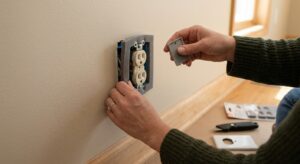
- Turn off power to your HVAC system at the breaker before removing the old thermostat. Take a photo of the existing wiring so you have a reference during installation.
- Remove the old thermostat, label each wire with the included stickers, and connect them to the matching terminals on the new smart thermostat base. Most installs involve only 4 to 5 wires.
- Mount the new thermostat, restore power, and follow the in-app setup to enter your home type, heating system, and location for local weather data.
- Build your initial schedule in the app using the same four-event framework: wake at 68 to 70 degrees, away at 60 to 62 degrees, return at 68 to 70 degrees, sleep at 65 to 67 degrees.
- Enable geofencing or learning mode if available. These features automatically adjust the schedule when your phone leaves or approaches home, eliminating wasted heating on days your routine changes.
Why It Works: The Benefits
A consistent 7 to 10 degree setback during sleep and away hours can cut annual heating costs by 10 to 15%, which equals $100 to $200 per year for a typical household spending $1,200 to $1,500 on heating.
Reprogramming an existing thermostat costs nothing and savings begin on the very next billing cycle, making this the highest return-on-effort action available in home efficiency.
Research shows that a cooler bedroom temperature between 65 and 68 degrees Fahrenheit supports deeper sleep. Setting your night schedule to this range improves comfort and saves energy at the same time.
Fewer heating hours per day means fewer burner ignitions and less blower runtime, extending the service life of your furnace and reducing the likelihood of costly mid-winter breakdowns.
A 10% reduction in natural gas use for a typical home eliminates roughly 400 to 600 pounds of CO2 emissions per heating season with no lifestyle sacrifice required.
💰 Savings Impact by Action
A 7 to 10 degree setback for 8 hours daily reduces annual heating costs by approximately 10% according to DOE data.
Dropping to 60 to 62 degrees during a typical 9-hour workday eliminates 8% of daily heating energy compared to a constant 70-degree setpoint.
Smart thermostats with geofencing and learning reduce heating runtime by an average of 10 to 12% compared to fixed programmable schedules, per ENERGY STAR estimates.
A 3 to 5 degree setback during 7 to 8 hours of sleep adds approximately 3 to 5% in additional savings on top of daytime scheduling.
🏠 Key Concepts Explained
The Science Behind It
The physics behind thermostat scheduling comes down to one principle: heat always flows from warm to cold, and the rate of that flow is proportional to the temperature difference. When your home is set to 70 degrees and it is 25 degrees outside, the temperature gap is 45 degrees and heat loss through your walls, windows, and ceiling is at its maximum rate. Drop your indoor setpoint to 62 degrees during unoccupied hours and that gap shrinks to 37 degrees, slowing heat loss by roughly 18%. Your furnace simply does not have to work as hard to maintain the lower target.
A common misconception is that it takes more energy to reheat a house than you save during the setback period. This is not accurate. While it is true that your furnace runs longer during the recovery cycle, the total energy used during reheating is always less than what would have been used maintaining the higher temperature for those same hours. The longer the setback period, the greater the net savings. This is confirmed by DOE modeling and decades of field data from utility-sponsored programs.
Thermal mass plays a supporting role here. Dense materials like concrete floors, brick walls, and even furniture absorb heat during warm periods and release it slowly as the room cools. This means your home does not drop in temperature as fast as you might expect after a setback begins, and it recovers faster than raw furnace output alone would suggest. A well-built home with good insulation can drop only 3 to 4 degrees over a 6-hour setback period, making the recovery cycle short and efficient.
Frequently Asked Questions
▼ Why is my heating bill still high after I reprogrammed my thermostat?
Check whether the thermostat reverted to a hold or override mode, which ignores your programmed schedule entirely. Also verify the schedule is actually active by watching the display over a full day cycle. If the schedule is running correctly and bills remain high, the issue may be air leaks or poor insulation rather than the thermostat, and a home energy audit would be the next step.
▼ Can renters program or replace their thermostat without landlord permission?
Reprogramming an existing thermostat requires no permission and is always renter-safe. Replacing the physical thermostat, even with a smart model, typically requires landlord approval since it involves wiring modification. If you get permission, document the original wiring with photos and save the old thermostat so it can be reinstalled when you move out.
▼ How long before I see the savings show up on my utility bill?
Most homeowners notice a measurable difference within the first full billing cycle after reprogramming, typically 30 days. Keep in mind that weather variation affects month-to-month comparisons, so compare your bill to the same month from the prior year for a cleaner reading. Many utilities also offer an online energy use dashboard that shows daily consumption in real time.
▼ What if someone is home at irregular hours, like a remote worker or shift worker?
A smart thermostat with geofencing is the best solution here. It uses your phone’s location to detect when the house is empty and adjusts automatically, rather than following a fixed clock schedule. Alternatively, set your base schedule for your most common pattern and use manual hold only on days your schedule changes, rather than leaving the thermostat in permanent hold.
▼ Is a 10-degree setback safe for older adults or infants in the home?
A nighttime setpoint of 65 to 66 degrees is generally safe and comfortable for healthy adults and infants who are appropriately dressed or blanketed. If anyone in the household has a medical condition sensitive to temperature, consult their physician and consider a smaller 5-degree setback, which still saves approximately 5% annually. Never set occupied hours below 65 degrees when vulnerable individuals are present.
Quick Tips
- Use a 7-day schedule rather than a 5-2 split if your weekend routine differs from weekdays. Heating an empty house on a Saturday morning because your weekday schedule is running is a common hidden waste.
- Avoid the temptation to crank the thermostat to 80 degrees when you are cold. Your furnace delivers heat at the same rate regardless of the setpoint. Setting it higher only delays the time you cancel the call for heat, it does not heat faster.
- Check your thermostat batteries annually. A dying battery can cause a programmable thermostat to lose its schedule or drop into a hold mode, silently wasting energy for weeks.
- If you have a two-story home, place a secondary smart sensor on the floor where you spend the most time. Thermostats mounted in hallways often misread actual living area temperature by 2 to 4 degrees.
Variations for Your Situation
- Apartment or Rental: Renters with individual thermostats can reprogram the existing schedule for free with no tools required, following the same four-event framework. If your unit has a manual-only thermostat, ask your landlord about upgrading since smart thermostats reduce building operating costs. Some plug-in smart radiator valve controllers work on baseboard or radiator systems without any wiring and cost $30 to $60 per unit.
- Tight Budget (under $50): Focus entirely on reprogramming your existing thermostat, which costs nothing. If your current thermostat is a manual slider or non-programmable dial model, a basic 7-day programmable thermostat costs $20 to $35 at any hardware store and installs in under 30 minutes. This single upgrade can pay back its cost in the first heating month.
- Older Home (pre-1980): Homes built before 1980 typically have higher baseline air leakage and thinner insulation, meaning heat loss happens faster during setback periods. Use a more conservative 5 to 7 degree setback rather than 10 degrees, and prioritize air sealing around windows and doors alongside your schedule changes. Combining both measures can still achieve the full 10 to 15% savings target.