Your thermostat is one of the most powerful energy controls in your home, but only if you actually use it. Studies from the U.S. Department of Energy show that setting your thermostat back 7 to 10 degrees Fahrenheit for 8 hours a day can save as much as 10% per year on heating and cooling costs. For the average American household spending around $1,000 annually on HVAC, that is a real $100 or more back in your pocket every single year.
The problem is that most programmable thermostats sit on the wall doing nothing more than a basic manual thermostat would. Homeowners either skip the setup entirely or set a schedule once and never revisit it. A thermostat that does not match your actual daily routine wastes energy just as badly as no schedule at all. Getting this right takes about 30 minutes and pays for itself almost immediately.
In this post, you will learn exactly how to build a thermostat schedule that works while you sleep, while you are at work, and during those in-between hours when your home’s heating or cooling demand actually changes. Whether you have a basic 5-2 programmable model or a smart Wi-Fi thermostat, the principles and the savings are the same.
What You’ll Need
Click on an item below to shop for the recommended items for this recipe on Amazon.
As an Amazon Associate, we earn from qualifying purchases.
How to Do It
- Write down your actual daily schedule: what time you wake up, leave home, return home, and go to sleep. Be honest, use real times, not ideal ones.
- Set your wake time temperature: 68 to 70 degrees Fahrenheit for heating season or 74 to 76 degrees for cooling season. Program the thermostat to reach this temperature at your actual wake time, setting recovery to start 20 to 30 minutes earlier.
- Set your away temperature for work hours: 60 to 62 degrees in winter or 78 to 80 degrees in summer. If anyone stays home during the day, skip this setback period.
- Set your evening return temperature to match your wake temperature, again programming recovery to begin 20 to 30 minutes before you arrive home.
- Set your sleep temperature: 65 to 68 degrees in winter (a genuine setback from your evening temp) or 76 to 78 degrees in summer. This single overnight setback often accounts for the largest share of annual savings.
- Review your settings one full day later and adjust recovery times if the home is not reaching your comfort temperature on time. A correctly timed schedule should feel seamless.
- Before purchasing, confirm your system compatibility. Take a photo of your existing thermostat wiring and use the compatibility checker on the manufacturer’s website. Most central forced-air systems are compatible. Homes with electric baseboard or high-voltage systems (240V) are usually not.
- Turn off power to your HVAC system at the breaker before removing the old thermostat. Label each wire with the included stickers using the terminal letter it connects to (R, G, Y, W, C, etc.).
- Mount the new thermostat base to the wall, connect the labeled wires to the matching terminals, and snap the display unit onto the base. Restore power at the breaker.
- Follow the in-app setup to enter your home details, fuel type, and daily schedule. Use the same time and temperature targets from the quick fix approach above as your starting schedule.
- Enable any auto-schedule or learning features only after manually setting a baseline schedule. Letting a thermostat learn from scratch without a baseline can lead to a week of inefficient operation.
- Register your new thermostat with your utility company through the app or the ENERGY STAR rebate portal to claim any available rebates before the submission window closes.
Why It Works: The Benefits
DOE data shows that consistent setbacks of 7 to 10 degrees for 8 hours daily save approximately 1% per degree per 8-hour period, translating to $80 to $150 per year for a typical household spending $1,000 annually on HVAC.
Fewer overnight heating or cooling cycles means less mechanical wear on your furnace heat exchanger, AC compressor, and blower motor, potentially adding years of service life and delaying costly replacements.
The National Sleep Foundation recommends a bedroom temperature of 65 to 68 degrees Fahrenheit for optimal sleep. A programmed overnight setback hits this range automatically, improving sleep without manual adjustment.
Once programmed correctly, your schedule runs automatically every day with no daily decisions or adjustments needed. Smart thermostats also allow remote overrides from your phone in seconds if your routine changes.
Many utility companies offer rebates of $25 to $100 for installing a qualifying smart or programmable thermostat. Check ENERGY STAR’s rebate finder at energystar.gov to see what is available in your area before you buy.
💰 Savings Impact by Action
An overnight setback of 7 to 10 degrees for 8 hours saves approximately 8% on annual heating costs based on DOE field data.
A daytime away setback during 8 work hours reduces daily HVAC runtime by roughly 6%, compounding over 250 workdays per year.
Combining sleep and away setbacks with accurate recovery timing delivers a combined 10 to 15% annual savings compared to a flat manual thermostat setting.
Rebates of $25 to $100 from utility programs effectively offset 10 to 40% of a smart thermostat’s purchase price in the first year.
🏠 Key Concepts Explained
The Science Behind It
The physics behind thermostat setbacks comes down to a principle called Newton’s Law of Cooling: the rate of heat transfer between your home and the outdoors is proportional to the temperature difference between them. When it is 30 degrees outside and your home is at 70 degrees, there is a 40-degree difference driving heat out through every wall, ceiling, and window. Drop your indoor temperature to 63 degrees overnight and that driving force shrinks to 33 degrees, a 17.5% reduction in heat loss rate. Your furnace simply runs less to maintain a lower temperature.
This is why the savings from setbacks are real and consistent, not just a thermostat marketing claim. The DOE’s estimate of roughly 1% savings per degree of setback per 8-hour period is conservative and well-supported by field data. It also explains why setbacks save more in very cold or very hot climates where the indoor-outdoor temperature gap is larger to begin with. A homeowner in Minneapolis will see a bigger percentage drop from a 10-degree overnight setback than a homeowner in San Diego.
Recovery time is the other key variable that homeowners frequently get wrong. Your HVAC system heats or cools your home at a roughly fixed rate determined by its capacity and your home’s insulation level. A system that needs 25 minutes to bring the home from 63 to 70 degrees should be programmed to start at 6:35 AM for a 7:00 AM wake time. Starting too late means a cold morning. Starting too early eliminates savings. After two or three days of observation and small adjustments, you can dial in recovery time precisely and the schedule runs itself from there.
Frequently Asked Questions
▼ My programmed schedule seems right but the house is still cold when I wake up. What is wrong?
Your recovery start time is set too late for your home’s heating capacity. Move your wake-period start time back by 10 to 15 minutes at a time until the house reaches your target temperature precisely at wake time. Homes with older or undersized furnaces, or poor insulation, may need a 30 to 45 minute lead time rather than the typical 20 minutes.
▼ Will a big temperature setback hurt my furnace or AC from cycling too hard?
No. A single recovery cycle, even from a 10-degree setback, is not hard on HVAC equipment. What causes wear is excessive short cycling, which happens when systems are oversized or thermostats are poorly calibrated. A well-timed schedule with one daily recovery period is gentler on equipment than a thermostat that cycles on and off repeatedly trying to hold a tight manual setpoint.
▼ I installed a Nest or Ecobee but my bill did not go down. What am I missing?
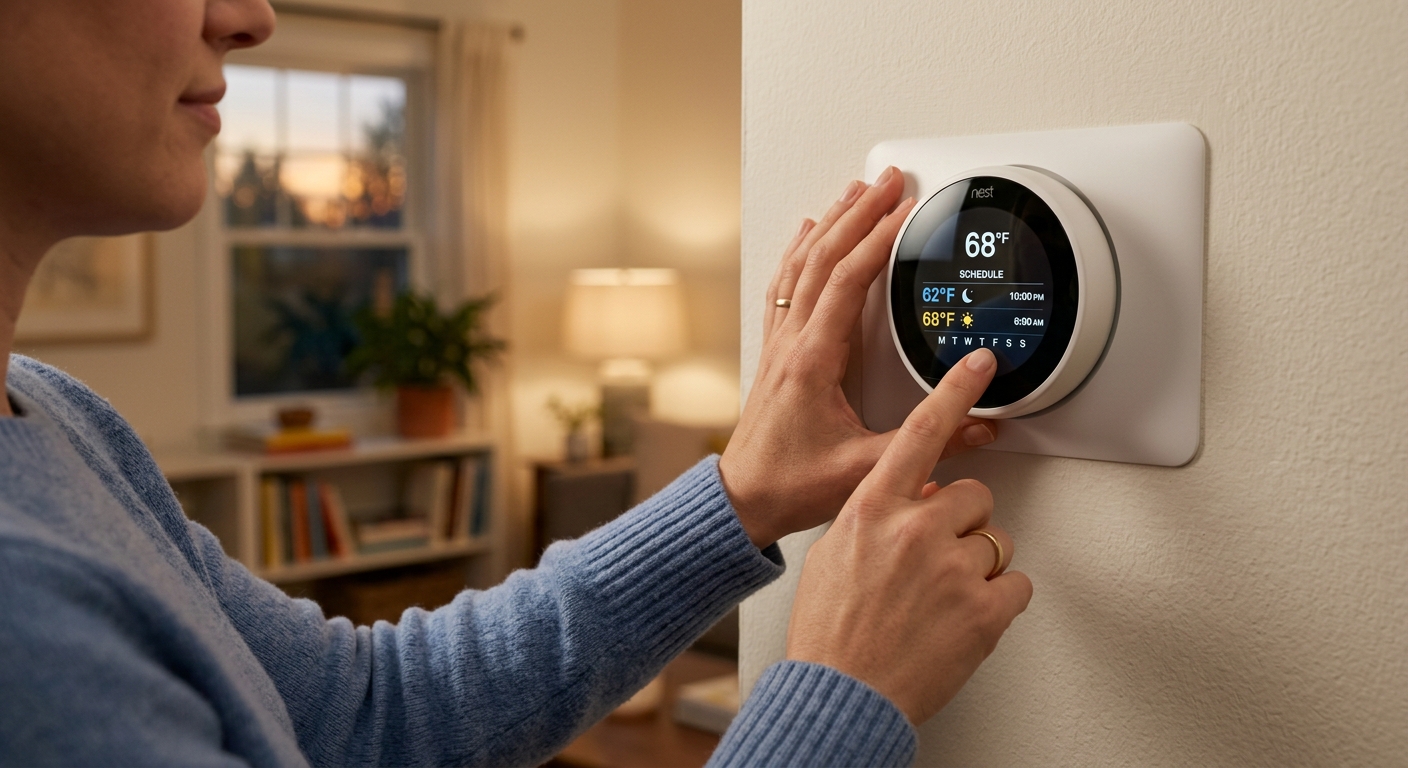
Smart thermostats only save money if they are programmed or have learned a schedule with genuine setbacks. If the auto-schedule feature learned a mostly flat temperature from your early usage habits, it may not be applying meaningful setbacks. Go into the schedule view in the app, confirm there are setback periods of at least 4 to 6 degrees during sleep and away times, and manually correct any flat periods.
▼ Can renters program a thermostat or install a smart thermostat without landlord permission?
Renters can almost always program an existing thermostat with no permission needed since no hardware is changed. Installing a new smart thermostat technically modifies a landlord’s property and requires written permission in most leases. A good approach is to request permission in writing and offer to restore the original thermostat when you move out, since many landlords welcome the upgrade.
▼ How quickly will I actually see savings on my utility bill?
Most homeowners see a measurable difference within the first full billing cycle after setting a proper schedule, typically 30 days. Because utility bills vary with weather, the clearest comparison is to check your energy use in kilowatt-hours or therms against the same month from the prior year, not just against your previous month’s dollar amount.
Quick Tips
- Use a 5-1-1 schedule if your weekday routine is consistent but your Saturday and Sunday differ from each other. This gives you three independent day patterns instead of just weekday and weekend.
- If you have a heat pump, avoid setbacks greater than 2 to 3 degrees because larger swings trigger the electric auxiliary heat strip during recovery, which can cost more than the setback saved.
- During extended absences of 3 or more days, set your thermostat to a vacation hold of 55 degrees in winter or 85 degrees in summer rather than turning it off completely. This protects pipes and humidity levels while minimizing energy use.
- Check your thermostat location. A thermostat mounted near a sunny window, above a lamp, or next to a drafty door will misread your actual indoor temperature and cause your system to short-cycle or run too long. Relocating a thermostat to an interior wall is a one-time fix with lasting accuracy benefits.
Variations for Your Situation
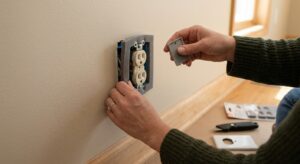
- Apartment or Rental: If you have a programmable thermostat already, optimize the schedule using the quick fix approach above with no tools and no permission needed. If your unit has a basic manual thermostat and your landlord will not upgrade it, focus on passive strategies like thermal curtains and door draft stoppers. Portable smart plugs with temperature sensors can control window AC units or space heaters on a schedule for $20 to $40.
- Tight Budget (under $50): Skip the smart thermostat entirely and invest 30 minutes in properly programming whatever thermostat you already have. A $0 schedule optimization delivers the same percentage savings as a $150 thermostat with a bad schedule. If you do need a new thermostat, basic 7-day programmable models from Honeywell or Emerson are available for $25 to $40 at hardware stores and work just as well as smart models for straightforward schedules.
- Older Home (pre-1980): Homes built before modern insulation standards have higher air leakage and faster heat loss, which means setbacks can save a larger absolute dollar amount but recovery times will be longer, often 30 to 45 minutes. Start with a conservative 5-degree setback overnight rather than 10 degrees until you understand your system’s recovery rate. Pairing thermostat scheduling with basic air sealing at outlets, switches, and attic hatches amplifies savings significantly in older construction.