Most homeowners think surge protection means plugging a power strip into the wall. But those $20 strips only handle a fraction of a surge’s energy, and they do nothing to protect hardwired appliances like your HVAC system, refrigerator, water heater, or washer and dryer. A single power surge from a nearby lightning strike or utility grid switching event can fry your HVAC control board ($500 to $1,500 to replace), damage your refrigerator compressor ($400 to $700), or kill a smart TV ($800 to $2,000) in a fraction of a second.
Whole-house surge protection installs directly at your main electrical panel and acts as the first line of defense, absorbing and redirecting excess voltage before it ever reaches your devices. Combined with point-of-use protection at sensitive electronics, a layered surge protection strategy is one of the highest-return investments a homeowner can make. The average professionally installed whole-house unit costs $250 to $400, and payback can happen after preventing just one appliance repair.
This guide covers everything you need to know: how surges happen, the difference between panel-level and point-of-use devices, what to look for when buying, and how to decide between a DIY installation and hiring an electrician. Whether you have a modest starter home or a fully loaded smart home, this is one upgrade that earns its cost many times over.
What You’ll Need
Click on an item below to shop for the recommended items for this recipe on Amazon.
As an Amazon Associate, we earn from qualifying purchases.
How to Do It
- Identify your highest-value plugged-in electronics: TVs, computers, gaming consoles, home theater receivers, and network routers/modems.
- Purchase surge protectors rated at a minimum of 1,000 joules, with a clamping voltage of 400V or below, and a UL 1449 listing. Avoid products that only advertise ‘surge protection’ without listing joule ratings.
- Replace any existing basic power strips (which have no surge protection) with rated surge protectors at each electronics cluster.
- Plug your router and modem into a surge protector, as network surges can travel through coaxial and phone lines in addition to power lines. Choose a unit with coax and ethernet protection ports.
- Check each surge protector’s status indicator light now and every 6 months. A red or off indicator means the MOV is depleted and the unit must be replaced even if power still flows through it.
- Record the purchase date on a label on each strip since most MOVs last 3 to 5 years under normal conditions regardless of indicator light status.
- Choose a whole-house surge protection device (SPD) rated Type 1 or Type 2. Type 2 devices mount inside the main panel and are the most common for residential use. Look for a surge current rating of at least 40,000 amps per phase and a UL 1449 listing. Reputable brands include Siemens, Square D (Schneider Electric), Eaton, and Leviton.
- Contact a licensed electrician and request installation of a Type 2 whole-house SPD at your main service panel. Get at least two quotes and confirm the electrician will pull any required permits.
- Before the appointment, confirm your panel brand so the electrician can bring a compatible unit. Some SPDs are designed to install in matching panel brands for a direct breaker slot fit.
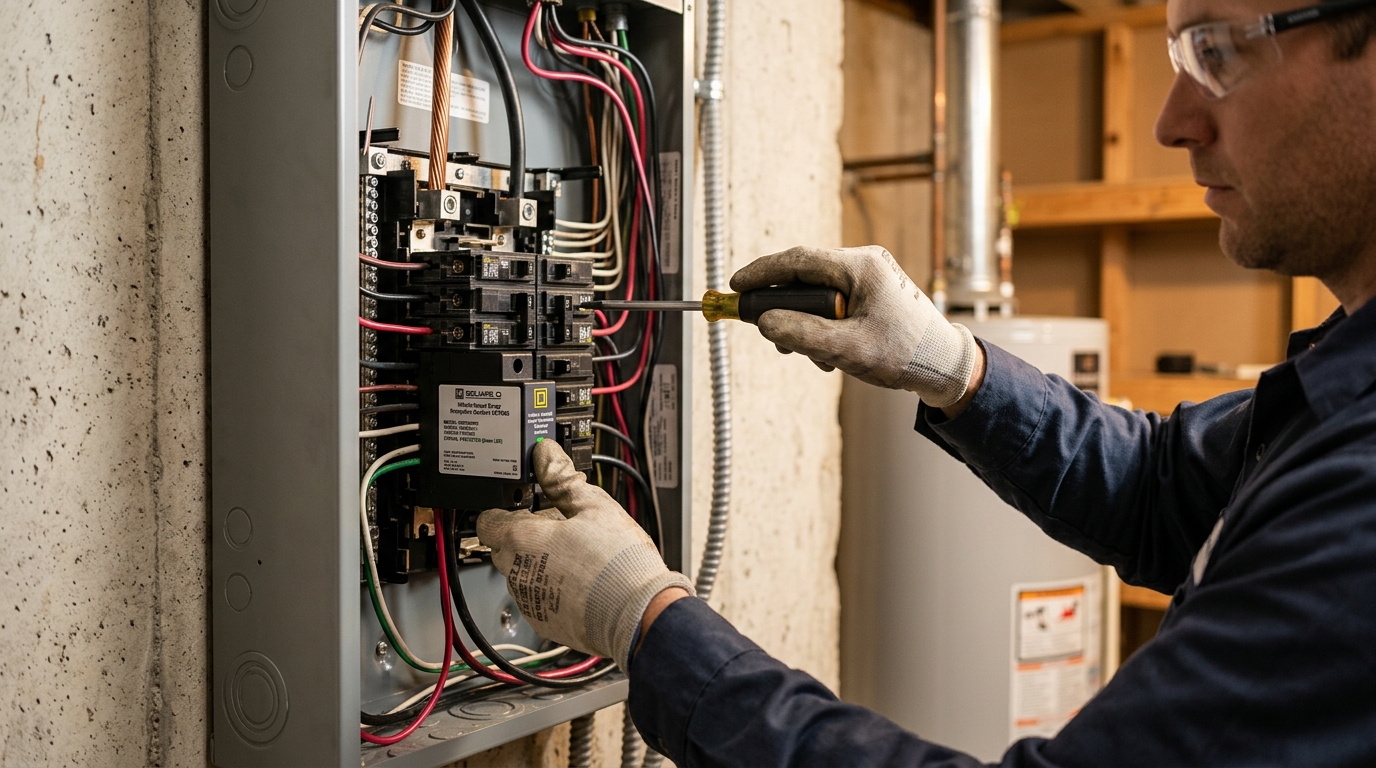
- During installation, the electrician will connect the SPD to a dedicated double-pole breaker (typically 15 to 30 amps) inside the panel, with ground and neutral connections. The entire process takes 1 to 2 hours on a typical residential panel.
- After installation, confirm the status indicator light on the SPD is green or shows ‘Protected’ status. Ask the electrician to show you what a depleted indicator looks like so you can monitor it going forward.
- Combine with point-of-use surge protectors at TVs, computers, and audio/video equipment as a second layer of defense for complete whole-home protection.
- Verify local code requirements. In many areas, homeowners can perform their own electrical work on their own residence with a permit and inspection. Check with your local building department before proceeding.
- Purchase a Type 2 whole-house SPD compatible with your panel brand (Siemens, Square D, Eaton, etc.). Match the SPD to your panel’s bus bar configuration. Cost is typically $50 to $200 depending on rating.
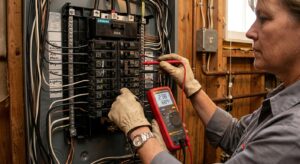
- Turn off the main breaker to de-energize the bus bars as much as possible, then remove the panel cover. Important: the wires entering from the utility (the service entrance conductors at the very top) remain energized even with the main breaker off. Do not touch these under any circumstances.
- Install a dedicated double-pole 15 or 20 amp breaker in an available slot, following the SPD manufacturer’s instructions. Connect the SPD’s hot leads to the breaker, the ground lead to the ground bar, and the neutral lead to the neutral bar.
- Mount the SPD body to the inside of the panel enclosure or adjacent to the panel using the provided hardware, keeping wire runs as short and straight as possible. Longer wire runs reduce the device’s effectiveness.
- Replace the panel cover, turn the main breaker back on, then flip on the SPD breaker. Confirm the status indicator shows ‘Protected.’ Schedule a permit inspection if required by your jurisdiction.
Why It Works: The Benefits
HVAC control boards, refrigerator compressors, and washer/dryer electronics are hardwired and completely unprotected by power strips. Replacing an HVAC control board alone costs $500 to $1,500 in parts and labor, far exceeding the cost of the surge protector itself.
Smart thermostats, connected appliances, EV chargers, and home automation systems are surge-vulnerable and expensive to replace. A whole-house protector shields all hardwired circuits simultaneously without requiring individual protection for each device.
Repeated small surges from internal sources degrade electronics over time, shortening appliance lifespans by 20 to 40% according to electrical engineering research. Blocking these micro-surges can meaningfully extend the life of your refrigerator, HVAC system, and other major appliances.
Some homeowners insurance carriers offer small discounts of 1 to 5% for documented surge protection, and having documented protection strengthens surge-related claims. Check with your insurer before installation for any available credits.
A quality whole-house surge protector lasts 5 to 10 years and draws no meaningful standby power. At $250 to $400 installed, the annual cost works out to $25 to $80 per year for protection covering every circuit in the home.
💰 Savings Impact by Action
Blocking cumulative micro-surges from internal motor cycling can extend appliance lifespan by 20 to 40% by reducing stress on electronic control boards and compressors.
A single prevented HVAC control board or refrigerator compressor replacement saves $500 to $1,500, which alone represents 90% or more of the total installation cost.
A layered SPD strategy (panel plus point-of-use) protects against approximately 85% of surge events that would otherwise damage consumer electronics, according to IEEE surge protection standards.
Some carriers offer up to 5% premium reduction for documented whole-house surge protection, providing ongoing annual savings on top of damage avoidance.
🏠 Key Concepts Explained
The Science Behind It
A power surge is a brief spike in voltage above the normal 120V (or 240V) level your home receives from the utility. Surges last anywhere from a few microseconds to a few milliseconds, but that is long enough to force excess current through the thin semiconductor junctions inside electronics and motor windings inside appliances. The heat generated in that fraction of a second can permanently damage or destroy the component, even if the appliance appears to turn back on normally. This is why appliances often fail weeks or months after a surge event rather than immediately.
Surge Protection Devices (SPDs) use Metal Oxide Varistors (MOVs) as their core protective element. An MOV acts like a pressure-sensitive valve: under normal voltage, it presents very high resistance and lets current flow through normally. When voltage spikes above the clamping threshold (typically 330V to 400V on a 120V circuit), the MOV’s resistance drops dramatically, diverting the surge energy away from your devices and dissipating it as heat. Each time an MOV absorbs a surge, it degrades slightly. Large surges can consume a significant portion of the MOV’s total capacity in a single event, which is why status indicator lights matter.
Internal surges, generated by motors cycling on and off inside your own home, are the most frequent source of damage. When a compressor or motor turns off, it creates a brief inductive kickback that travels back into the home’s wiring as a voltage spike. These spikes may only be 20 to 50 volts above normal, but they occur hundreds of times per day and cumulatively stress electronic components over months and years. A whole-house SPD positioned at the panel intercepts these spikes at their source before they can propagate through the entire home’s wiring system, which is something point-of-use strips placed downstream cannot do as effectively.
Frequently Asked Questions
▼ How do I know if my whole-house surge protector is still working?
Check the status indicator light on the device, which is typically visible through a small window on your electrical panel or on the SPD unit itself. A green light or ‘Protected’ status means the MOV is still functional. A red light, no light, or ‘Fault’ indicator means the MOV has been depleted and the device is no longer providing protection even though power still flows through it. Replace the unit immediately if you see a fault indicator.
▼ Can I install a whole-house surge protector myself, or do I need an electrician?
It depends on your jurisdiction and your experience level. Some areas allow homeowners to perform their own electrical work with a permit and inspection. However, working inside an electrical panel is genuinely dangerous because the service entrance wires remain live at 240V even with the main breaker off. If you have not worked inside panels before, the $100 to $250 electrician labor cost is money well spent. Call your local building department first to confirm permit requirements.
▼ Will a whole-house surge protector protect against a direct lightning strike?
No residential surge protector, whole-house or otherwise, is designed to handle the full energy of a direct lightning strike, which can involve hundreds of millions of volts. Whole-house SPDs are designed to handle indirect surges from nearby strikes and utility grid events. During a severe lightning storm, unplugging your most valuable electronics is still the safest option. If your home takes a direct strike, the priority is fire safety, not equipment protection.
▼ My appliance was damaged in a surge. Does my homeowners insurance cover it?
Standard homeowners insurance policies vary widely on surge damage. Some cover appliances and electronics damaged by lightning-caused surges but exclude internal grid surges. Review your policy’s named perils section and consider adding equipment breakdown coverage if it is available. Having a documented whole-house SPD installation can support your claim and some insurers offer small premium discounts for surge protection. Call your agent before a claim occurs to understand your coverage.
▼ I already have surge-protecting power strips everywhere. Do I still need a whole-house unit?
Yes, and the reason is that point-of-use strips only protect plugged-in devices on that specific strip. Your HVAC system, refrigerator, dishwasher, water heater, and electric range are all hardwired and completely unprotected by any power strip. Replacing an HVAC control board or refrigerator compressor can cost $500 to $1,500 or more, which dwarfs the cost of a whole-house unit. Think of power strips as the second layer and the whole-house SPD as the first layer that protects everything at once.
Quick Tips
- Register your whole-house SPD with the manufacturer immediately after installation. Many premium devices include a connected equipment warranty of $25,000 to $75,000 if the device fails to protect during a surge.
- Add coaxial surge protection to your cable or satellite entry point since lightning can travel through the coax line directly into your TV or cable box independent of the power lines.
- If you have a well pump, pool pump, or detached garage with its own sub-panel, install a separate SPD at each sub-panel. Whole-house SPDs at the main panel do not protect circuits fed by sub-panels as effectively.
- During a severe lightning storm nearby, the single most effective protection is to unplug high-value electronics entirely. No surge protector is guaranteed to survive a direct or very close lightning strike.
Variations for Your Situation
- Apartment/Rental: Renters cannot modify the electrical panel, so focus entirely on high-quality point-of-use surge protectors (minimum 1,000 joules, UL 1449 listed) for all plugged-in electronics. Budget $30 to $80 per strip and prioritize computers, TVs, and network equipment. Add coaxial and ethernet protection ports where applicable. Ask your landlord or property manager whether the building has any panel-level surge protection already installed, as some newer multi-unit buildings include it in the electrical infrastructure.
- Tight Budget (under $50): Prioritize a single high-quality point-of-use strip ($30 to $50) rated at 2,000 joules or more for your most expensive electronics cluster (usually a home office or entertainment system). Look for APC, Tripp Lite, or Belkin units with connected equipment warranties. This does not protect hardwired appliances but reduces your highest-probability loss. Save toward a professional whole-house installation as a near-term goal.
- Older Home (pre-1980): Homes built before 1980 often have ungrounded outlets (two-prong), aluminum wiring, or Federal Pacific and Zinsco panels that present compatibility and safety concerns with standard SPDs. Have a licensed electrician assess your panel before purchasing any whole-house unit. Ungrounded circuits significantly reduce the effectiveness of surge protection because there is no safe path to redirect surge energy. Grounding upgrades may be needed first, adding $100 to $300 to the overall project cost but substantially improving protection.