If you work from home, your home office is no longer just a spare room – it is your livelihood. But during a heat wave, that room can easily climb 10 to 15 degrees hotter than the rest of the house, especially if it faces south or west, sits above a garage, or is tucked at the end of a long duct run where airflow is weak. Trying to power through in a 85-degree room does not just make you miserable – research shows cognitive performance drops measurably above 77 degrees Fahrenheit.
The instinct most homeowners reach for is cranking the central thermostat down to 68 degrees, which cools the whole house to fix one room and sends the monthly electric bill soaring. A smarter approach is to treat your home office as a zone of its own, using targeted strategies that address the actual reasons the room is hot: solar heat gain through windows, poor airflow, inadequate insulation, and heat generated by your own equipment.
This guide covers everything from free five-minute fixes to a proper DIY cooling upgrade, with real numbers on cost, comfort, and payback. Whether you rent an apartment or own a two-story house, you will find a practical path to a workspace that stays cool even when it is 100 degrees outside.
What You’ll Need
Click on an item below to shop for the recommended items for this recipe on Amazon.
As an Amazon Associate, we earn from qualifying purchases.
How to Do It
- Block direct sunlight immediately by closing blinds or pulling curtains on south and west-facing windows between 11 AM and 6 PM. Even basic white vinyl blinds block 40 to 50% of solar heat gain.
- Reverse your ceiling fan to run counterclockwise (the summer setting) at medium speed. This pushes cool air down toward your work surface and can make the room feel 3 to 4 degrees cooler without changing the thermostat.
- Place a box fan in the window facing outward in the early morning (before 9 AM) to exhaust overnight heat, then close the window and blinds before outdoor temps rise above indoor temps.
- Move heat-generating equipment away from your immediate workspace. Position desktop towers, printers, and charging stations on the far side of the room or under the desk rather than beside your head.
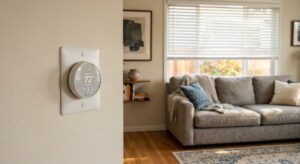
- Lower your thermostat setpoint by 2 degrees specifically during your core work hours (9 AM to 5 PM) and raise it back afterward. Targeted scheduling like this delivers comfort when needed without running the system hard all day.
- Install window film with a Solar Heat Gain Coefficient (SHGC) of 0.25 or lower on south and west-facing windows. A typical 36×48-inch window film kit costs $25 to $50 and blocks up to 70% of solar heat while maintaining daylight. Payback comes in the first summer.
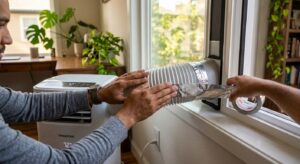
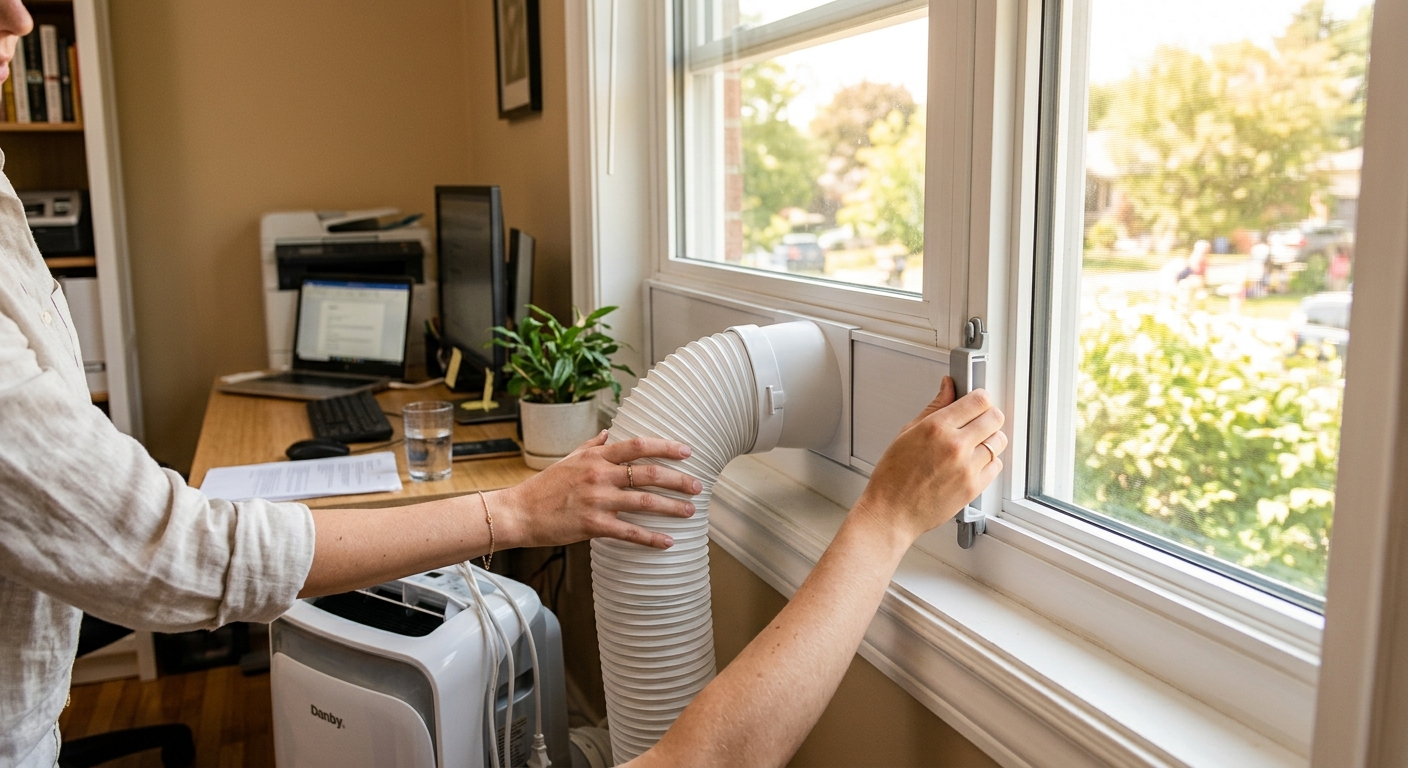
- Add a portable evaporative cooler (in dry climates, below 50% humidity) or a 8,000 to 10,000 BTU window AC unit sized for your office square footage. A 150-square-foot office needs roughly 5,000 BTUs; add 10% per computer or heat-generating device. A window unit in this range costs $180 to $280 and pays back in 1 to 2 cooling seasons versus running central AC harder.
- Seal air leaks around the window frame, any wall penetrations for cables or Ethernet, and electrical outlets on exterior walls using paintable caulk and foam outlet gaskets. A $10 tube of caulk and a $5 gasket kit can eliminate measurable infiltration in under an hour.
- Improve duct airflow to the office by cleaning the supply register with a vacuum brush attachment and checking for kinks or disconnected flex duct in the attic or crawlspace above the room. A partially kinked flex duct can reduce airflow by 50% or more.
- Install a small desk or tower fan (20 to 30 watts) positioned to direct airflow across your body, not just around the room. Moving air at 200 FPM creates a wind chill effect that makes you feel 4 to 6 degrees cooler at the same room temperature.
- Choose a single-zone ductless mini-split in the 9,000 to 12,000 BTU range for a typical 150 to 200-square-foot office. Look for ENERGY STAR-rated units with a SEER2 rating of 18 or higher for best efficiency.
- Hire a licensed HVAC contractor to install the unit, which includes mounting the indoor air handler, running refrigerant lines through the exterior wall, installing the outdoor compressor, and making the electrical connection to a dedicated 20-amp circuit.
- Apply for available rebates before scheduling installation. Many utilities offer $200 to $600 in rebates on ENERGY STAR mini-splits, and the federal 25C tax credit covers 30% of equipment and installation costs up to $600 per year as of 2024.
- Program the mini-split’s built-in scheduling feature to begin pre-cooling your office 30 minutes before your workday starts, and to shift to energy-saving mode or power off at your end-of-day time. This alone cuts operating costs 10 to 15% versus running it reactively.
Why It Works: The Benefits
Studies show mental performance on complex tasks drops by 10 to 15% when room temperatures exceed 77 degrees. Keeping your office between 70 and 76 degrees protects focus and accuracy during long work sessions.
Spot-cooling one room with a portable or window AC unit (400 to 800 watts) costs significantly less than running a 3-ton central system (3,000 to 3,500 watts) to overcool an entire house. Targeted cooling can cut your cooling energy use by 15 to 30% during peak months.
A properly addressed home office – with solar control and adequate airflow – can drop 5 to 8 degrees within 20 to 30 minutes of implementing these fixes, compared to hours of waiting for a central system to catch up.
Running your central AC at lower setpoints to compensate for one hot room shortens compressor life. Offloading that room to supplemental cooling preserves your main system and can extend its service life by several years.
A dedicated room AC or portable unit actively dehumidifies the office air, which matters during heat waves when humidity can make 80 degrees feel like 90. Lower humidity also reduces the risk of condensation damage to electronics.
💰 Savings Impact by Action
Applying low-SHGC window film reduces solar heat gain through glass by up to 70%, cutting room cooling load by 20 to 25% in sun-exposed offices.
Using a dedicated room AC instead of lowering whole-house central AC setpoints reduces total cooling energy consumption by 15 to 30% depending on home size.
Proper ceiling and desk fan use creates a perceived cooling effect of 4 to 6 degrees, allowing the thermostat to be raised 4 degrees and saving roughly 8% on cooling costs per degree raised.
Sealing gaps around windows, outlets, and cable penetrations in an older office reduces infiltration-related heat gain by up to 15% at near-zero cost.
A high-efficiency mini-split (SEER2 18+) serving only the office can reduce cooling energy for that zone by 30% compared to running central AC at lower setpoints to compensate.
🏠 Key Concepts Explained
The Science Behind It
Your home office gets hot for the same reason a parked car does: radiant energy from the sun passes through glass without resistance, hits interior surfaces, and converts to heat that cannot easily escape. Glass has an extremely low thermal resistance (around R-1 per pane), so even a well-insulated room with a large west-facing window is essentially importing solar energy at 200 to 300 BTUs per square foot during afternoon hours. Window film works by reflecting infrared radiation before it enters the glass, reducing the Solar Heat Gain Coefficient from a typical 0.60 for clear glass down to 0.25 or lower – cutting solar heat import by more than half.
The second major driver is convective air stratification. Heat rises because warm air is less dense than cool air. Without active circulation, the top 18 inches of your room can be 6 to 8 degrees warmer than ankle level. Since your head and monitor sit at roughly desk height, you are working in the hottest layer of the room. A ceiling fan or desk fan disrupts this stratification by constantly mixing the air, evening out the temperature gradient and moving heat away from your body through convection, which is why moving air feels cooler even at the same temperature.
Equipment heat load is a building science factor most remote workers never account for. A modern desktop PC under load generates 200 to 400 watts of heat continuously. At 300 watts, that is the equivalent of three 100-watt incandescent bulbs burning all day in a small room. In a 150-square-foot office with 8-foot ceilings, that is roughly 1,024 BTUs per hour of continuous internal heat gain – comparable to having a small space heater running while you are trying to stay cool. This is why good cable management and keeping heat-generating equipment away from your immediate workstation is not just tidy, it is thermal management.
Frequently Asked Questions
▼ My AC is set to 72 degrees but my office still hits 82 on hot days. What is wrong?
This almost always points to one of three issues: inadequate airflow from a weak or blocked duct, excessive solar gain from unshaded windows, or high internal heat load from equipment. Start by checking the supply register airflow with your hand and comparing it to other rooms. If airflow is weak, inspect the duct run above the room for kinks. If airflow is fine, add window film or an external shade to south and west windows. If the room is already shaded, take stock of how many devices are running and generating heat.
▼ Can I use a portable AC unit if I rent and cannot install a window unit?
Yes. A single-hose portable AC with a window kit works in most double-hung and sliding windows without any permanent modifications – the foam seal sits in the window opening and is fully removable. Look for units in the 8,000 to 10,000 BTU range for a standard home office. Keep in mind that single-hose portables are about 20 to 30% less efficient than window units because they draw some conditioned air out with the exhaust, so expect slightly higher operating costs.
▼ How long before I see a difference on my electric bill?
Free fixes like blocking sunlight and adjusting fan direction show up as immediate comfort improvement but the bill impact is visible in the next monthly statement, typically a 10 to 20% reduction in cooling-related charges if the office was a major source of heat gain. A supplemental window AC or portable unit will show savings versus overcooling the house within the first full month of use, especially if you were previously setting central AC below 72 degrees to compensate for the hot room.
▼ My office does not have a window I can use for a window AC or fan. What are my options?
A portable AC with a sliding door kit is one option if you have a nearby glass door. Otherwise, a ductless mini-split is the cleanest permanent solution since it only requires a 3-inch hole through the exterior wall. For a lower-cost interim fix, focus on aggressive solar control on any windows you do have, reduce equipment heat load, and use a high-efficiency desk fan or tower fan to maintain moving air – these alone can reduce perceived temperature by 4 to 6 degrees.
▼ My office is over the garage. Why is it so much hotter than the rest of the house?
Garages are typically unconditioned spaces with dark asphalt driveways and rooflines below the office floor, which means the floor assembly above the garage is essentially a heat radiator. If the floor cavity is not insulated to at least R-19 (ideally R-30), heat conducts directly up into your office from below. Adding insulation to the garage ceiling is a medium-difficulty DIY project using batt insulation and significantly outperforms any supplemental cooling fix on its own.
Quick Tips
- Pre-cool your office starting at 7 AM before outdoor heat builds – it takes far less energy to maintain a cool temperature than to recover from a hot one.
- Use a free app like Govee or your smart thermostat’s companion app to log room temperature over 24 hours; this pinpoints exactly when and how fast the room heats up so you can target the right fix.
- Swap incandescent or halogen desk lamps for LED equivalents – an LED bulb produces 75 to 80% less heat than the incandescent it replaces, reducing your internal heat load at zero operating cost.
- If you are on a video call and need to cut solar glare without darkening the room, use a light-colored sheer curtain behind your desk blinds – it diffuses light and blocks 20 to 30% of heat while maintaining a bright background on camera.
Variations for Your Situation
- Apartment/Rental: Focus on a portable AC unit ($200 to $280) with a no-damage window seal kit, removable window film that uses static cling rather than adhesive, and a tower fan for air circulation. None of these require landlord permission or leave permanent modifications. A 10,000 BTU portable unit running 6 hours per day costs roughly $1.50 to $2.00 per day in electricity, which is far less than the productivity cost of working in an 85-degree room.
- Tight Budget (under $50): Prioritize the free fixes first – block sun with existing blinds, run the ceiling fan counterclockwise, and shift work hours earlier in the day to front-run heat buildup. Then spend $20 to $30 on a box fan for morning exhaust ventilation and $10 on foam outlet gaskets and a tube of caulk to seal the most obvious air leaks. These steps together can reduce office temperature by 4 to 7 degrees at minimal cost.
- Older Home (pre-1980): Older homes typically have single-pane windows, minimal wall insulation, and duct systems that were never designed for modern cooling loads. Prioritize window film on single-pane glass first (it delivers the highest return on a poorly insulated window), then check for disconnected or collapsed duct runs which are extremely common in homes of this age. A professional duct inspection (typically $100 to $200) often uncovers airflow losses of 30 to 50% in older systems and pays back quickly once repaired.