Here is a surprising truth about ceiling fans: they do not actually lower the temperature in a room. Not even a little. What they do is create a wind chill effect on your skin, which makes you feel cooler by accelerating sweat evaporation. That distinction matters enormously, because it means every ceiling fan running in an empty room is pure wasted electricity, typically 15 to 75 watts per hour depending on the model and speed setting.
Used correctly, though, ceiling fans are one of the best investments in home comfort you can make. The wind chill effect they create can make a 78 degree room feel like 74 degrees, which means you can raise your thermostat by 4 degrees without feeling any warmer. For a typical home running central AC, that single adjustment saves roughly 8 to 10% on your cooling bill. Pair that with a fan running on the right direction and speed, and you are looking at real, consistent monthly savings with zero installation cost if you already own a fan.
This post covers exactly how ceiling fans work, how to set them up correctly for summer cooling, the one direction mistake almost everyone makes in winter, and how to upgrade to a smarter setup if you want to maximize the savings. Whether you have one fan in your bedroom or fans throughout the house, there are immediate steps you can take today.
What You’ll Need
Click on an item below to shop for the recommended items for this recipe on Amazon.
As an Amazon Associate, we earn from qualifying purchases.
How to Do It
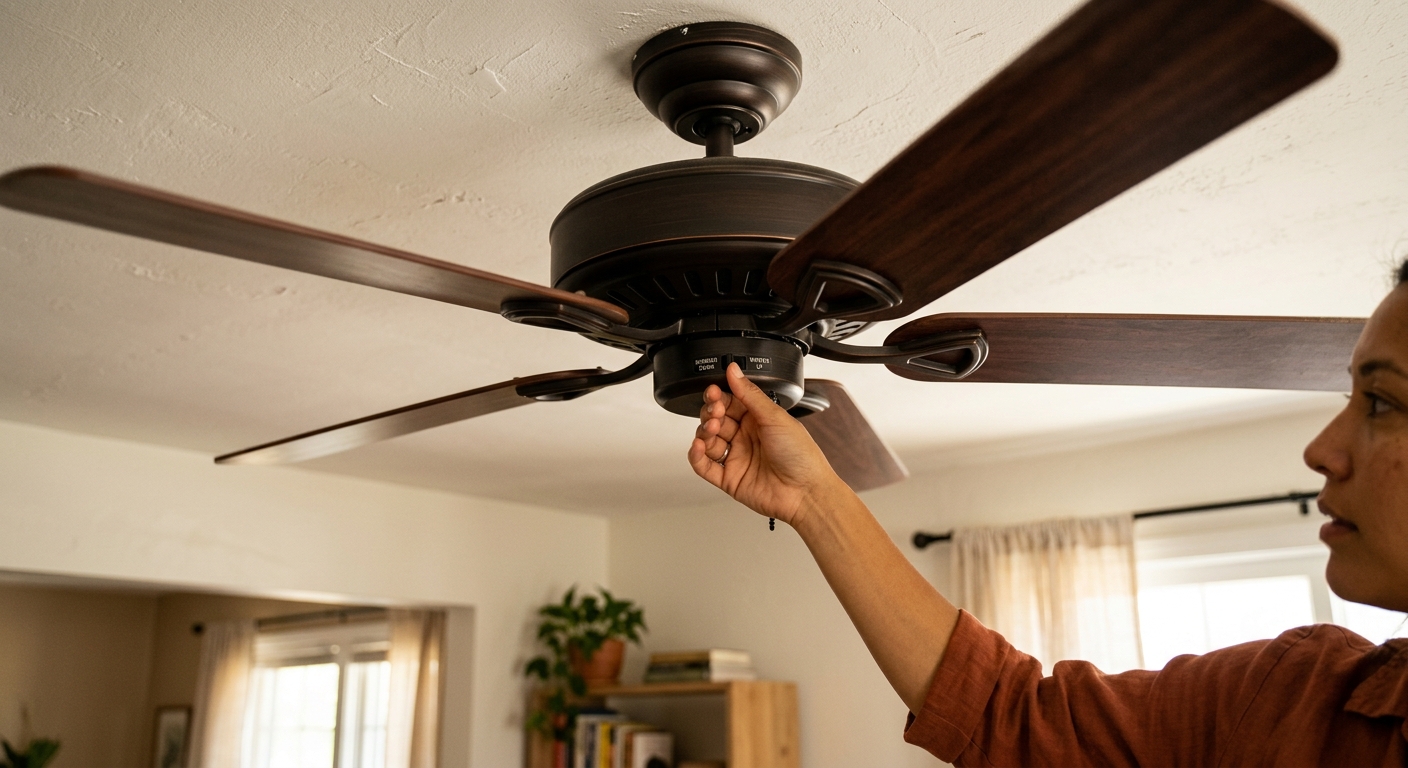
- Stand directly below your ceiling fan and look up. Turn the fan on to a low or medium speed. In summer, the blades should spin counterclockwise (left to right at the top of the arc). If they spin clockwise, find the small direction switch on the motor housing, usually a sliding toggle on the side of the fan body, and flip it.
- Turn the fan off completely before touching the direction switch. The motor must be fully stopped before you reverse direction or you risk damaging the motor.
- Raise your thermostat setpoint by 4 degrees once all occupied rooms have fans running in the correct direction. This is the step that actually saves money. If you normally keep it at 74 degrees, move it to 78 degrees.
- Set fan speed to medium in most rooms. High speed is only needed in very hot or very humid conditions. Medium speed maximizes comfort per watt and is quieter for sleeping.
- Turn off every ceiling fan when you leave a room or the house. Post a reminder near your door if needed. A fan running in an empty room saves nothing and adds to your bill.
- Purchase a smart ceiling fan switch or a universal ceiling fan remote kit compatible with your fan. Smart switches from brands like Lutron Caseta or Leviton run $40 to $80 and connect to your home’s Wi-Fi so you can schedule or automate fan operation. Remote kits run $20 to $35 and add convenience without requiring smart home integration.
- Turn off the breaker for the fan circuit at your electrical panel before any wiring work. Use a non-contact voltage tester to confirm power is off at the switch box.
- Install the smart switch or remote receiver according to manufacturer instructions. Most installations involve connecting three wires: hot, neutral, and ground. If your switch box lacks a neutral wire, choose a no-neutral smart switch option such as the Lutron Caseta line.
- Set up an automation in your smart home app (Google Home, Amazon Alexa, or Apple Home) to turn all fans off 30 minutes after everyone leaves the house using geofencing, and to turn them on 15 minutes before you return.
- If your fan is more than 10 years old, measure the blade span and ceiling height. Rooms up to 75 square feet need a 29 to 36-inch fan. Rooms 76 to 144 square feet need 36 to 42 inches. Larger rooms benefit from 52 to 56-inch fans. An undersized fan requires high speed to compensate, using more energy for less airflow.
- For rooms with ceilings above 9 feet, verify your fan has a downrod long enough to position the blades 8 to 9 feet above the floor. This is the sweet spot for airflow efficiency. Fans mounted too high (above 10 feet) deliver significantly less perceived wind chill at sitting or standing level.
- Choose a DC motor ceiling fan rated for your room size. DC motor fans use 25 to 70 watts compared to 60 to 100 watts for older AC motor fans, a reduction of up to 70%. Look for ENERGY STAR certified models, which are independently tested for efficiency.
- Turn off the breaker and use a voltage tester to confirm power is dead at the ceiling box before removing the old fan.
- Check that the existing ceiling box is rated for fan support (it must say ‘acceptable for fan support’ on the box). If it is a standard light fixture box, replace it with a fan-rated brace kit before installing the new fan. This is a safety requirement, not optional.
- Install the new fan following manufacturer instructions, connecting the same wires as the old fan (typically black to black, white to white, green or bare copper to ground). Many newer fans include a remote or wall control in the box.
- Set the included remote or wall control to your preferred summer settings: counterclockwise direction, medium speed as the daily default.
- Raise your thermostat to 78 degrees and monitor your electric bills over the next two billing cycles to measure the real-world impact of the upgrade.
Why It Works: The Benefits
Raising your thermostat by 4 degrees thanks to fan-assisted wind chill saves 8 to 12% on your AC energy use, which translates to $15 to $60 per month for a typical home running central air in summer.
A fan set to low speed in the bedroom maintains a gentle airflow that keeps your skin cool through the night, reducing the need to drop the thermostat below 72 degrees and saving energy while you sleep.
By making occupants feel cooler without lowering actual room temperature, ceiling fans can reduce how often your AC cycles on, extending its lifespan and cutting compressor wear over the cooling season.
Reversed to clockwise rotation in winter at low speed, ceiling fans push warm air that has pooled at the ceiling back down along the walls, reducing heating demand by up to 10% in rooms with ceilings 9 feet or higher.
If you already own ceiling fans, using them correctly (right direction, raising the thermostat, turning them off in empty rooms) costs nothing and delivers savings starting with your very next electric bill.
💰 Savings Impact by Action
Raising the thermostat 4 degrees with fans running saves 8 to 12% on cooling energy by reducing how often the compressor runs.
Turning fans off in unoccupied rooms eliminates wasted electricity that can account for 5 to 10% of total fan energy costs in a typical home.
Replacing an older AC motor fan with a DC motor model reduces the fan’s own energy consumption by up to 70% per hour of operation.
Running fans clockwise on low in winter to redistribute warm ceiling air can reduce heating demand by up to 10% in rooms with ceilings above 9 feet.
Applying correct direction, thermostat setback, and fan scheduling together consistently delivers 10 to 15% total cooling bill reduction over a full summer.
🏠 Key Concepts Explained
The Science Behind It
Ceiling fans cool people, not rooms. The mechanism is called the wind chill effect, and it works by increasing the rate at which sweat evaporates from your skin. Evaporation is an endothermic process, meaning it absorbs heat from your body as water molecules escape into the air. Still air quickly becomes saturated with humidity close to your skin, slowing that evaporation. Moving air continuously replaces that humid boundary layer with drier air, keeping evaporation fast and your skin cool. The ASHRAE standard for thermal comfort recognizes this effect and allows thermostat setpoints to be raised by up to 4 degrees Fahrenheit when air speed at occupant level reaches 0.2 to 0.8 meters per second, which is exactly what a correctly sized ceiling fan on medium speed delivers.
Fan blade direction matters because of how airfoil-shaped blades generate lift. When spinning counterclockwise (viewed from below), the angled blades push air downward in a column directly below the fan, creating the noticeable downdraft you feel when standing underneath. Reverse the direction to clockwise and the same blades pull air upward in the center and push it outward along the ceiling, then down the walls. In summer, that clockwise pattern actually defeats the purpose because the air reaching people in the room has slowed significantly and loses most of its wind chill benefit. In winter, however, that gentle downdraft along the walls mixes stratified warm ceiling air back into the living space without creating a cold draft, which is why direction reversal in winter genuinely reduces heating costs in rooms with high ceilings.
The energy math is straightforward and compelling. A central air conditioner running at 3,500 watts consumes roughly 3.5 kilowatt-hours per hour of operation. Raising the thermostat by 4 degrees reduces AC runtime by approximately 8 to 12%, saving 0.28 to 0.42 kilowatt-hours per hour the system would otherwise run. A ceiling fan on medium speed consumes about 30 to 50 watts, or 0.03 to 0.05 kilowatt-hours per hour. The net energy savings when a fan replaces some AC runtime is dramatic, roughly a 6-to-1 ratio of energy saved versus energy spent running the fan. That ratio collapses to zero the moment you leave the room, which is why turning fans off in unoccupied spaces is not just a minor habit, it is the foundation of the whole strategy.
Frequently Asked Questions
▼ My ceiling fan is running counterclockwise but I still do not feel much airflow. What is wrong?
The most likely culprits are blade pitch that is too shallow, a motor that is too small for the room, or blades mounted too high. First, check that the fan is appropriately sized for your room and that the blades are 8 to 9 feet above the floor. If the fan is correctly sized and positioned, the motor itself may be worn or underpowered. Try running it on high speed temporarily to confirm whether meaningful airflow exists. If high speed barely moves air, the fan likely needs to be replaced.
▼ Can I use a ceiling fan and AC at the same time, or does one cancel out the other?
Using them together is exactly the right strategy, not a conflict. The AC cools and dehumidifies the air while the fan distributes that conditioned air and creates the wind chill that lets you raise the thermostat setpoint. The key is to raise the thermostat by 4 degrees once the fan is on, otherwise you get no energy savings from running both.
▼ My fan wobbles when running. Is that a problem?
Yes, wobbling should be fixed promptly. Tighten the screws on every blade bracket and the canopy mounting screws first. If wobbling continues, use a blade balancing kit (about $5 at hardware stores), which includes small adhesive weights you test-stick to the top of each blade until the wobble stops. A fan that wobbles for months can loosen its ceiling mount and become a fall hazard.
▼ How do I know if my ceiling fan direction switch is actually working?
With the fan running on medium speed, stand directly below it and look up. If the leading edge of each blade is the higher edge and blades appear to spin left-to-right at the top of their arc, the fan is spinning counterclockwise and pushing air downward, which is correct for summer. You should feel a noticeable downward breeze standing beneath it. If you feel almost no air movement directly below but feel air moving near the walls, the fan is spinning clockwise and needs to be reversed.
▼ Will running ceiling fans 24 hours a day in summer save money even if rooms are sometimes empty?
No. A fan running in an empty room provides zero comfort benefit and adds pure cost. At an average U.S. electricity rate of $0.16 per kilowatt-hour, a 50-watt fan running 24 hours costs about $0.19 per day, or nearly $35 over a full 6-month cooling season, with nothing to show for it. Turn fans off when you leave a room. That habit alone can eliminate $20 to $60 in wasted electricity per summer in a multi-fan home.
Quick Tips
- In bedrooms, run the fan on low speed overnight. It provides enough wind chill for comfort without creating the white-noise level or draft that disrupts sleep for some people.
- Clean your fan blades every 4 to 6 weeks during peak season. Dust buildup on blades reduces aerodynamic efficiency and can reduce airflow by 10 to 15% on heavily coated fans.
- If a room has both a ceiling fan and a portable or window AC unit, position the fan to push the cooled air from the AC across the room rather than fighting against it.
- In rooms where the ceiling is 8 feet or lower, use a flush-mount (hugger) fan. The blades will still be at an acceptable height and you avoid the headroom hazard of a standard-mount fan with a downrod.
- Do not use ceiling fans to replace dehumidification in very humid climates. If your home’s relative humidity is above 60%, the evaporative cooling effect of fans diminishes significantly and the AC’s dehumidifying function becomes more important than its temperature reduction.
Variations for Your Situation
- Apartment/Rental: If your unit has ceiling fans, you can apply the quick fix approach immediately with zero permission needed. Simply check and correct the blade direction, raise your thermostat by 4 degrees, and commit to turning fans off when you leave a room. If you want smart automation, a plug-in smart outlet paired with a fan remote receiver lets you add scheduling without any wiring changes. Avoid replacing fans without written landlord approval since ceiling fans are fixtures. Adding a tower fan in bedrooms ($30 to $80) can supplement a poorly located or undersized ceiling fan.
- Tight Budget (under $50): Focus entirely on the zero-cost steps in the quick fix approach. Correct the fan direction, raise the thermostat, and turn fans off in empty rooms. These three habits alone can save $30 to $80 over a cooling season with no spending. If you have $10 to $15 to spend, buy a blade balancing kit and clean the blades thoroughly with a damp cloth, both of which can recover lost airflow on older fans without any replacement cost.
- Older Home (pre-1980): Homes of this era often have ceiling boxes that are not rated for fan weight and do not have neutral wires at switch locations, complicating smart switch installation. Before adding or replacing any fan, have an electrician verify the ceiling box is fan-rated. Budget $75 to $150 for a fan-rated brace kit installed by a pro if needed. For switch upgrades, look for no-neutral smart switch options or use a remote receiver kit installed in the fan canopy itself, which bypasses the switch wiring issue entirely.