Your thermostat is the control center for your entire heating and cooling system, which together account for roughly 50% of the average home’s energy bill. Yet millions of homeowners still use a basic manual thermostat set to one temperature around the clock, conditioning a home to comfort levels nobody is awake to enjoy at 3 a.m. or home to appreciate at 2 p.m. on a Tuesday. That habit costs real money every single month.
Programmable and smart thermostats fix this by automatically adjusting temperatures when you’re asleep or away. The U.S. Department of Energy estimates you can save about 10% per year on heating and cooling simply by turning your thermostat back 7 to 10 degrees Fahrenheit for 8 hours a day. On a $2,400 annual HVAC bill, that’s $240 back in your pocket every year. A basic programmable thermostat costs $25 to $50, and a smart thermostat runs $130 to $250, meaning payback periods of a few weeks to about one year.
This post breaks down exactly how much you can save, what type of thermostat makes sense for your home, and how to set it up correctly so you actually capture those savings. We’ll cover the building science behind why setbacks work, common mistakes that cancel out the benefits, and a step-by-step approach whether you want a budget fix or a full smart-home upgrade.
What You’ll Need
Click on an item below to shop for the recommended items for this recipe on Amazon.
As an Amazon Associate, we earn from qualifying purchases.
How to Do It
- Find your thermostat manual online using the model number printed on the front or inside the cover. Search the model number plus ‘manual PDF’.
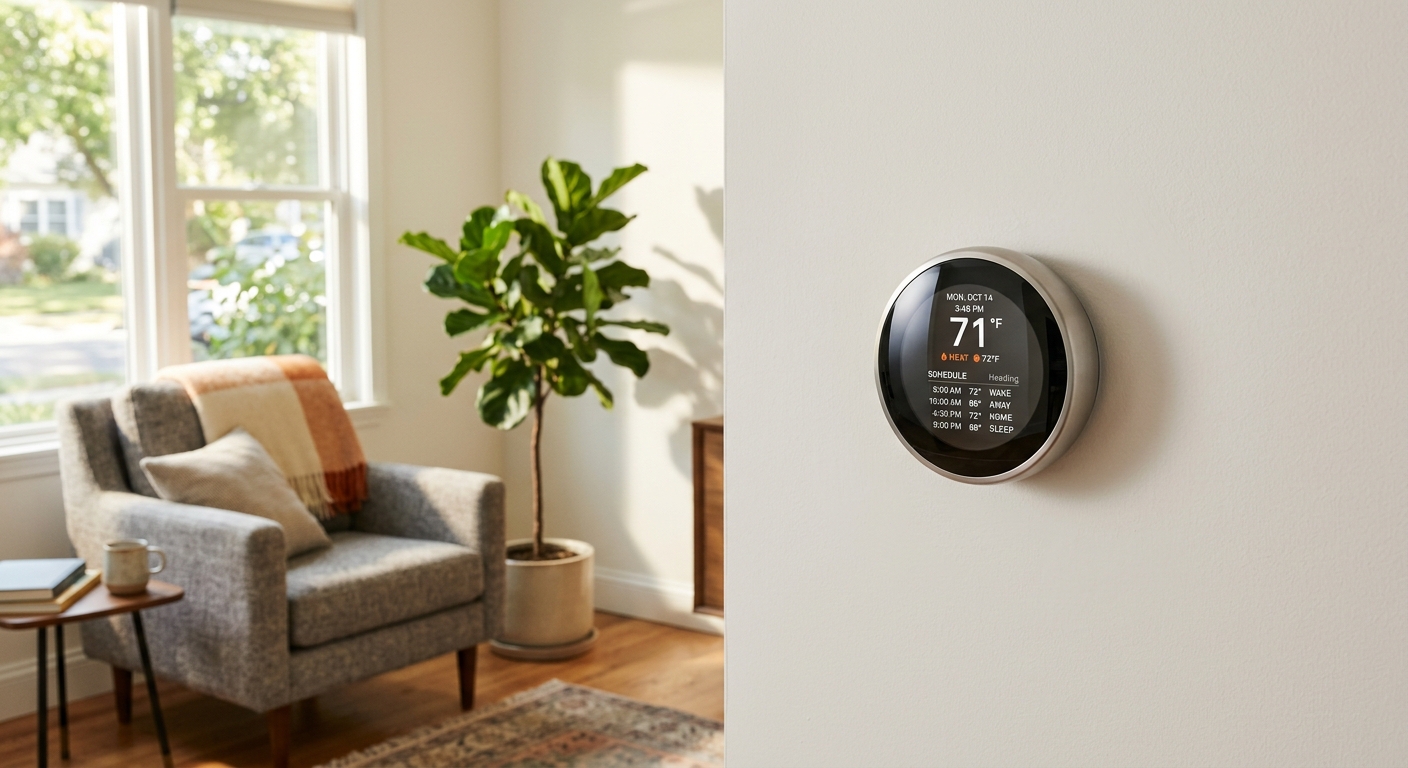
- Identify your four daily time slots: Wake, Leave, Return, and Sleep. Write down the time and target temperature for each based on your actual schedule.
- Set Wake temperature to your comfort level (68 to 70°F in winter, 74 to 76°F in summer) timed 30 minutes before you get up.
- Set Leave temperature to a 7 to 10 degree setback from your comfort level. In winter use 60 to 62°F; in summer use 82 to 85°F. Start the setback 30 minutes before you actually leave.
- Set Return temperature to your comfort level timed 30 minutes before you arrive home so recovery is complete on arrival.
- Set Sleep temperature to a 4 to 8 degree setback. Most people sleep better at 65 to 68°F in winter. In summer, a 78 to 80°F sleep setting is reasonable with a ceiling fan running.
- Repeat the schedule for weekends if your thermostat supports separate weekend programming, since most households have different weekend routines.
- Turn off power to your HVAC system at the breaker panel before touching any wiring. Confirm power is off by attempting to run the system from the old thermostat.
- Remove the old thermostat face plate and photograph all wire connections before disconnecting anything. Label each wire with masking tape using the terminal letter it connects to (R, G, Y, W, C, etc.).
- Check whether you have a C-wire (common wire), which provides continuous 24V power. Most programmable thermostats require it. If yours is missing, purchase a model that includes a power adapter kit or choose a battery-powered unit.
- Mount the new thermostat base to the wall using the included hardware. Use a small level to ensure it sits straight, as a tilted thermostat can affect the accuracy of older mechanical units.
- Connect each labeled wire to the matching terminal on the new thermostat. Refer to the wiring diagram in the manual if wire colors do not match terminal labels directly.
- Attach the thermostat face, restore power at the breaker, and follow the setup wizard to enter your home’s system type, schedule preferences, and time zone.
- Program your four daily setpoints as outlined in the quick fix approach above and verify the system cycles on and off correctly in both heat and cool modes.
- Check compatibility at the manufacturer’s website (nest.com/compatibility or ecobee.com/compatibility) by entering your current thermostat wiring configuration before purchasing.
- Look up your utility company’s rebate program on the ENERGY STAR rebate finder at energystar.gov. Purchase an eligible model and save the receipt for the rebate application.
- Turn off HVAC power at the breaker, photograph existing wiring, and label each wire before removal exactly as described in the DIY approach above.
- If you lack a C-wire and your chosen smart thermostat requires one, install the included power adapter kit (most Ecobee models include one) or have an HVAC technician run a C-wire for $50 to $150.
- Mount the base, connect wires to labeled terminals, and restore power. Follow the in-app setup on your smartphone to connect the thermostat to your Wi-Fi network and configure your household’s typical schedule.
- Enable geofencing in the app so the thermostat automatically shifts to an away setback when your phone leaves a defined radius around your home and triggers recovery before you return.
- Review the energy reports in the app after 30 days to confirm your system is running within expected hours per day and adjust scheduling if you see runtime spikes during unoccupied periods.
Why It Works: The Benefits
DOE data shows a 10% annual reduction in heating and cooling costs from proper setback scheduling. For the average U.S. household spending $2,000 to $3,000 per year on energy, that’s $200 to $300 in savings annually.
A basic programmable thermostat costs $25 to $50 and can pay for itself in as little as 6 to 8 weeks of normal use. Even a $250 smart thermostat typically pays back in 10 to 14 months through energy savings alone.
Automated scheduling means the home is always at the right temperature when you need it, rather than relying on someone remembering to adjust the dial. Waking up to a pre-warmed bedroom or coming home to a pre-cooled house is a tangible quality-of-life improvement.
Fewer run hours during unoccupied and sleeping periods means your furnace and air conditioner log less annual runtime, extending equipment life and reducing maintenance frequency.
Many utility companies offer $25 to $100 rebates on ENERGY STAR certified smart thermostats, which can cut payback time nearly in half. Ecobee and Nest models are commonly eligible. Check ENERGY STAR’s rebate finder or your utility’s website before purchasing.
💰 Savings Impact by Action
A 7 to 10 degree setback for 8 hours daily reduces annual heating and cooling costs by approximately 10%, per U.S. Department of Energy data.
Smart thermostats using geofencing capture an additional 5% savings over fixed-schedule programmable models by responding to actual occupancy rather than estimated schedules.
Adding a nighttime setback of 4 to 8 degrees for 7 to 8 hours contributes roughly 4 to 5% additional annual savings on top of a daytime away setback.
A manual thermostat held at a single constant temperature 24 hours a day captures zero setback savings and represents the baseline most homeowners are currently at.
Utility rebates of $25 to $100 on eligible smart thermostats can offset 30 to 40% of the purchase price, shortening payback periods from 12 months to as few as 6 to 8 months.
🏠 Key Concepts Explained
The Science Behind It
The physics behind thermostat setbacks comes down to a law of heat transfer called Newton’s Law of Cooling. Heat moves from warmer objects to cooler ones, and the rate of transfer is proportional to the temperature difference between them. In winter, a house held at 70°F when it’s 30°F outside loses heat roughly twice as fast as a house held at 60°F under the same conditions. That means your furnace works proportionally harder to maintain the higher temperature, burning more fuel per hour. By reducing that indoor-outdoor temperature gap during the 8 to 10 hours you’re asleep or away, you directly slow heat loss through walls, windows, and the ceiling, and your furnace runs fewer cycles to compensate.
A common worry is that it takes more energy to reheat the house than you saved during the setback. This is a myth, and it contradicts thermodynamics. The energy needed to raise your home’s temperature by 8 degrees is fixed and relatively small. The energy lost continuously maintaining a higher temperature over 8 hours is cumulative and much larger. Reheating is a one-time cost; the setback savings compound every hour the temperature is lower. Studies from ORNL and DOE confirm net savings consistently exceed zero as long as setback periods are at least 4 to 6 hours long.
In summer, the same principle applies in reverse. Allowing indoor temperature to rise toward 82 to 85°F while you’re away reduces the temperature gap between indoors and the hot attic, walls, and windows bearing the sun’s heat load. Your air conditioner removes less heat per hour and runs fewer cycles. Thermal mass in furniture, floors, and walls does absorb some heat during a setback, but pre-cooling the home 20 to 30 minutes before occupancy allows the system to extract that stored heat efficiently, and the net result is still a meaningful reduction in daily cooling runtime.
Frequently Asked Questions
▼ My new thermostat is installed but the heat or AC won’t turn on. What did I do wrong?
Start by confirming the breaker is on and the thermostat display is lit. If the display is on but the system won’t start, check that each wire is seated firmly in its terminal and that no wire strands are touching adjacent terminals causing a short. Also confirm the thermostat’s system type setting matches your actual equipment (heat pump vs. conventional, single-stage vs. two-stage). If wiring looks correct and the issue persists, your HVAC control board may have a blown fuse, which an HVAC technician can test and replace for $50 to $100.
▼ I programmed a schedule but my energy bill didn’t go down. Why?
First, check your setback temperatures. A setback of only 2 to 3 degrees produces minimal savings. You need at least 7 degrees for 8 hours to approach the 10% savings DOE cites. Second, verify the schedule is actually active by watching the thermostat display during a scheduled setback period to confirm the set point changes. Third, look for other bill drivers like a longer billing period, a rate increase from your utility, or an appliance like a water heater that spiked consumption independently.
▼ Can I install a smart thermostat myself if I’m not handy?
Yes, for most standard systems. Manufacturers like Ecobee and Google Nest have designed installation to be a clear step-by-step process with in-app photo guides and live chat support. The most common obstacle is a missing C-wire, and most smart thermostats now include an adapter to work around that without rewiring. If you are uncomfortable with any step, both Best Buy and Home Depot offer professional installation services for $99 to $149 that often include a compatibility guarantee.
▼ Will a programmable thermostat work with my heat pump?
Heat pumps require a thermostat specifically rated for heat pump use because they have extra wiring terminals (O/B for reversing valve) that standard thermostats do not support. Most smart thermostats including Ecobee and Nest explicitly support heat pumps, but you must select heat pump as your system type during the compatibility check before purchasing. Using a non-compatible thermostat on a heat pump can damage the reversing valve, so this step matters.
▼ How long before I see the savings on my actual utility bill?
Most homeowners see the first measurable bill reduction within one full billing cycle, typically 30 days, as long as setbacks are at least 7 degrees for 8 or more hours daily. The savings are more visible during peak heating or cooling months when HVAC represents a larger share of total consumption. If your first lower bill coincides with mild spring or fall weather, the thermostat savings may be partially masked by naturally lower baseline usage.
Quick Tips
- Do not set your away temperature below 55°F in winter even in vacant homes, as pipe freeze risk increases significantly below that threshold.
- Run ceiling fans counterclockwise in summer and clockwise in winter to improve perceived comfort and allow 2 to 4 degree thermostat adjustments without comfort loss.
- Replace your thermostat’s batteries every fall if it uses them, as low batteries can cause missed schedules and unexplained temperature swings.
- Place your thermostat on an interior wall away from direct sunlight, supply vents, and heat-generating appliances, since a thermostat reading incorrectly will cycle the system at the wrong times and erase your savings.
Variations for Your Situation
- Apartment/Rental: Renters who cannot replace the thermostat can still request that the landlord upgrade to a programmable model since it reduces the building’s energy costs. If the existing thermostat is digital, follow the quick fix approach to program it at no cost. For window AC units, use a smart plug with scheduling capability ($15 to $25) to automate on and off times and achieve similar setback savings without touching the building’s systems.
- Tight Budget (under $50): Focus on the quick fix approach first to program any existing digital thermostat at zero cost. If a replacement is needed, basic 7-day programmable models from Honeywell or Emerson are available for $25 to $40 at hardware stores and provide full scheduling capability with no smart features or subscription required. Pair with free behavioral habits: turning the thermostat back manually before bed and when leaving for more than two hours covers most of the same setback savings.
- Older Home (pre-1980): Older homes often have mercury-bulb or very basic mechanical thermostats with only two wires at the wall, which limits compatibility with some smart thermostat models. Choose a battery-powered programmable thermostat that operates on just two wires, or verify with a technician whether adding a C-wire during a routine service visit is practical. Also note that older homes with poor insulation and higher air leakage see proportionally larger savings from setbacks because the baseline heat loss is much higher, making thermostat upgrades even more impactful in these homes.