Your electric meter is essentially a live receipt for every watt your home consumes, yet most homeowners walk past it every day without a second glance. Phantom energy drains, also called standby power or vampire loads, quietly account for 5 to 10 percent of a typical household’s electricity bill according to the U.S. Department of Energy. For the average American home spending around $1,500 per year on electricity, that’s $75 to $150 disappearing without you ever turning a single device on.
Reading your own meter gives you something your utility bill never does: real-time feedback. Instead of waiting 30 days to find out your new chest freezer is running hot or your old entertainment center is drawing power around the clock, you can spot the problem today. Paired with a simple phantom load audit, meter reading transforms from a forgotten utility task into a powerful diagnostic tool.
In this guide you will learn exactly how to read both analog and digital electric meters, how to calculate your home’s baseline consumption in under an hour, and how to track down the specific devices wasting the most electricity. No special equipment is required for the basics, and even a modest phantom load cleanup typically pays for itself within a few months.
What You’ll Need
Click on an item below to shop for the recommended items for this recipe on Amazon.
As an Amazon Associate, we earn from qualifying purchases.
How to Do It
- Locate your electric meter on the exterior of your home, usually on the side or rear facing the utility pole. Note whether it is an analog dial meter or a digital LCD meter before proceeding.
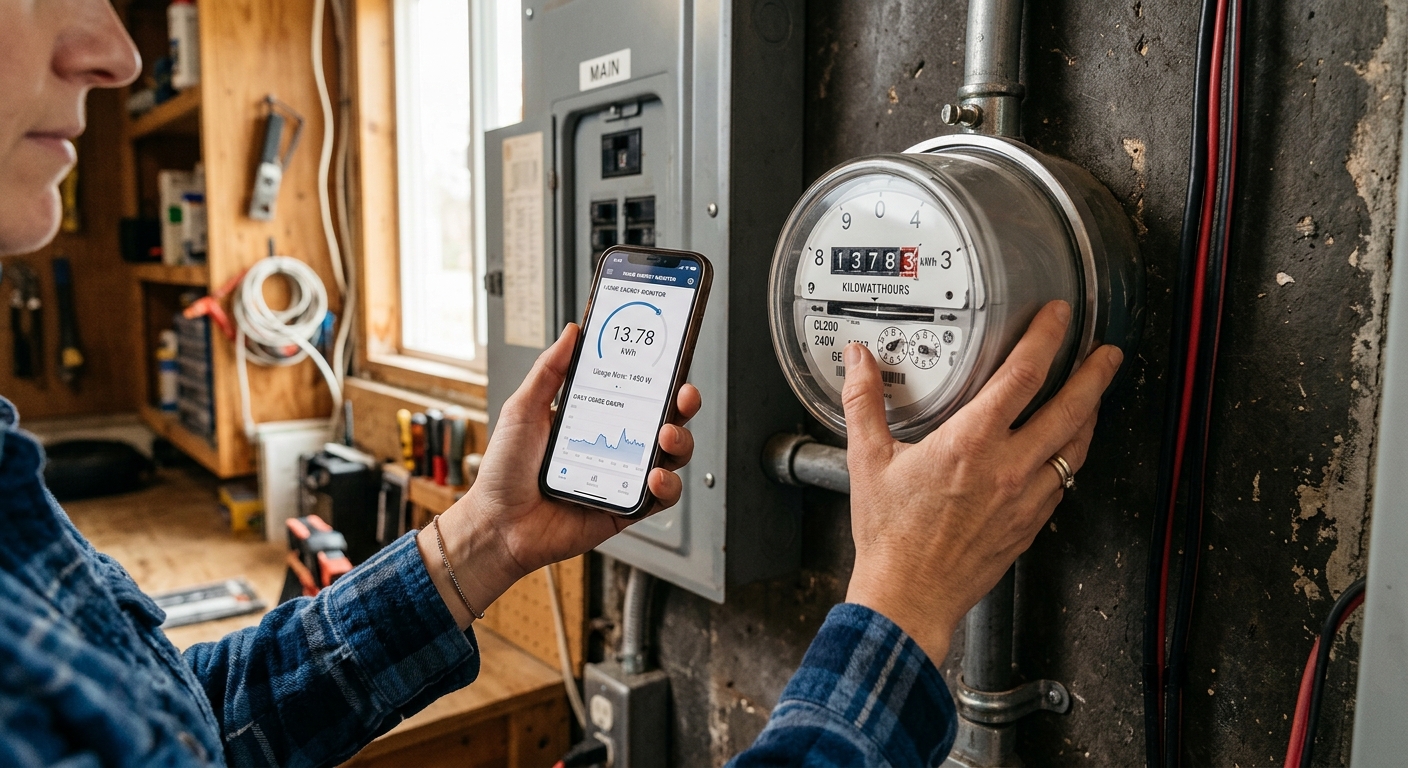
- For a digital meter: write down the full number displayed in kWh, including any leading zeros. For an analog meter: read the five dials from left to right, always recording the lower number when the pointer is between two numbers, and record the complete five-digit figure.
- Go inside and turn off or unplug every device you believe is off, including televisions, gaming consoles, phone chargers, coffee makers, and any device with a remote control or clock display. Leave only your refrigerator, freezer, and any medical equipment running.
- Return to the meter and watch it for 60 seconds. On a digital meter, check if the kWh number is climbing rapidly or look for a flashing pulse LED. On an analog meter, time how fast the disc spins. A home at true rest should show very slow movement.
- If the meter is spinning or pulsing noticeably fast, go back inside and begin plugging devices back in one group at a time (entertainment center, office equipment, kitchen countertop appliances) while watching the meter between each group. The group that causes the biggest jump is your top phantom load culprit.
- Calculate your approximate baseline watt draw: count how many LED pulses occur in 60 seconds, then multiply by the watt-hours-per-pulse value printed on the meter face (often Kh = 1.0 or 7.2). Divide by the time in minutes and multiply by 60 to get watts. A result over 300 watts at rest warrants a deeper audit.
- Purchase a plug-in energy monitor from a hardware store or online retailer. These devices plug into a standard 120V outlet and then accept the plug of any device you want to measure, displaying real-time watts and cumulative kWh.
- Create a simple spreadsheet or use a notes app with three columns: Device Name, Standby Watts, and Active Watts. Work room by room so you do not miss anything.
- Plug each device into the energy monitor and record its standby draw first (device off or in sleep mode) for at least 2 minutes to get a stable reading. Then record its active draw while in normal use. Pay special attention to cable boxes, gaming consoles, older desktop computers, and any appliance with a digital display.
- Flag any device drawing more than 5 watts in standby as a priority target. Common offenders include cable or satellite boxes (15 to 30 watts), older gaming consoles (70 to 150 watts in standby), plasma or older LCD televisions (5 to 25 watts), and desktop computer setups left on sleep mode.
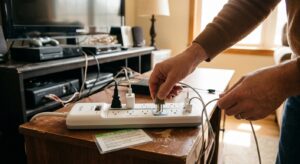
- For devices with standby draws above 5 watts that do not need to stay powered, install a smart power strip or individually switched power strip. Plug the primary device (TV, computer) into the control outlet and related peripherals (soundbar, game console, monitor) into the switched outlets so everything cuts power when the main device turns off.
- Re-read your whole-house meter using the baseline method from the quick fix approach after making changes, and compare to your initial reading. Record both numbers along with the date. Check your next utility bill to confirm the reduction matches your calculations at your utility’s rate per kWh.
- Choose a whole-home energy monitor that uses clamp-on current transformers (CTs) installed in your breaker panel. Popular options include the Emporia Vue 2, Sense Home Energy Monitor, and Emporia Energy Bridge. These provide circuit-level or whole-home real-time data through a smartphone app.
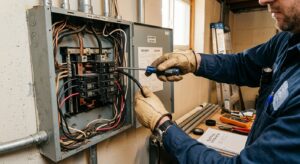
- Turn off the main breaker before opening the panel cover. Verify power is off using a non-contact voltage tester on the wires inside the panel before touching anything. Note that the wires entering the panel from the utility are still live even with the main breaker off, so do not touch them.
- Clamp the main CT sensors around the two main hot wires (legs) entering the panel below the main breaker lugs. These large-gauge wires feed all circuits in your home. Follow the manufacturer’s instructions precisely for CT orientation, which is indicated by an arrow on the sensor body.
- If your monitor supports individual circuit monitoring (Emporia Vue 2 supports up to 16 circuits), install smaller CT clamps on the breakers for your highest-consumption circuits: HVAC, electric water heater, electric dryer, EV charger, and any large appliances.
- Connect the monitor’s data module to your home Wi-Fi and download the companion app. Allow 24 to 48 hours of data collection before drawing conclusions, since appliances cycle on and off and a short snapshot can be misleading.
- Use the app’s historical charts to identify which circuits consume the most energy over a week, which devices cycle abnormally often (a sign of equipment problems), and whether your overnight baseline consumption is higher than expected. Use this data to prioritize both behavioral changes and equipment upgrades.
Why It Works: The Benefits
Reading your meter before and after unplugging standby devices can reveal a baseline reduction of 200 to 400 watts in many homes, savings you would never discover from a monthly bill alone.
Eliminating phantom loads across a typical home saves $75 to $200 per year according to DOE data, with zero upfront cost for the audit itself and minimal cost if you add smart power strips.
A refrigerator with a failing compressor or a water heater with a degraded element will show an abnormally high draw on your meter, often weeks before the appliance fails completely. Catching it early can prevent a costly emergency replacement.
By recording your own meter readings and comparing them to your bill, you can confirm your utility is billing correctly. Billing errors do occur, and a simple monthly reading habit lets you catch discrepancies before they compound over multiple billing cycles.
Knowing which devices are your top energy consumers lets you direct upgrade dollars where they matter most, rather than guessing. Replacing a single old CRT television drawing 150 watts of standby with a modern smart TV can cut that device’s idle draw by over 90 percent.
💰 Savings Impact by Action
Eliminating standby power from electronics and appliances reduces average household electricity use by 5 to 10 percent according to the U.S. Department of Energy.
Installing load-sensing smart power strips on entertainment and office equipment automatically cuts peripheral standby draws, saving roughly 3 to 5 percent on electricity bills with no behavior change required.
Homeowners who actively monitor their energy use with real-time feedback tools reduce consumption by 5 to 15 percent, driven by awareness of which devices and behaviors drive the highest costs.
Replacing a pre-2000 refrigerator, freezer, or window AC unit with a current ENERGY STAR model typically cuts that appliance’s energy use by 30 to 50 percent, contributing 10 to 15 percent savings on overall electricity bills for the average home.
🏠 Key Concepts Explained
The Science Behind It
Electric meters measure energy in kilowatt-hours using one of two mechanisms depending on their age. Older electromechanical meters use electromagnetic induction: current flowing through your home creates a magnetic field that induces a proportional rotation in an aluminum disc. The faster the disc spins, the more power being consumed. Modern solid-state digital meters use electronic sampling to measure voltage and current multiple times per second, computing instantaneous power and accumulating the total into a kWh reading with far greater precision and the ability to record time-stamped interval data.
Phantom loads exist because of how modern electronics are designed. Devices with remote controls must keep a receiver circuit powered at all times, waiting for a signal. Devices with digital clocks, soft-touch buttons, or network connectivity (smart TVs, game consoles, Wi-Fi routers) maintain active microprocessors even in their lowest-power states. Power adapters and chargers left plugged in without a device attached still draw a small amount of power as they regulate voltage and maintain internal temperature. Individually these loads are small, often 1 to 5 watts, but the Lawrence Berkeley National Laboratory estimates the average American home has 40 or more devices contributing to standby consumption, collectively drawing 50 to 100 watts continuously around the clock.
Smart power strips and whole-home monitors address phantom loads through two different mechanisms. Switched power strips use the load-sensing outlet to detect when the master device drops below a wattage threshold (typically 30 watts) and cut power to all peripheral outlets, interrupting the phantom draw at the source. Whole-home monitors use the principle of current transformer sensing: a coil of wire wrapped around a conductor experiences an induced voltage proportional to the current flowing through it, allowing the monitor to calculate circuit-level power without physically interrupting the circuit. This is the same principle used by utility-grade metering equipment, scaled down for consumer use and accuracy within 1 to 2 percent of actual consumption.
Frequently Asked Questions
▼ How do I read my electric meter if it has multiple displays or switches between screens?
Many digital meters cycle through several readings automatically every few seconds. The screen labeled ‘kWh’ or ‘total’ is the one that matches your utility bill and is the reading you want to record. If you see readings labeled ‘demand,’ ‘TOU peak,’ or ‘reactive,’ those are supplementary measurements and can be ignored for basic monitoring purposes. Photograph the meter as it cycles through all screens and you will capture every reading without having to time it.
▼ My meter is spinning even with the main breaker turned off. Is that normal?
No, this is not normal and you should contact your utility company immediately. If the meter continues to register consumption with your main breaker fully off, either the breaker is faulty and not actually interrupting power, there is a wiring problem upstream of your main breaker inside the panel, or the meter itself is malfunctioning. Do not attempt to diagnose this yourself. Call your utility’s emergency or service line and request a meter inspection.
▼ I unplugged everything and my meter is still spinning fast. What is drawing that much power?
Hardwired devices do not plug in and therefore cannot be caught by unplugging everything. Common culprits include hardwired lighting (especially older fluorescent ballasts or exterior lights on timers), electric water heaters, electric baseboard heaters left on in a rarely used room, well pumps, and HVAC systems running fan-only mode. Turn off circuits at your breaker panel one at a time while watching the meter to isolate which circuit is responsible, then investigate the devices on that circuit.
▼ Can I trust the usage data in my utility’s online portal instead of reading the meter myself?
Utility portal data is useful for long-term trend analysis but is typically updated once daily and may lag by 24 to 48 hours, which makes it useless for real-time phantom load detection. For identifying specific devices and getting immediate feedback, reading your physical meter or using a plug-in energy monitor gives you information that the portal simply cannot provide. Use both together for the best picture of your home’s consumption.
▼ How long before I see savings on my bill after eliminating phantom loads?
Savings appear on your very next billing cycle, since phantom loads that are eliminated stop accruing charges immediately. However, the dollar amount may be modest in the first month if your billing period is already partially complete. Give it two full billing cycles for a clean before-and-after comparison, and make sure to compare to the same month in the prior year rather than the previous month, since seasonal changes in heating and cooling consumption can easily mask the savings.
Quick Tips
- Take a photo of your meter reading on the first of each month and store it in a dedicated phone album. After three months you will have enough data to spot seasonal trends and billing anomalies without any special app or subscription.
- Cable and satellite boxes are among the worst phantom load offenders in most homes, often drawing 15 to 30 watts continuously, adding up to $20 to $40 per year each. If you use streaming services primarily, consider canceling cable and eliminating the box entirely.
- Label your breaker panel clearly before doing any circuit isolation testing. If breakers are unlabeled, use a plug-in lamp and switch breakers one at a time to map them. A fully labeled panel saves time on every future diagnostic task.
- Unplug phone and laptop chargers when not actively charging. A phone charger draws roughly 0.1 to 0.5 watts at idle, small on its own, but a household with four chargers left plugged in permanently wastes around 2 kWh per month, or about $0.30. More importantly, developing the habit of unplugging shifts your mindset toward noticing other standby loads.
Variations for Your Situation
- Apartment or Rental: Renters often do not have access to their main electric meter, especially in multi-unit buildings. Focus entirely on the plug-in energy monitor approach for every device in your unit. Many utilities also offer free online usage portals or even free smart plugs through energy efficiency programs, so check your utility’s website. A smart power strip for your entertainment center and a plug-in monitor to audit your largest appliances costs under $50 and requires no landlord permission.
- Tight Budget (under $20): Skip the energy monitor purchase and rely entirely on the free meter-based baseline method in the quick fix approach. The key tools are a pen, a timer on your phone, and a calculator. Focus on the zero-cost actions: unplugging chargers and power adapters not in use, turning off gaming consoles completely rather than leaving them in standby, and using your television’s built-in sleep timer to cut power automatically. These behavioral changes alone can eliminate 50 to 100 watts of continuous phantom load at no cost.
- Older Home (pre-1980): Homes of this era are more likely to have an analog dial meter, older wiring with higher resistance (slightly increasing losses), and appliances that predate modern standby-power regulations. The 2005 Energy Policy Act set standby power limits for new devices, but a 1990s-era television, refrigerator, or window AC unit may draw two to three times as much energy in standby as its modern equivalent. Prioritize auditing any appliance older than 15 to 20 years with the plug-in energy monitor before investigating newer devices.