Your air conditioner is almost certainly running more than it needs to. Whether you are at work, asleep, or away for the weekend, a conventional thermostat keeps your home at the same temperature around the clock regardless of whether anyone is there to feel it. The Department of Energy estimates that heating and cooling account for nearly half of a typical home’s energy bill, and a significant chunk of that is pure waste from poor scheduling.
A smart thermostat solves this with learning algorithms, remote control from your phone, and geofencing that kicks the AC back on only when you are actually heading home. The result is a cooler house when you want it and a warmer setpoint when you do not, without any sacrifice in comfort. Studies from manufacturers like Ecobee and Nest, as well as third-party audits, consistently show savings of 10 to 23 percent on cooling costs compared to a conventional thermostat with a static schedule.
In this post, you will learn exactly how smart thermostats generate those savings, which features matter most, how to install one yourself in under an hour, and how to configure it to maximize what you save this summer. We will also cover when a professional installation makes more sense and what to do if your system is not compatible.
What You’ll Need
Click on an item below to shop for the recommended items for this recipe on Amazon.
As an Amazon Associate, we earn from qualifying purchases.
How to Do It
- Set your cooling setpoint to 78°F when home and awake, which is the DOE-recommended comfort baseline for summer.
- Program a setback to 85°F during the hours your home is typically empty, such as 8 AM to 5 PM on weekdays.
- Set a sleep setpoint of 76 to 78°F rather than continuing to cool to daytime comfort levels overnight.
- Enable the fan-only mode or set the fan to Auto rather than On to avoid running the blower when no cooling is needed.
- Check and replace your air filter if it has not been changed in 90 days, as a clogged filter forces the system to run longer to reach setpoint.
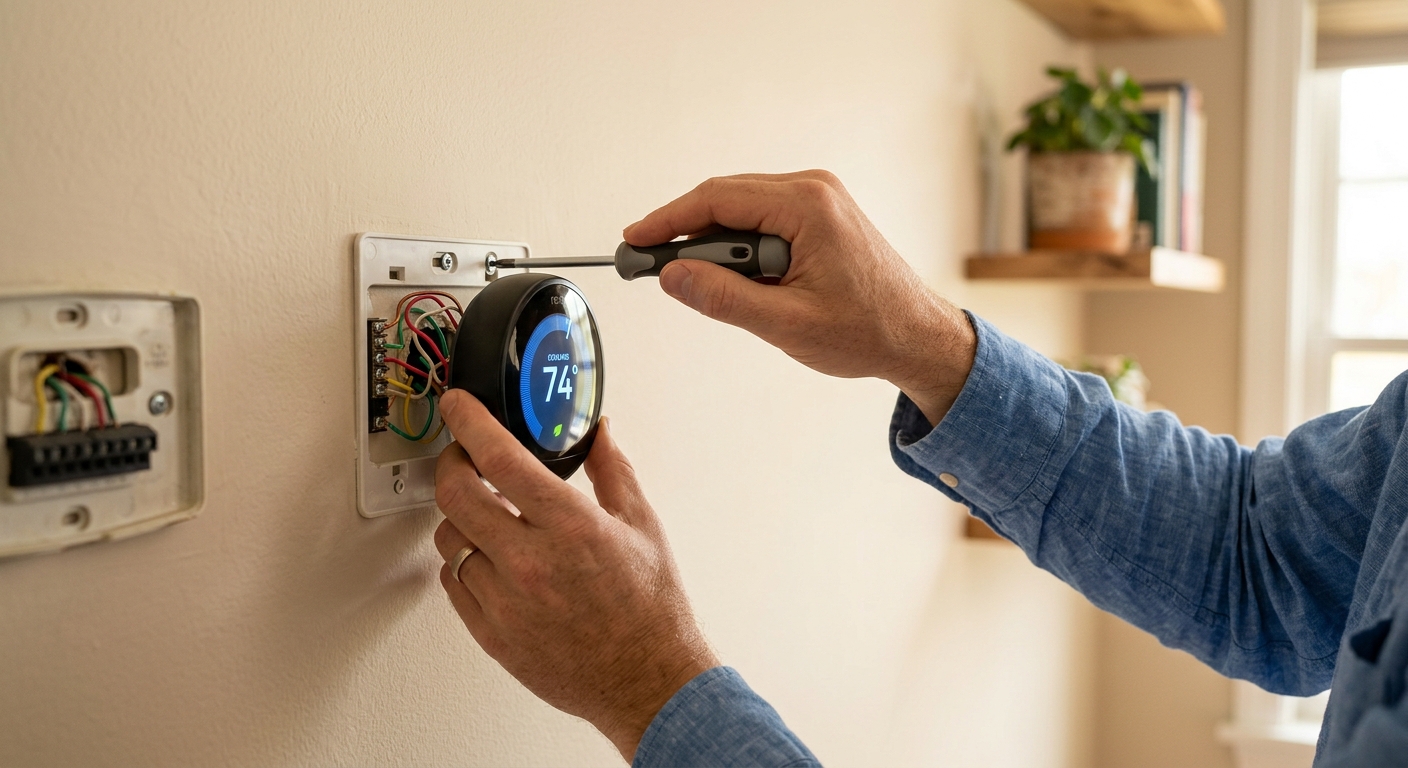
- Photograph your existing thermostat wiring before disconnecting anything. Label each wire with a piece of tape and a marker matching the terminal letter it was connected to.
- Turn off the HVAC system at the breaker before removing the old thermostat to avoid short-circuit damage to the control board.
- Mount the new thermostat base to the wall and connect each labeled wire to the corresponding terminal on the new unit. Common terminals are R (power), G (fan), Y (cooling), and W (heating).
- Restore power at the breaker, follow the thermostat’s on-screen setup wizard, and connect it to your home Wi-Fi network.
- Input your work schedule or allow the device one to two weeks to learn your patterns if you chose a learning model like the Nest.
- Enable geofencing in the companion app and set your away temperature to 82 to 85°F to maximize savings when the home is empty.
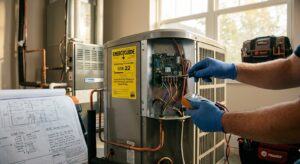
- Call your HVAC company or an electrician and ask for a smart thermostat installation with a compatibility check included.
- Choose your thermostat in advance or ask the technician to recommend one compatible with your specific system type, including any zoning or heat pump configuration.
- Ask the technician to run a C-wire from the air handler if your system does not have one, which ensures reliable power to the new thermostat.
- Request a system efficiency check while the technician is on-site, including refrigerant pressure and airflow verification, to ensure your AC is actually performing at its rated efficiency.
- After installation, have the technician walk you through the app setup, geofencing configuration, and scheduling to ensure you are positioned to capture the maximum savings from day one.
Why It Works: The Benefits
Ecobee’s internal data across 2.3 million devices shows average savings of 23% on heating and cooling costs. At a national average cooling bill of roughly $400 per summer, that is $90 to $180 back in your pocket from June through August alone.
A quality smart thermostat costs $130 to $250. With cooling savings of $100 to $200 per summer and heating savings on top of that, most homeowners recover the full purchase price within one to two seasons.
Forgot to adjust the thermostat before a weekend trip? Pull up the app and raise the setpoint from anywhere. This single feature alone can prevent an entire weekend of unnecessary cooling.
Many utilities offer $25 to $100 rebates for installing a qualifying smart thermostat, effectively shortening your payback period to a few months. The ENERGY STAR rebate finder at energystar.gov lists programs by zip code.
Fewer unnecessary cooling cycles means less compressor wear, potentially extending the life of your central AC system by years. A replacement central air unit costs $3,000 to $7,000, so even modest life extension has significant financial value.
💰 Savings Impact by Action
Raising the cooling setpoint to 85°F during unoccupied hours reduces AC runtime enough to cut total cooling costs by up to 23% annually according to Ecobee’s real-world device data.
Geofencing captures the savings gap left by imperfect manual scheduling, adding roughly 10% in additional savings compared to a static programmed schedule by reacting to actual occupancy.
Raising the overnight setpoint from 72°F to 76 to 78°F during sleep reduces cooling runtime by 6 to 8%, since most people sleep comfortably at slightly warmer temperatures.
Stacking a $25 to $100 utility rebate on top of energy savings effectively reduces your net payback period by 15 to 40%, making the upgrade financially positive within a single season.
🏠 Key Concepts Explained
The Science Behind It
The physics behind smart thermostat savings comes down to one principle: heat moves faster when the temperature difference between two spaces is larger. On a 95°F summer day, a home set to 72°F has a 23-degree differential pushing heat through every wall, window, and ceiling. Raise the indoor setpoint to 85°F while you are away and that differential drops to just 10 degrees, cutting the rate of heat infiltration by roughly 57%. Your AC runs far less because the house is not fighting as hard to maintain that tighter gap.
The second mechanism is compressor efficiency. Air conditioners operate on a vapor compression cycle that requires the refrigerant to absorb heat from indoor air and reject it outside. Each time the compressor starts from a standstill, it consumes a surge of electricity and operates at lower efficiency for the first two to three minutes of the cycle. A smart thermostat that allows the house to warm slightly reduces the number of short cycles in a day, allowing each cycle to run longer and more efficiently. This is the same reason variable-speed compressors, which run continuously at low power rather than cycling on and off, are so much more efficient than single-stage units.
Finally, smart thermostats improve on traditional programmable thermostats not because the technology is radically different but because people actually use them. Studies show that fewer than one in three homeowners with a programmable thermostat ever set a schedule beyond the default factory settings. Learning algorithms and phone-based geofencing remove the configuration burden entirely, meaning the savings that programmable thermostats promised in theory are finally delivered in practice.
Frequently Asked Questions
▼ My smart thermostat is installed but my AC is not turning on. What is wrong?
The most common cause is a missing or incorrectly wired C-wire, which provides constant 24V power to the thermostat. Check that the C terminal on both the thermostat and the air handler control board has a wire connected. If there is no C-wire in your wall, you can use a C-wire adapter kit (Venstar Add-A-Wire is a popular option around $15) or call an HVAC technician to run a new wire from the air handler.
▼ Why are my savings lower than the advertised 23%?
Savings depend heavily on how much setback your schedule uses and how many hours per day the home is unoccupied. If you work from home, have irregular hours, or already had a programmed schedule on your old thermostat, your baseline waste was lower and your improvement will be smaller. Try increasing your away setpoint to 84 to 85°F and confirm geofencing is active for all household members’ phones to close the gap.
▼ Can renters install a smart thermostat without landlord permission?
It depends on your lease, but in most cases you should ask first. Because smart thermostats replace an existing fixture, most landlords approve the swap, especially if you agree to reinstall the original thermostat when you move out. Keep the old thermostat in its original box. Some landlords will even cover the cost since it reduces their HVAC maintenance calls.
▼ How long before I see lower bills after installing the thermostat?
You will see a change in the very first billing cycle after installation, typically within 30 days. The savings will be larger in the first full month where the device has learned your schedule or you have configured geofencing. Compare the same month year-over-year rather than month-to-month to account for weather differences.
▼ What if my HVAC system does not have Wi-Fi compatibility or is very old?
Almost all smart thermostats work with standard central HVAC systems regardless of the age of the equipment, as long as the system uses low-voltage control wiring (most systems installed after 1980 do). The thermostat itself handles the Wi-Fi; your HVAC system does not need any built-in connectivity. If your system uses line-voltage wiring (common in baseboard electric heat), you need a different class of smart thermostat such as the Mysa or Sinope models designed for 120V or 240V systems.
Quick Tips
- Use the energy usage reports in your thermostat app monthly to spot days when runtime was unusually high, which often reveals a dirty filter, open window, or duct leak.
- If you have multiple floors, the thermostat location matters. Install it on the most-used floor away from direct sunlight, exterior doors, and kitchen heat sources to avoid ghost readings that cause unnecessary cycling.
- Stack your savings by pairing the smart thermostat with ceiling fans. Fans allow you to feel comfortable at 78°F instead of 74°F. That 4-degree difference in setpoint saves roughly 8 to 16% on cooling costs with no change in perceived comfort.
- Check for utility demand response programs in your area. Many utilities offer bill credits of $20 to $75 per summer if you allow your smart thermostat to participate in brief setpoint adjustments during peak grid demand events.
Variations for Your Situation
- Apartment/Rental: If your apartment has a simple wall thermostat controlling a fan-coil or PTAC unit, check whether it uses low-voltage wiring before purchasing. In many apartments, the thermostat is landlord-owned. In that case, focus on portable smart plugs with temperature sensing for window AC units (Cielo Breez Plus runs about $100) and use scheduled setbacks through the app to mimic smart thermostat behavior without touching the central system.
- Tight Budget (under $50): Skip the hardware for now and focus on zero-cost behavioral changes. Set manual setbacks to 85°F during work hours and 78°F while awake at home. Turn the AC off completely on mild days when the outdoor temperature stays below 80°F and use window fans instead. These steps alone can replicate 40 to 60% of smart thermostat savings at no cost until the budget allows for an upgrade.
- Older Home (pre-1980): Homes built before 1980 often lack a C-wire and may have only 2 to 3 thermostat wires. Before purchasing, pull off your thermostat and count the connected wires. With only 2 wires, choose a thermostat with a built-in power adapter such as the Nest Thermostat E or Ecobee with a Power Extender Kit. Also prioritize air sealing and attic insulation before or alongside the thermostat upgrade, as the efficiency of smart scheduling is limited if the house leaks heat aggressively.