Your electricity bill arrives every month, but the number on it tells you almost nothing useful. It does not tell you that your aging chest freezer in the garage is costing you $180 a year, or that your home theater receiver draws 30 watts even when you think it is off. Without measuring, you are guessing, and guessing rarely leads to real savings.
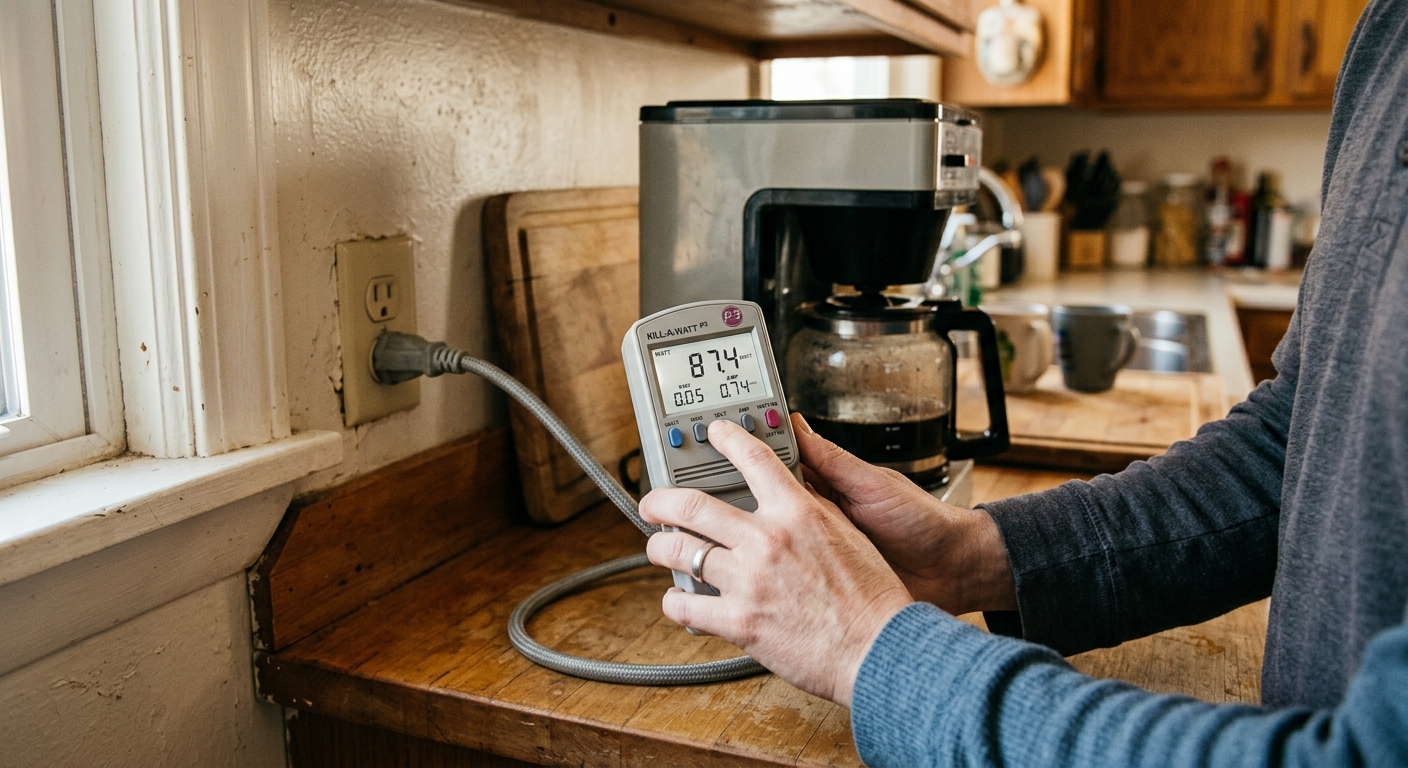
A Kill-A-Watt meter is a simple plug-in device that measures exactly how many watts, kilowatt-hours, and dollars any appliance is consuming. Plug it into the wall, plug your appliance into it, and within minutes you have real data. For a $25 investment, it is one of the highest-return tools a homeowner can own, giving you the specific information needed to make smart decisions about upgrades, replacements, and behavioral changes.
This post walks you through exactly how to use a Kill-A-Watt meter, which appliances to check first, how to interpret the numbers, and what to do once you find the biggest offenders. Whether you want a quick 20-minute sweep or a full home energy audit over a week, this guide gives you the framework to cut real dollars from your next bill.
What You’ll Need
Click on an item below to shop for the recommended items for this recipe on Amazon.
As an Amazon Associate, we earn from qualifying purchases.
How to Do It
- Purchase a Kill-A-Watt EZ (model P4460) or the original P4400. Both are widely available online and at hardware stores for $20 to $30. The EZ model lets you enter your electricity rate to get direct dollar readouts.
- Start in the living room and home office. Plug the Kill-A-Watt into the wall outlet, then plug your TV into it. Switch the TV off using the remote and read the wattage. A typical LED TV in standby draws 0.5 to 2 watts, but older plasma sets can draw 5 to 15 watts in standby.
- Test your cable box or satellite receiver next. These are notorious standby offenders, often drawing 15 to 25 watts continuously whether you are watching or not. A cable box drawing 20 watts costs about $28 per year in standby alone.
- Check your home theater receiver, gaming consoles, and any device with a clock display or status light. Write down each device name and its standby wattage on a notepad.
- Move to the home office and test your desktop computer, monitor, printer, and router. Printers in standby often draw 3 to 8 watts and run 24 hours a day despite being used infrequently.
- For any device drawing more than 5 watts in standby, decide whether to plug it into a smart power strip, put it on a schedule with a timer outlet, or simply unplug it when not in use. A $15 to $25 smart power strip controlling a TV entertainment center can save $30 to $60 per year.
- Start with your refrigerator and any additional freezers or mini-fridges. Plug the Kill-A-Watt in, set it to kWh mode, and let it run for exactly 24 hours. Multiply the 24-hour kWh reading by 365 to get annual consumption. Then multiply by your electricity rate (check your bill for the per-kWh rate). A refrigerator using 1.5 kWh per day costs about $88 per year at 16 cents per kWh. A 20-year-old model might use 3 to 4 kWh per day, costing $175 to $234 per year.
- Test your window air conditioners and portable AC units. Run the AC on its normal setting for a full cycle and record the average wattage. A 10,000 BTU window unit typically draws 900 to 1,200 watts. If it runs 8 hours per day for 120 summer days, calculate: 1,000 watts times 8 hours equals 8 kWh per day, times 120 days equals 960 kWh per season, times 16 cents equals about $154 per season.
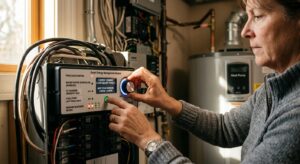
- Check your electric water heater if accessible. Plug a corded drop light or small appliance into the Kill-A-Watt and leave it near the panel, or test the water heater circuit indirectly by measuring a known load. Note: tank water heaters cycle 2 to 4 times per day and account for 14 to 18% of a typical home’s electricity bill.
- Test your clothes dryer and washing machine. Run a normal load cycle and record the total kWh consumed per cycle from the Kill-A-Watt display. A gas dryer is not measurable this way, but an electric dryer typically uses 3 to 5 kWh per cycle. At $0.16 per kWh and 5 cycles per week, that is $125 to $208 per year.
- Test dehumidifiers, space heaters, and any supplemental heating or cooling devices. These are often major surprise offenders. A 1,500-watt space heater running 6 hours per day for 90 winter days consumes 810 kWh, costing about $130 at average rates.
- Build a simple spreadsheet with each appliance, its daily kWh, annual kWh, and annual cost. Sort by annual cost from highest to lowest. This ranked list is your action plan. Focus first on any appliance costing more than $100 per year where a replacement or behavioral change can cut that number significantly.
- Complete the full home energy audit above and rank all appliances by annual electricity cost.
- For your top 3 energy consumers, research current ENERGY STAR replacement models. Use the ENERGY STAR website to find the estimated annual energy use of replacement models and calculate the annual savings versus what your Kill-A-Watt measured.
- Calculate the payback period for each replacement: divide the purchase price of the new appliance by the annual savings. For example, if a new chest freezer costs $250 and saves $90 per year over your old unit, the payback period is 250 divided by 90 equals 2.8 years. After that, it is pure savings.
- Check for utility rebates before purchasing. Most electric utilities offer $25 to $200 rebates on ENERGY STAR refrigerators, freezers, and air conditioners. Visit your utility’s website or the ENERGY STAR rebate finder to stack rebates on top of your savings calculation.
- For devices with payback periods under 3 years, proceed with replacement. For devices with payback periods over 5 years, consider whether the appliance is nearing end of life anyway, which changes the math significantly.
- After replacing any appliance, re-measure with the Kill-A-Watt after 24 to 48 hours to confirm actual savings match expected savings. Document the before and after numbers so you can track the impact on your monthly bill.
Why It Works: The Benefits
A single measurement session typically reveals 2 to 5 devices consuming far more than expected. Finding and replacing or unplugging just one major offender, like an old second refrigerator drawing 150 kWh per month, can save $20 to $30 per month on its own.
Instead of guessing whether a new appliance will pay off, you know exactly what the old one costs per year. If your old refrigerator costs $180 per year to run and a new ENERGY STAR model costs $50 per year, you can calculate a precise payback period for the upgrade.
Once you identify which devices draw significant standby power, plugging them into a smart power strip or simply unplugging them costs nothing and can save $50 to $150 per year across a typical home.
A Kill-A-Watt audit tells you exactly which upgrades deliver the fastest payback, so you spend money where it actually matters rather than on low-impact changes.
After replacing an appliance or adding a smart strip, you can re-measure to confirm the actual savings, giving you confidence that the change worked as expected.
💰 Savings Impact by Action
Eliminating standby and vampire loads across a typical home saves 5 to 10% of total electricity use annually according to Lawrence Berkeley National Laboratory data.
Replacing a pre-2000 refrigerator with a current ENERGY STAR model can cut that appliance’s energy use by 60 to 70%, saving $120 to $200 per year depending on the old unit’s consumption.
Installing smart power strips on home theater and office setups eliminates residual draw from multiple devices simultaneously, saving 4 to 6% on electricity bills in device-heavy households.
Replacing the top two or three energy-wasting appliances identified in a Kill-A-Watt audit can reduce total home electricity consumption by 15 to 25% for homes with older inefficient equipment.
🏠 Key Concepts Explained
The Science Behind It
Every electrical appliance converts electrical energy into some combination of heat, light, motion, or sound. The Kill-A-Watt measures this conversion in real time using a current transformer and voltage sensor inside the unit. It calculates true power in watts, which accounts for both resistive loads and reactive loads from motors and transformers, giving you a more accurate reading than a simple current clamp would. The key metric for cost calculations is kilowatt-hours, which is watts divided by 1,000, multiplied by hours of operation.
Standby power exists because many modern appliances never fully disconnect from the power supply. Microprocessors, remote control receivers, clock circuits, and network interfaces all require continuous small amounts of power to remain ready for instant-on operation. The International Energy Agency estimates that standby power accounts for roughly 5 to 10% of residential electricity consumption in developed countries. In a home with a $150 monthly electricity bill, that is $90 to $180 per year consumed while appliances appear to be off.
The duty cycle effect is critical to understand when measuring cycling appliances. A refrigerator compressor might draw 150 watts when running but zero watts when the thermostat is satisfied. If the compressor runs 40% of the time, the true average power draw is only 60 watts, but you would miss this entirely by measuring wattage at a single moment. The Kill-A-Watt’s cumulative kWh mode solves this by integrating power over time, giving you the true energy consumption regardless of how the appliance cycles. This is why a 24-hour measurement window is essential for any appliance with a compressor or motor that cycles on and off.
Frequently Asked Questions
▼ My Kill-A-Watt is showing 0.0 watts for a device I know is using power. What is wrong?
The device may be drawing less than 0.5 watts, which is below the Kill-A-Watt’s display resolution. This is actually good news since sub-watt standby draws cost less than $1 per year and are not worth worrying about. Alternatively, make sure the Kill-A-Watt is plugged directly into the wall outlet and not through a power strip, which can sometimes interfere with readings.
▼ Can I use the Kill-A-Watt on my refrigerator even though it cycles on and off?
Yes, but you must use the kWh measurement mode, not the watts display. Set the meter to kWh, plug in the refrigerator, and let it run undisturbed for 24 hours. The kWh reading at the end of 24 hours reflects the true energy consumed across multiple compressor cycles. Multiply that number by 365 and by your electricity rate to get the annual cost.
▼ My electricity bill went up even after I unplugged my vampire loads. Why?
Standby loads are real but may represent only 5 to 10% of your total bill, so eliminating them produces noticeable but not dramatic reductions. More likely culprits for a bill increase include seasonal changes in heating or cooling use, a change in occupancy patterns, or a major appliance like a water heater or refrigerator that has started to fail and is running harder than normal. Use the Kill-A-Watt to do a 24-hour check on your refrigerator and any electric space heaters to find where the extra consumption is coming from.
▼ Can I measure my central air conditioner or electric dryer with the Kill-A-Watt?
No. The Kill-A-Watt is rated for 120-volt outlets only and will be damaged or create a hazard if connected to a 240-volt circuit. For 240-volt appliances, use a whole-home energy monitor like the Emporia Vue 2 or Sense, which installs in your electrical panel and monitors all circuits simultaneously. A licensed electrician can install these safely for a service fee of roughly $100 to $200.
▼ How long does it take to see the savings from unplugging vampire loads on my actual bill?
You should see a reduction on your very next monthly bill since the savings begin immediately. However, monthly bills vary based on weather, behavior, and billing cycle timing, so compare your bill from the same month last year rather than month over month for the clearest picture. If you eliminated $10 per month in standby loads, expect to see that reflected within one to two billing cycles.
Quick Tips
- Always check your electricity rate per kWh on your utility bill before starting so your dollar calculations are accurate for your location, not the national average.
- Test appliances in all their modes: fully on, idle or standby, and completely off with just the power cord plugged in, since each mode can have a very different draw.
- Share the Kill-A-Watt with neighbors after your audit. The $25 cost divided among 4 households is only $6 each, and everyone benefits from their own measurements.
- If your Kill-A-Watt reading shows near-zero watts for a device in standby, you can stop worrying about it. Focus your energy on devices drawing 5 watts or more continuously.
- Photograph the Kill-A-Watt display for each appliance with your phone so you have a permanent record without needing to write everything down immediately.
Variations for Your Situation
- Apartment or Rental: Renters often cannot access the electrical panel or replace major appliances, but the Kill-A-Watt is still highly valuable. Focus on the appliances you own and brought with you: window AC units, space heaters, televisions, gaming consoles, and kitchen appliances. A window AC drawing 1,100 watts running 10 hours per day through a hot summer can cost $175 or more per season. If you own that unit, knowing its consumption helps you decide whether upgrading to a higher-efficiency model before next summer makes financial sense, even as a renter.
- Tight Budget (under $25): If you cannot afford to buy a Kill-A-Watt right now, check your local library first. Many public library systems in the U.S. now loan Kill-A-Watt meters free with a library card. Alternatively, some utility companies will lend or mail one to customers at no cost as part of energy efficiency programs. Search your utility’s website for energy audit tools or contact their customer service line. With free access to the meter, you can conduct a full audit at zero cost.
- Older Home (pre-1980): Homes built before 1980 often have a mix of very old appliances that were built to last but are enormously inefficient by modern standards. Prioritize testing any refrigerator or freezer older than 15 years, window AC units from before 2000, and electric resistance baseboard heaters. A pre-1990 refrigerator routinely consumes 1,500 to 2,000 kWh per year, compared to 400 to 500 kWh for a current ENERGY STAR model, a difference of $160 to $240 per year. In older homes, appliance replacement often delivers the fastest and largest energy savings of any efficiency measure.