Did you know your television, cable box, gaming console, and phone charger are all drawing electricity right now, even if nothing is turned on? This invisible energy waste is called phantom power, standby power, or vampire load, and the U.S. Department of Energy estimates it accounts for 5 to 10 percent of a typical home’s electricity use. For the average American household paying around $1,500 a year in electricity, that’s $75 to $150 quietly disappearing every year.
The frustrating part is that most of this waste requires zero sacrifice. You’re not being asked to turn off your AC or skip the dishwasher. Phantom power is energy that devices consume while doing absolutely nothing useful for you: a TV waiting for a remote signal, a microwave keeping its clock lit, a laptop charger warming your outlet whether your laptop is plugged in or not. Eliminating it doesn’t reduce your comfort one bit.
In this post, we’ll break down exactly which devices are the worst offenders, show you two practical approaches to cutting phantom power (one completely free, one using smart power strips that pay for themselves in months), and give you real numbers so you can see exactly where your savings are coming from.
What You’ll Need
Click on an item below to shop for the recommended items for this recipe on Amazon.
As an Amazon Associate, we earn from qualifying purchases.
How to Do It
- Walk through every room and make a list of all devices currently plugged in. Common phantom culprits include TVs, cable or satellite boxes, gaming consoles, DVD or Blu-ray players, desktop computers, printers, microwaves, coffee makers, phone and tablet chargers, and any appliance with a digital clock or indicator light.
- Identify which devices you use daily versus occasionally. Devices you use less than once a week are prime candidates for being unplugged entirely when not in use.
- Unplug phone and laptop chargers immediately when not charging a device. Chargers draw power even with nothing connected and can safely be unplugged and re-plugged daily with no wear impact.
- Consolidate rarely used devices onto a single power strip so you can switch off the whole group with one motion. A printer, external hard drive, and desk lamp grouped together can be switched off overnight and on workdays when you’re not home.
- Unplug countertop appliances in the kitchen that you use less than once a day. A toaster oven, coffee maker, and blender together can draw 5 to 15 watts continuously and are trivial to unplug after each use.
- Check your work by feeling the wall adapter or power brick of any device you’ve unplugged. If it was warm before and cool after, you’ve confirmed real energy savings.
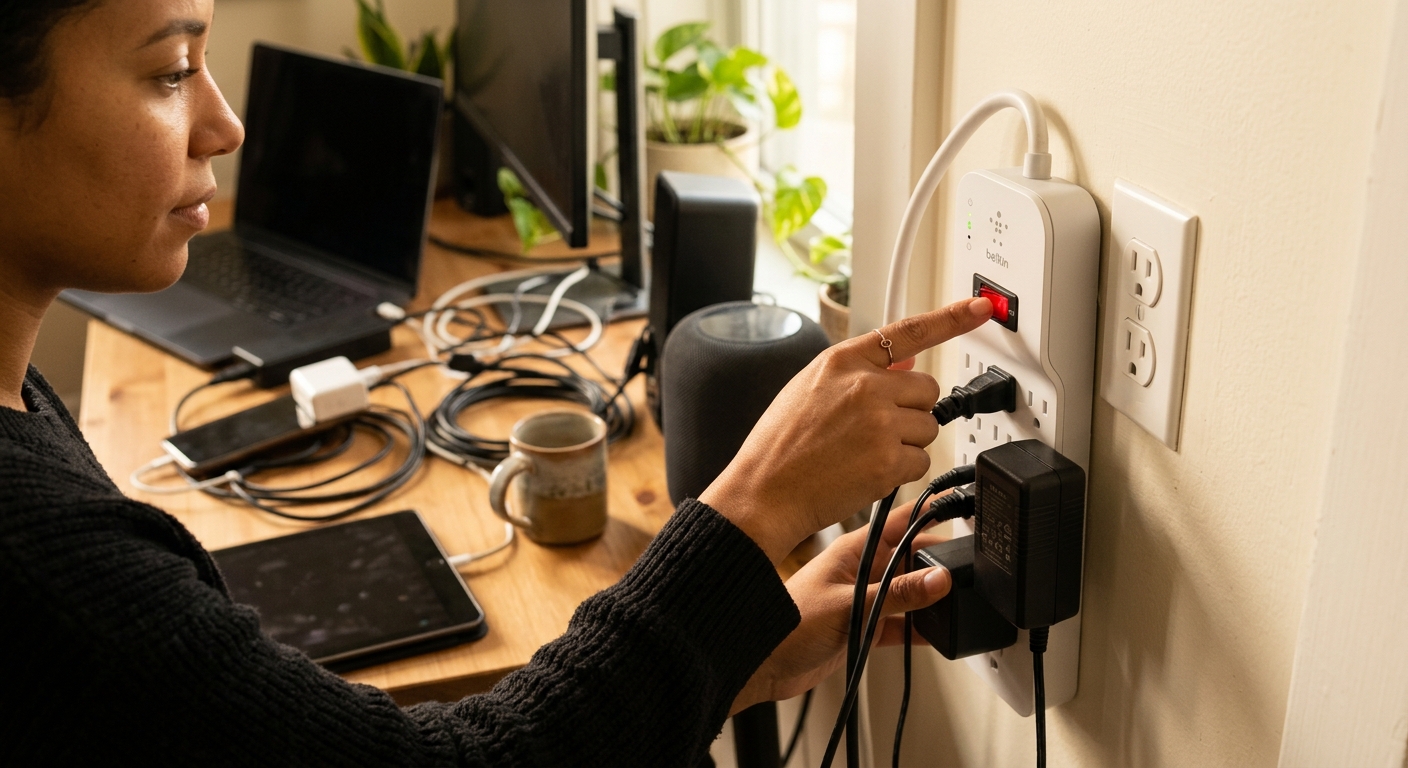
- Purchase one smart power strip for your entertainment center and one for your home office. Look for a strip with a ‘control’ outlet and at least 4 ‘switched’ outlets. Prices range from $20 to $40 per strip. Brands like Belkin, TrickleStar, and APC make reliable options.
- At your entertainment center, plug your TV into the designated control outlet on the smart strip. Plug your cable box, soundbar, streaming device, and gaming console into the switched outlets. When the TV powers off, the strip cuts power to all connected devices automatically.
- At your home office, plug your desktop computer or laptop into the control outlet. Plug your monitor, printer, speakers, and desk lamp into the switched outlets. The whole group powers down when the computer goes to sleep or shuts off.
- For always-on devices like your router, modem, or smart home hub, use the strip’s non-switched outlets (most smart strips include 2 to 3 of these). These devices need continuous power and should not be switched off.
- Install a simple mechanical outlet timer on your game console, cable box, or satellite receiver if your provider does not require 24-hour connectivity. Set it to cut power from midnight to 6 a.m. Cable boxes alone draw 10 to 20 watts continuously and are among the worst offenders.
- After two to four weeks, review your electric bill or check your smart meter app if available. Most homeowners see a measurable drop in kWh usage within one billing cycle of setting up smart strips across two or three high-draw areas.
- Purchase a plug-in energy monitor such as the Kill A Watt P4400 for around $25 to $30. Plug it between the wall and any device you want to measure. Check the watt reading in standby mode and calculate annual cost using this formula: watts times 8,760 hours per year divided by 1,000 equals kWh, then multiply by your rate (typically $0.13 to $0.17 per kWh).
- Audit your top five phantom draws first: entertainment center, home office, kitchen, laundry room, and any dedicated gaming or media area. Prioritize the highest-wattage standby devices for smart plug control.
- Install Wi-Fi smart plugs (such as Kasa EP25 or Amazon Smart Plug at $10 to $15 each) on your three to five highest-draw devices. These allow you to set schedules and shut devices off remotely through an app without any manual action.
- Set automated schedules in your smart plug app. A common effective schedule: entertainment center off from midnight to 6 a.m., office equipment off whenever your work hours end, and kitchen appliance plugs off overnight. Most people save 30 to 50 percent of a device’s standby consumption this way.
- Use the app’s energy tracking feature (available on Kasa, TP-Link, and Wemo platforms) to review weekly usage. Compare before and after data to confirm real savings and identify any remaining high-draw devices you missed in your initial audit.
Why It Works: The Benefits
Eliminating phantom load in a typical home saves $75 to $150 per year, roughly $6 to $12 per month, without changing any habits or reducing comfort.
Devices left plugged in continuously generate low-level heat that degrades components over time. Power strips and surge protectors also protect against voltage spikes that can damage equipment or, in rare cases, cause fires.
Cutting power to electronics when not in use reduces cumulative heat stress on internal components, which is one of the primary causes of early failure in TVs, chargers, and audio equipment.
Saving 700 kWh per year eliminates roughly 400 to 500 pounds of CO2 emissions annually, equivalent to planting about 6 trees, depending on your regional electricity grid.
Replacing basic power strips with quality surge protectors while tackling phantom load gives your expensive electronics $50,000 or more in connected equipment coverage for $20 to $40, a significant added value.
💰 Savings Impact by Action
Installing smart strips on entertainment and office areas eliminates standby draw for clustered devices, cutting household electricity use by 5 to 10 percent.
Unplugging phone, tablet, and laptop chargers when not in use eliminates transformer losses that add up to roughly 2 percent of annual electricity use across a typical home.
Putting a cable or satellite box on a nightly timer reduces its continuous 15 to 20-watt draw by 25 to 35 percent, saving $5 to $8 per device per year.
Unplugging countertop appliances with clocks or standby modes eliminates 5 to 15 watts of continuous draw, saving $5 to $15 per year in the kitchen alone.
Automated schedules on the top five standby devices reduce their cumulative annual consumption by 30 to 50 percent, adding up to roughly 6 percent of total household electricity use.
🏠 Key Concepts Explained
The Science Behind It
Phantom power exists because most modern electronics are never truly off. They operate in what engineers call standby mode, a low-power state that keeps the device ready to respond instantly to a remote control signal, maintain a software state, or display a clock. This requires a small but continuous flow of electricity through internal circuits. The transformer that converts your 120-volt AC wall power to the lower DC voltages your devices need generates heat as an unavoidable byproduct of that conversion, and heat equals wasted energy.
The physics behind why this adds up so quickly comes down to continuous duration. Power consumption is measured in watts, but your electric bill charges for watt-hours, meaning watts multiplied by time. A device drawing just 10 watts for 24 hours uses 240 watt-hours, or 0.24 kWh. That sounds small, but over a full year it equals 87.6 kWh. At the U.S. average electricity rate of about $0.16 per kWh, that single 10-watt standby device costs you $14 per year. Multiply that across 10 to 15 similar devices and you’re looking at $100 to $200 annually from devices you’re not even using.
The solution works by interrupting the electrical circuit at the outlet level rather than relying on the device’s internal off switch, which in most cases is not a true power cutoff. A smart power strip or switched outlet creates a hard break in the circuit, dropping current draw to zero. This is physically identical to unplugging the device. The small inconvenience of a device taking a few extra seconds to boot up is the only tradeoff, and for most devices like TVs and printers, that delay is 5 to 15 seconds, a reasonable exchange for eliminating 100 percent of standby consumption during off hours.
Frequently Asked Questions
▼ How do I know which devices are actually wasting the most phantom power in my home?
The fastest way to find out is to buy or borrow a Kill A Watt energy monitor for about $25 to $30. Plug it between any device and the wall outlet and check the watt reading while the device is in standby. A reading above 5 watts in standby is worth addressing. Cable boxes, gaming consoles, older TVs, and desktop computers are almost always the biggest offenders.
▼ Will using a smart power strip mess up my cable box or DVR recordings?
Yes, it can if the strip cuts power during scheduled recording times or overnight update windows. To avoid this, either plug your DVR into a non-switched outlet on the strip or use an outlet timer that allows power during your typical recording hours. Alternatively, switching to a cloud-DVR streaming service eliminates this concern entirely.
▼ How long before I actually see savings on my electric bill?
Most homeowners see a measurable reduction within one to two billing cycles after addressing their main phantom loads. The change is typically 5 to 10 percent of your total bill, so it’s most visible if you compare the same month year-over-year to control for seasonal differences. A smart meter app from your utility can show daily kWh usage and make the drop visible almost immediately.
▼ Is it safe to leave things on smart power strips long-term?
Yes, as long as you use a quality strip rated for the wattage of your devices and you never plug high-draw appliances like space heaters or air conditioners into any power strip. Look for strips with a UL or ETL certification mark and a joule rating above 1,000 for surge protection. Replace any strip that shows signs of discoloration, damage, or warmth around its housing.
▼ My electric bill went down but not by as much as I expected. What did I miss?
The most commonly overlooked sources of phantom load are older game consoles (PlayStation and Xbox units from 2013 to 2020 are notoriously high standby draws), satellite receivers, basement or garage workshop equipment, and older flat-screen TVs. Also check if your home has a dedicated home theater receiver or amplifier, which often draws 20 or more watts in standby. Measure each with an energy monitor to find the stragglers.
Quick Tips
- Set a phone reminder to unplug your phone charger every morning. Chargers left plugged in all day while you’re at work cost a small but real amount and this habit alone saves several dollars per year.
- Focus your first effort on the entertainment center and home office. These two areas account for more than half of the average home’s phantom load and are the easiest to address with one smart strip each.
- When buying new appliances or electronics, look for the ENERGY STAR label. ENERGY STAR-certified TVs and computers must meet strict standby power limits, often 0.5 watts or less versus 5 to 15 watts for older models.
- If you rent and cannot make changes to wiring, focus entirely on power strips and smart plugs, which are fully portable and leave no permanent changes. You can take them with you when you move.
Variations for Your Situation
- Apartment/Rental: Renters can address phantom power entirely without any landlord permission since smart plugs and power strips require no installation. Focus on a $20 to $25 smart power strip for your entertainment area and individual Kasa or Wemo smart plugs ($10 to $15 each) for your highest-draw devices. These are fully portable when you move and can realistically save $60 to $100 per year in a typical one-bedroom apartment.
- Tight Budget (under $50): Start with the completely free unplug audit described in the first approach. Unplugging chargers, kitchen appliances, and consolidating rarely used devices onto one switched power strip you likely already own can save $30 to $60 per year at zero cost. If you have $15 to $20 to spend, a single smart power strip for your TV setup delivers the highest return on investment of any single purchase in this category.
- Older Home (pre-1980): Homes built before 1980 often have two-prong ungrounded outlets that are incompatible with many modern surge-protecting smart strips. Have a licensed electrician assess whether outlets in your entertainment and office areas should be upgraded to grounded three-prong outlets before adding smart strips. In the meantime, use a simple mechanical outlet timer ($8 to $12) as a safe, compatible alternative for cutting power to individual high-draw devices overnight.