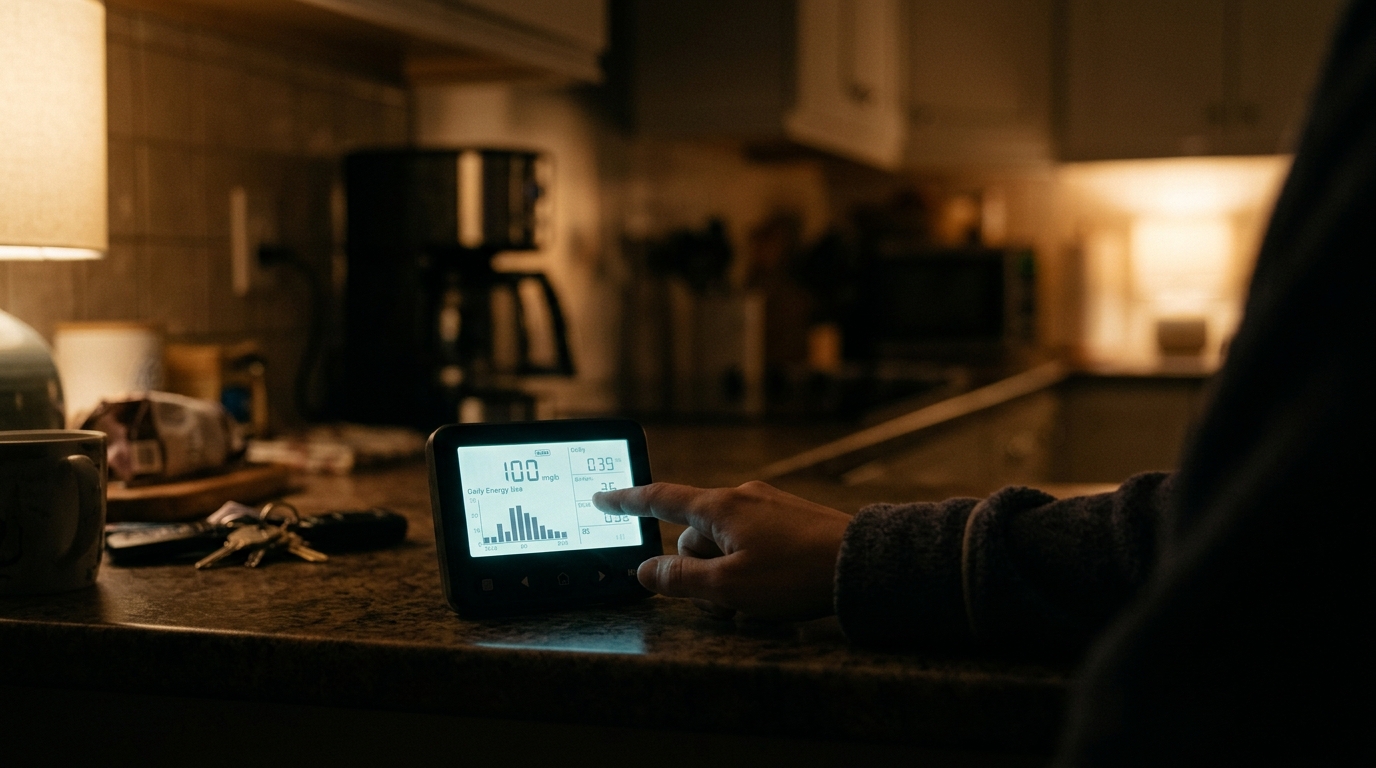
Here is a question most homeowners cannot answer: how much electricity does your house use between 1 a.m. and 5 a.m., when everyone is asleep and nothing should be running? For many homes the honest answer is 300 to 600 watts, around the clock. That is 2,600 to 5,300 kWh per year, or roughly $400 to $900 at the national average of about 16 cents per kWh, spent on a house that is doing nothing.
The good news is that you already have the tool to catch this. If your utility installed a smart meter (about 70 percent of US homes now have one), it has been logging your usage in 15 to 60 minute intervals. Most utilities let you view or download that data for free. The overnight hours are the cleanest window for finding waste, because normal activity like cooking, laundry, and lighting has mostly stopped. Whatever is left is your baseload, and it is almost always higher than people expect.
This post walks through how to find your overnight baseload in your utility portal, what typical numbers look like, how to hunt down the culprits with a simple circuit-by-circuit test, and what to do about each one. You can get a first read on your own data in about 15 minutes, with no tools at all.
What You’ll Need
Click on an item below to shop for the recommended items for this recipe on Amazon.
As an Amazon Associate, we earn from qualifying purchases.
How to Do It
- Log in to your utility’s website or app and look for ‘usage,’ ‘energy data,’ or ‘Green Button download.’ Choose the hourly or 15 minute view for a typical weeknight.
- Find your lowest overnight reading, usually between 2 a.m. and 5 a.m. Convert it to watts: a reading of 0.4 kWh in one hour equals about 400 watts. Write this number down as your baseload.
- Compare it to a rough benchmark. Under 150 W is excellent, 150 to 300 W is typical for a small efficient home, 300 to 500 W is common, and over 500 W suggests something is worth chasing.
- Walk the house at night or before bed and unplug entertainment centers, spare chargers, old game consoles, printers, and any unused electronics. Pull the plug on the spare garage fridge if it is mostly empty.
- Wait one to two nights, then check the same overnight window in your data. The drop in watts shows you exactly what you saved. Multiply the drop by 8.76 to get annual kWh, then by your rate for dollars.
- Pick a quiet evening and note your meter reading or live usage figure if your utility app offers near real-time data (many do, with a short delay). If not, use your inverter or a home energy monitor.
- Turn off non-essential breakers one at a time, leaving the refrigerator circuit on. After each one, wait 15 to 30 minutes and check whether your overnight baseline drops. A big drop tells you that circuit holds a hidden load.
- On any circuit that caused a drop, flip things on one at a time to find the culprit. Common finds are a dehumidifier stuck on, an old waterbed heater, a heated pet bed, a sump pump running constantly, or a bathroom fan heater.
- Plug suspicious devices into an inexpensive plug-in watt meter (about $15 to $25) to measure exactly how much each one draws while apparently idle. Anything drawing over 5 to 10 W while off is a candidate for a switched power strip.
- Group entertainment and office electronics on smart or switched power strips ($15 to $35 each) set to cut power at night. Replace old always-on devices when the numbers justify it, such as a 20 year old freezer drawing 150 W versus a new one at 40 W.
- Recheck your overnight interval data after a week and record your new baseload. Repeat the process every spring and fall since your habits and equipment change.
Why It Works: The Benefits
Unlike a bill total, interval data shows exactly when power is used. Most homes discover 100 to 400 watts of unnecessary overnight draw they never knew about.
Cutting 150 watts of constant draw saves about 1,314 kWh per year, or roughly $210 at 16 cents per kWh. You give up nothing because the devices were not doing useful work.
A sudden jump in overnight usage can signal a stuck pool pump, a failing refrigerator compressor, a leaking toilet triggering a well pump, or a space heater left on. Catching it early prevents bigger bills and repairs.
Knowing your true baseload lets you judge whether a new appliance, smart power strip, or heat pump will actually pay off for your home, not just for an average one.
Your utility already collected the data. Reading it costs nothing, and the first round of fixes (unplugging things) costs nothing either.
💰 Savings Impact by Action
Eliminating standby power from idle electronics can cut total household electricity use by about 5 to 10 percent.
Retiring a 15 to 20 year old fridge or freezer can reduce annual electricity use by roughly 100 to 400 kWh per unit.
Switching off home office and entertainment clusters at night typically trims 3 to 5 percent from the annual bill.
Correcting aggressive nighttime setbacks that trigger auxiliary heat can recover 10 to 15 percent of winter electric use in heat pump homes.
🏠 Key Concepts Explained
The Science Behind It
Electricity usage is measured in watts (power at a moment) and kilowatt-hours (energy over time). A device drawing 100 watts around the clock uses 2.4 kWh per day, or 876 kWh per year. That adds up fast because the cost is not driven by how hard something works but by how long it runs, and standby loads run forever. This is why the overnight window is so revealing: with active use near zero, the remaining line on the graph is almost entirely constant draw.
Standby power exists because modern electronics are never truly off. Power supplies stay energized to keep clocks, wireless radios, memory, and remote-control receivers alive. Switching power supplies convert wall AC to low-voltage DC and lose energy as heat even when the device does nothing. Older linear transformer chargers (the heavy wall warts) can waste 2 to 5 watts each while plugged in with nothing attached.
Cycling loads like refrigerators, dehumidifiers, and water heaters show up as repeating bumps in interval data. A healthy modern refrigerator averages around 40 to 60 watts across a day, while a 15 to 20 year old unit can average 120 to 200 watts. Because compressors cycle roughly one third to one half of the time, a single large device can masquerade as a flat baseload when you only see hourly averages. Finer 15 minute data helps separate steady loads from cycling ones.
Frequently Asked Questions
▼ My overnight usage is high but I cannot find anything running. What now?
Check for cycling equipment such as a second fridge or freezer, a sump or well pump, a hot tub or pool pump on a timer, and a water heater recirculation pump. Then run the breaker test, switching off one circuit at a time and watching your live usage. If the draw persists with every breaker off except the main, call your utility, because the problem may be at the meter or service entrance.
▼ My utility does not show hourly or 15 minute data. Can I still do this?
Yes, but you will need a different measuring tool. Ask your utility about a free Green Button download or an optical port reader that clips onto the meter. You can also buy a whole-home energy monitor such as a clamp-style monitor for $100 to $300 installed at your panel, or hire an electrician to install one.
▼ Is a 300 watt overnight baseload actually bad?
It depends on your home size and what you own. A 300 W baseload costs about $420 per year at 16 cents per kWh, and many homes with a fridge, a modem and router, a few TVs on standby, and some chargers land around 150 to 300 W. If yours is above 400 to 500 W, you likely have at least one large avoidable load worth investigating.
▼ Will unplugging things really make a noticeable difference on my bill?
Usually yes, but modestly for each item. Removing 100 watts of constant waste saves about 876 kWh per year, or roughly $140. You will notice the effect more clearly in your interval data within a night or two, and on your monthly bill within one cycle.
▼ What if my overnight spike is my heat pump or furnace?
Compare your thermostat’s nighttime setpoint to outdoor temperature. Setting a heat pump back more than 2 to 3 degrees can trigger expensive auxiliary heat strips (3,000 to 10,000 W) in the morning recovery. Try a smaller setback or enable a smart recovery feature, and confirm your system is not running emergency heat unintentionally.
Quick Tips
- Download your interval data as a CSV (the Green Button standard) and sort it by time of day to find your true minimum, instead of eyeballing a chart.
- Check three different nights, including one with no one home, since a single night can be skewed by a late dishwasher cycle or an electric vehicle charging.
- If you have solar, look at nighttime grid import only, since daytime net numbers can hide waste.
- Set a calendar reminder to review your baseload twice a year, and always after adding new electronics, an EV charger, or a second refrigerator.
Variations for Your Situation
- Apartment/Rental: You cannot change wiring or appliances, so focus on what plugs in. Use a smart plug or switched power strip ($10 to $25) on entertainment centers and home office gear, unplug unused chargers, and ask your landlord about replacing an old in-unit fridge. A plug-in watt meter ($15) works anywhere and needs no permission.
- Tight Budget (under $50): Do the free data read, then unplug old game consoles, spare chargers, and the garage fridge if it is not needed. Add one plug-in watt meter ($15 to $25) and spend the rest on a single smart power strip for your biggest cluster of electronics. These steps alone often return $100 or more per year.
- Older Home (pre-1980): Expect more hidden loads like old baseboard heaters, forgotten attic fans, second refrigerators or chest freezers, and circuits with wiring that has been modified over time. Test each breaker methodically, and have an electrician inspect any circuit that stays warm, buzzes, or cannot be traced to a known device.
- Home With Solar or an EV: Look specifically at your grid import during nighttime hours. Make sure your EV charger is not drawing standby power (some use 10 to 20 W idle) and that charging is scheduled for off-peak hours if your plan has time-of-use rates.