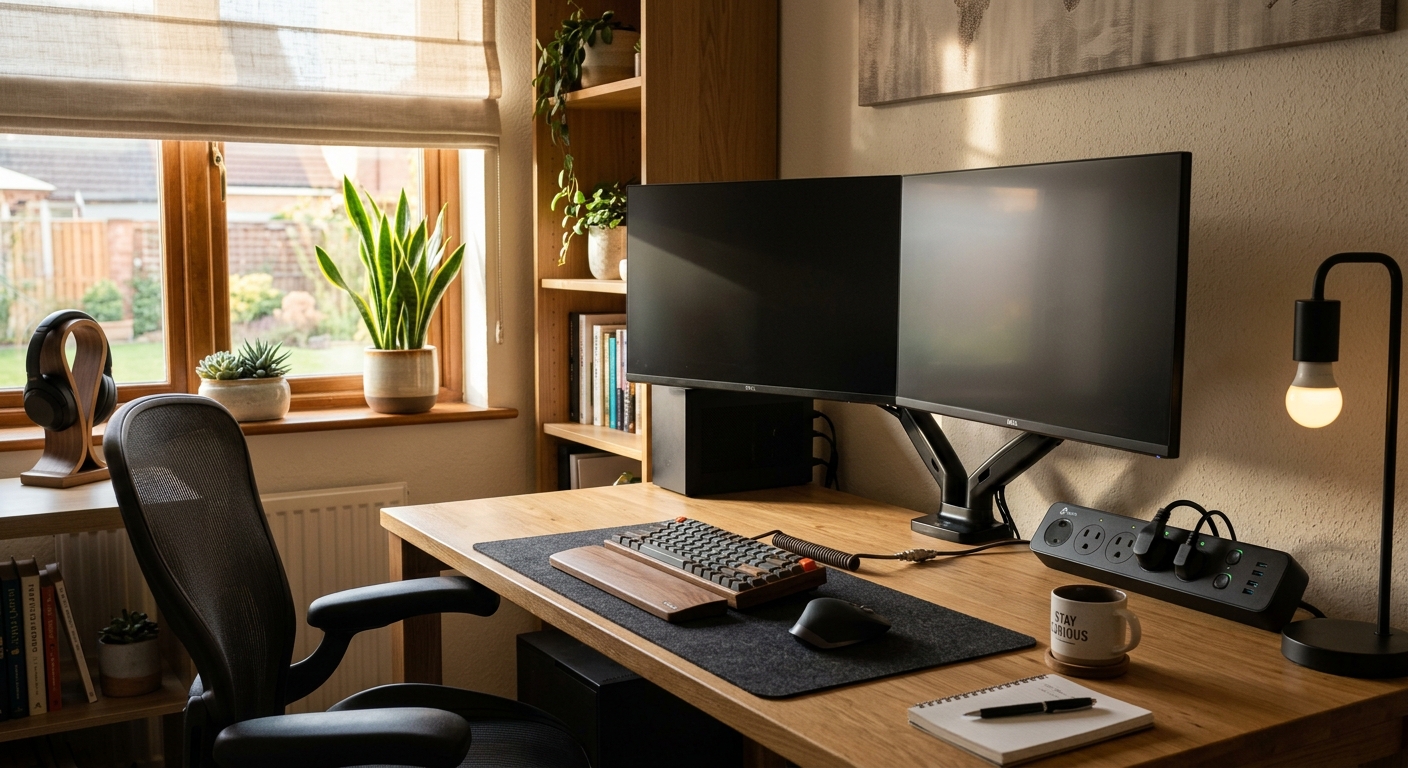
If you work from home even part-time, your home office has probably become the single most energy-hungry room in your house. A typical home office setup, including a desktop computer, two monitors, a printer, a router, and a space heater or window AC unit, can draw 400 to 800 watts continuously during working hours. Run that 8 hours a day, 22 days a month, and you are looking at 70 to 140 kWh per month, which translates to $10 to $20 just from the equipment. Add in the HVAC cost of conditioning one room to comfortable temperatures all day, and the total impact climbs fast.
The frustrating part is that most of this waste is invisible. Devices left on standby, monitors that never sleep, and a whole-house thermostat running all day to keep one room comfortable are all silently inflating your bill. Unlike a leaky faucet you can hear, energy waste in a home office just shows up at the end of the month as a number that is mysteriously higher than you expected.
This post breaks down exactly where the money is going, gives you two clear action plans at different effort levels, and shows you how to realistically cut your home office energy costs by $25 to $40 per month without buying expensive new equipment or sacrificing comfort.
What You’ll Need
Click on an item below to shop for the recommended items for this recipe on Amazon.
As an Amazon Associate, we earn from qualifying purchases.
How to Do It
- Open your computer’s power management settings (Windows: Control Panel > Power Options, Mac: System Settings > Battery/Energy Saver) and set the display to sleep after 5 minutes of inactivity and the computer to sleep after 15 to 20 minutes.
- Enable sleep or auto-off on each external monitor using the monitor’s built-in menu. Most modern monitors have an eco or power saving mode that activates after 5 to 10 minutes of no signal.
- Plug all desktop equipment into a smart power strip with a designated control outlet. When the computer goes to sleep or powers off, the strip cuts power to peripherals like printers, speakers, and desk lamps automatically, eliminating phantom load from 5 to 8 devices.
- Update your thermostat schedule to reflect your actual work-from-home hours. If you work 9 to 5 in one room, set the rest of the house to an energy-saving setback of 78 to 80 degrees in summer or 65 to 67 degrees in winter during those hours.
- Unplug the printer when not in use. Laser printers draw 3 to 8 watts in standby and inkjet printers draw 1 to 3 watts, but over a full month that adds up to 2 to 6 kWh of pure standby waste.
- Seal all cable and wire pass-throughs in exterior walls and floors with low-expansion spray foam or fire-rated caulk. A single 1-inch hole can leak as much conditioned air as leaving a window cracked 1/4 inch.
- Add weatherstripping to the office door if you plan to use a portable AC or space heater for zone conditioning. A sealed room holds temperature 30 to 40% longer, meaning your supplemental unit runs fewer cycles.
- Install a smart plug with energy monitoring on your space heater or window AC unit to track actual consumption. Many homeowners are surprised to find their space heater is the single largest draw in the office, sometimes 1,500 watts versus 300 watts for the entire computer setup.
- If using a space heater in winter, choose a model with a built-in thermostat and set it to 68 to 70 degrees. Lower the central thermostat by 4 to 6 degrees in the rest of the house during work hours. This zone approach saves 3 to 5% on heating costs per degree of setback on the central system.
- Add a blackout cellular shade or solar shade to any south or west-facing window. In summer, an unshaded south window can add 200 to 400 BTU per hour of heat directly into the room, forcing your cooling system to work harder. A cellular shade reduces solar heat gain by 40 to 60%.
- Use a USB-powered desk fan to improve personal comfort at lower thermostat settings. A fan consuming 5 to 10 watts that allows you to feel comfortable at 76 instead of 72 degrees costs $0.05 per day versus the $0.30 to $0.50 per day cost of running central AC an extra 30 to 60 minutes.
Why It Works: The Benefits
Combining smart power strips, monitor sleep settings, and an updated thermostat schedule can realistically save $25 to $40 per month, or $300 to $480 annually, based on average U.S. residential electricity rates of $0.14 to $0.16 per kWh.
Reducing equipment heat output by enabling power management lowers the ambient temperature in a typical 120-square-foot home office by 2 to 4 degrees Fahrenheit, reducing reliance on supplemental cooling and making the space more comfortable without extra cost.
Computers and monitors that power down or sleep during idle periods run cooler, which directly extends component lifespan. Hard drives and capacitors degrade faster at higher temperatures, so proper power management protects a $1,000 to $2,000 equipment investment.
Cutting 30 to 50 kWh per month from your home office eliminates roughly 25 to 40 pounds of CO2 emissions monthly based on the average U.S. grid carbon intensity, the equivalent of not driving 25 to 45 miles.
💰 Savings Impact by Action
Enabling sleep mode on computers and monitors and eliminating phantom load with smart strips reduces equipment electricity use by up to 30%.
Setting a 5-degree thermostat setback in unoccupied rooms while heating or cooling only the office reduces whole-home HVAC runtime by roughly 15% on workdays.
Adding a cellular or solar shade to a south or west-facing office window reduces solar heat gain by 40 to 60%, cutting summer cooling load for that room by roughly 12%.
Sealing cable pass-throughs, outlet gaps, and door gaps in the office reduces conditioned air loss by up to 10% in the treated room.
Putting routers, printers, and desk lamps on smart schedules or timers eliminates overnight and weekend standby draw, saving roughly 8% of total office equipment energy use.
🏠 Key Concepts Explained
The Science Behind It
Everything an electrical device consumes eventually becomes heat. This is not a flaw in the device but a fundamental principle of thermodynamics: electrical energy that does not perform mechanical work is dissipated as thermal energy into the surrounding space. In a small, enclosed home office of 100 to 150 square feet, a 300-watt computer setup running for 8 hours dumps roughly 8,200 BTU of heat into the room each day. For reference, a small window AC unit is typically rated at 5,000 to 8,000 BTU per hour, meaning your equipment is adding a non-trivial heat load that the cooling system must overcome continuously.
Phantom load, sometimes called standby power, exists because modern electronics never truly disconnect from the power supply when switched off. Power supplies, clocks, remote receivers, and network adapters inside devices maintain small but constant draws to enable instant-on functionality. The Lawrence Berkeley National Laboratory estimates that standby power accounts for 5 to 10% of residential electricity use nationally. In a home office with 8 to 12 always-plugged devices, eliminating phantom load through smart strips and proper shutdowns can cut 5 to 10 kWh per month at no ongoing cost.
The zone heating and cooling concept works because of the relationship between heat loss and temperature differential. The greater the difference between indoor and outdoor temperatures, the faster heat flows through walls and windows. By conditioning only the occupied room to full comfort temperature and allowing the rest of the house to drift toward a mild setback, you reduce the average temperature differential across the entire building envelope. The Department of Energy estimates that every degree of thermostat setback saves 1 to 3% on heating and cooling costs, meaning a 5-degree setback in an unoccupied zone during an 8-hour workday can cut daily HVAC costs by 5 to 15%.
Frequently Asked Questions
▼ I set everything to sleep mode but my bill barely changed. What am I missing?
The most common culprit is a laser printer, gaming console, or second monitor that was not included in the power management changes. Use a smart plug with energy monitoring to measure each device individually for a day. Also check whether your computer is actually sleeping or just turning off the screen while running background updates and syncing, which keeps it at full or near-full power draw.
▼ My home office gets unbearably hot in summer even with the AC running. How do I fix this without spending a lot?
Start by adding a window shade or reflective film to any south or west-facing window, which can cut solar heat gain by 40 to 60% for $20 to $50. Next, make sure your computer case and monitor vents are not blocked, since trapped equipment heat worsens the problem. If the room still overheats, a portable USB fan aimed at the back of the computer to move hot air toward the return vent can help the room’s circulation without adding significant load.
▼ Can I really save money with a space heater if electricity is more expensive than gas?
In most cases, no. Electric resistance heating like a space heater costs 3 to 4 times more per BTU than natural gas heat, so using a space heater instead of your gas furnace will increase your total energy bill. The zone approach only saves money if you combine the space heater in one room with a meaningful setback on the gas furnace for the rest of the house, keeping the furnace from running at all or running much less frequently.
▼ Is it worth buying a new energy-efficient monitor or computer to save on electricity?
For a monitor, it depends on age. Monitors made before 2015 can draw 50 to 80 watts versus 15 to 25 watts for a current Energy Star model, meaning a replacement pays back in 2 to 4 years in energy savings alone while also improving display quality. For a desktop computer, the payback period is longer given higher equipment cost, but switching to a laptop as your primary machine if your work allows it is the single highest-impact equipment change you can make.
▼ My electric company shows higher usage during evenings, not work hours. Could the office still be the cause?
Yes, if devices are left on or in standby all day and your heavy personal computer use happens in the evenings, the timing will show evening peaks even though the office is involved. Also check for equipment like an older desktop that runs backups, updates, or rendering jobs overnight. A smart plug with hourly logging on the main computer circuit will confirm whether evening or overnight background activity is contributing.
Quick Tips
- Set your monitors to a slightly lower brightness. Dropping from 100% to 60 to 70% brightness reduces monitor power draw by 20 to 30% and reduces eye strain during long work sessions.
- Use a laptop instead of a desktop where possible. A modern laptop draws 15 to 45 watts versus 150 to 300 watts for a desktop with separate monitor, representing a 70 to 80% reduction in computing energy costs.
- Close the office door while using supplemental heating or cooling. An open door triples or quadruples the volume your space heater or portable AC must condition, making zone heating nearly pointless.
- Check your router and modem. These devices run 24 hours a day drawing 6 to 20 watts each and are almost never considered in office energy audits. Placing them on a schedule timer that cuts power from midnight to 6 AM saves 1 to 2 kWh per month with zero inconvenience.
Variations for Your Situation
- Apartment or Rental: Renters cannot modify HVAC systems or add insulation, but can still address the equipment and phantom load side of the equation. Focus on a smart power strip ($20 to $30), enabling all sleep settings, and using a programmable smart plug on any supplemental heater or fan. These steps alone can save $15 to $25 per month without any landlord permission. If the office runs hot, a 6-inch USB tower fan from a desk outlet ($15 to $25) can allow you to raise the thermostat set point by 3 to 4 degrees, cutting cooling costs noticeably.
- Tight Budget (under $30): Start with the $0 steps first: enable sleep mode on all devices, unplug the printer between uses, and update your thermostat schedule. Then spend $20 to $25 on a single smart power strip for the main computer desk. These three steps alone address 60 to 70% of the recoverable waste in a typical home office and cost almost nothing to implement.
- Older Home (pre-1980): Homes built before 1980 typically have more air leakage and less insulation in interior partition walls, meaning a home office in an older house loses conditioned air faster and has wider temperature swings. Prioritize air sealing around cable pass-throughs, electrical outlets on exterior walls (use foam outlet gaskets at $5 for a pack of 10), and the gap under the office door. These unsexy fixes often deliver bigger savings in older homes than any equipment upgrade would.