You set the thermostat to drop to 65°F at 10 PM, climb back up at 6 AM, and forget about it. Then one winter morning you notice the house was 71°F all night, or your bill jumps and you cannot figure out why. A thermostat that will not hold its overnight schedule is one of the most common and most overlooked sources of wasted energy in a home.
The stakes are real. According to the U.S. Department of Energy, setting your thermostat back 7 to 10°F for 8 hours a day can cut annual heating and cooling costs by up to 10%. If your schedule is silently failing, you lose that savings every single night, and for a typical household spending $1,200 to $2,000 a year on heating and cooling, that is $120 to $200 down the drain.
The good news is that this problem is usually not a broken thermostat. It is a dead battery, a hold or override setting, a clock that lost its time after a power blip, or a setting quirk that cancels your schedule. This post walks you through a fast quick fix first, then a deeper DIY reset and recalibration if the quick fix does not stick.
What You’ll Need
Click on an item below to shop for the recommended items for this recipe on Amazon.
As an Amazon Associate, we earn from qualifying purchases.
How to Do It
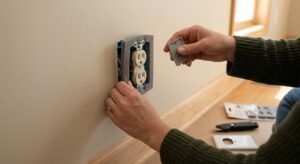
- Look at the display. If it is dim, blank, flickering, or showing a low battery icon, pull the thermostat faceplate off the wall plate and replace the batteries with fresh alkaline AA or AAA cells. Avoid rechargeables, which often run at too low a voltage.
- Check the clock and date. Make sure the time shows the correct AM or PM and the right day of the week. Many schedules fail simply because the clock is off by 12 hours.
- Look for the words ‘Hold,’ ‘Permanent Hold,’ ‘Override,’ ‘Vacation,’ or ‘Away’ on the screen. Press the Run, Resume, or Cancel Hold button to return to the programmed schedule.
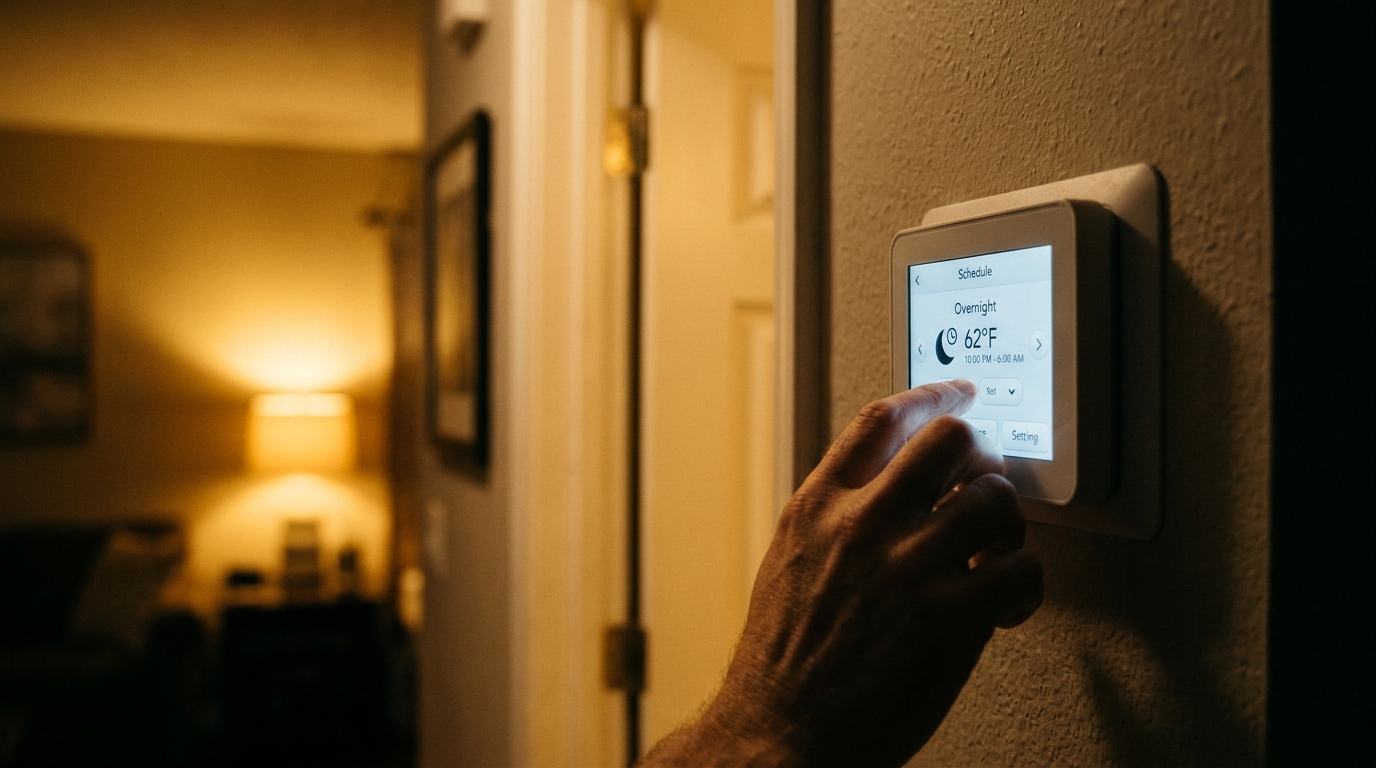
- Review each schedule period. Confirm your overnight period has a start time (such as 10:00 PM), a target temperature, and that the correct days are selected. Set the morning period to start 30 to 60 minutes before you wake.
- Watch the thermostat for the next 24 hours. Take a quick look at 10:30 PM and 6:30 AM to confirm the setpoint changed as expected.
- Turn off power to your HVAC system at the breaker or furnace switch. Safety first, since you will be touching low-voltage wiring.
- Take a clear photo of the wiring before you disconnect anything. Check that each wire is firmly seated in its terminal (R, W, Y, G, C) and that no copper strands are loose or corroded.
- Check for a C-wire (common wire). Smart and many programmable thermostats need constant 24V power. Without it, they can drain the battery and reset themselves. If you do not have one, consider a C-wire adapter kit, usually $15 to $30.
- Restore power and perform a factory reset following your model’s instructions (typically a menu option or a button combination, as described in the owner’s manual).
- Re-enter your schedule from scratch using a 4-period layout: Wake, Away, Home, and Sleep. For winter, try 68°F awake, 62 to 65°F while away or asleep. For summer, try 78°F awake and 82°F away, with 74 to 76°F sleep if you prefer it cooler.
- On a smart thermostat, open the app and check for conflicting features such as Home/Away assist, geofencing, eco mode, or voice-assistant routines that might override the local schedule. Disable the ones you do not want.
- Confirm the HVAC system itself is not the issue. A clogged filter or an undersized system can fail to reach target temperature and make the schedule look broken. Replace the filter if it is dirty.
- Confirm compatibility. Check your system type (gas furnace, heat pump, multi-stage, line voltage baseboard) and wiring before buying. Many retailers offer an online compatibility checker.
- Choose the feature level that matches how you live. A basic 7-day programmable unit is enough for steady routines. A smart or learning model helps if your schedule changes often.
- Photograph your existing wires, label them, and turn off power at the breaker before removing the old unit.
- Mount the new base plate, connect the labeled wires, and restore power. Follow the setup prompts and enter your schedule.
- If wiring is unusual, you have a heat pump with auxiliary heat, or you see line voltage (120 or 240V) wires, hire a licensed HVAC technician rather than guessing.
Why It Works: The Benefits
A working 7 to 10°F overnight setback saves roughly 1% of your heating or cooling cost per degree for each 8-hour period, adding up to as much as 10% annually per DOE estimates.
A thermostat that cannot hold a schedule often leads to short cycling or all-night runtime. Restoring a normal schedule can reduce unnecessary runtime by 10 to 20%, extending equipment life.
Sleep research generally points to a cooler bedroom, around 60 to 67°F, as ideal for most adults. A reliable overnight schedule delivers that without you touching the dial.
When the schedule works, the system begins recovery 30 to 90 minutes before you wake, so the house is at your preferred temperature without running at full blast all night.
A $3 pack of batteries or a 15-minute settings check can restore savings that would otherwise cost $10 to $17 per month, so the fix pays for itself within the first month.
💰 Savings Impact by Action
A 7 to 10°F setback for 8 hours can reduce annual heating and cooling costs by up to 10%, according to the U.S. Department of Energy.
Adding a daytime setback when nobody is home can contribute an additional 3 to 5% in savings for households with regular away hours.
Fixing a stuck hold or schedule failure can cut unnecessary system runtime by 10 to 20%, particularly during mild overnight periods.
Replacing a clogged filter helps airflow and can reduce HVAC energy use by 5 to 15%, helping the system hit your scheduled temperatures on time.
🏠 Key Concepts Explained
The Science Behind It
Heat always flows from warm to cool at a rate proportional to the temperature difference. When it is 20°F outside and your house is 70°F inside, you have a 50 degree gap pushing heat out through walls, windows, and the roof. If you let the house drift down to 62°F overnight, that gap shrinks to 42 degrees, which cuts the rate of heat loss by roughly 16%. Over 8 hours, your furnace simply has less to make up.
The common worry is that the system will have to work extra hard in the morning to catch up, wiping out the savings. In practice that is not how it works. The energy you save while the house is cooler is greater than the energy used to bring it back, because the house loses heat more slowly at lower temperatures. This is the same principle behind the DOE’s estimate of about 1% savings per degree of setback over 8 hours.
The exception is heat pumps. They run most efficiently at steady, modest output, and a large morning recovery can trigger auxiliary electric resistance heat, which costs two to three times as much per unit of heat. That is why heat pump owners should use smaller setbacks or a thermostat with a gradual recovery feature, and why confirming your schedule is actually running as intended matters so much.
Frequently Asked Questions
▼ My thermostat schedule resets itself every few days. What is going on?
The most likely culprits are weak batteries, a missing C-wire that starves the unit of power, or intermittent power loss to the HVAC system. Replace the batteries first. If it keeps happening, check for a C-wire or install a C-wire adapter kit ($15 to $30), and have a technician inspect the transformer if the problem persists.
▼ The schedule changes the setpoint, but the house never actually gets to the temperature I set. Why?
That points to an HVAC performance issue, not a thermostat issue. Check that your air filter is clean (replace it if it has been 90 days or more), make sure vents are open, and start your Wake period earlier to give the system more recovery time. If the system runs constantly and still falls short, it may be undersized or need servicing.
▼ Will a bigger overnight setback save me more money?
Yes, up to a point. The DOE suggests 7 to 10°F for 8 hours for roughly 10% savings. Going deeper gives diminishing returns and can cause long recovery times, and with heat pumps it can trigger costly auxiliary heat, so stay within a 2 to 3°F setback if you have one.
▼ Can renters fix this without landlord permission?
Yes for the quick fix. Changing batteries, clearing a hold, and resetting your schedule are all normal tenant tasks. Replacing the thermostat or changing wiring usually needs landlord approval, so ask first and keep the original unit to reinstall at move-out.
▼ How long before I notice savings on my bill?
You will usually see a difference within one billing cycle, though weather swings can mask it. Compare your usage in kWh or therms to the same month last year, or use a smart thermostat’s energy report, to see the real effect.
Quick Tips
- Replace thermostat batteries once a year, on a date you will remember like the first day of fall, even if the display still looks fine.
- Use 4 schedule periods (Wake, Away, Home, Sleep) and start the Wake period 30 to 60 minutes before you actually get up so the house is comfortable on arrival.
- Avoid pressing the up or down arrows at night without checking whether your model makes that a temporary or permanent hold.
- If you have a smart thermostat, review the app’s ‘schedule’ and ‘home/away’ tabs monthly, since automation features can quietly override your plan.
Variations for Your Situation
- Apartment/Rental: Stick to the quick fix. Replace the batteries, clear any hold, and re-enter your schedule. If the unit is old or faulty, ask your landlord about a replacement, or buy a $25 to $40 programmable model, and keep the original for move-out. If you have a window unit or portable heater, use a $10 to $15 plug-in timer or smart plug to enforce an overnight schedule.
- Tight Budget (under $50): Spend $3 to $8 on fresh batteries and a replacement air filter, clear any hold or vacation mode, and rebuild the schedule manually. If the unit is dead, a basic 7-day programmable thermostat runs $25 to $45 and typically pays for itself in 2 to 6 months through reliable setbacks.
- Older Home (pre-1980): Older homes often have leaky ducts and thinner insulation, so they lose heat faster and recover more slowly. Use a smaller setback of 5 to 7°F and start the morning recovery earlier. Check for old mercury or line-voltage thermostats, which should be handled by a pro, and consider sealing duct leaks, which can recover 10 to 20% of lost energy.