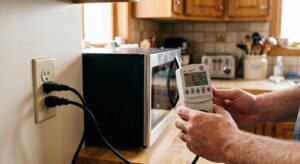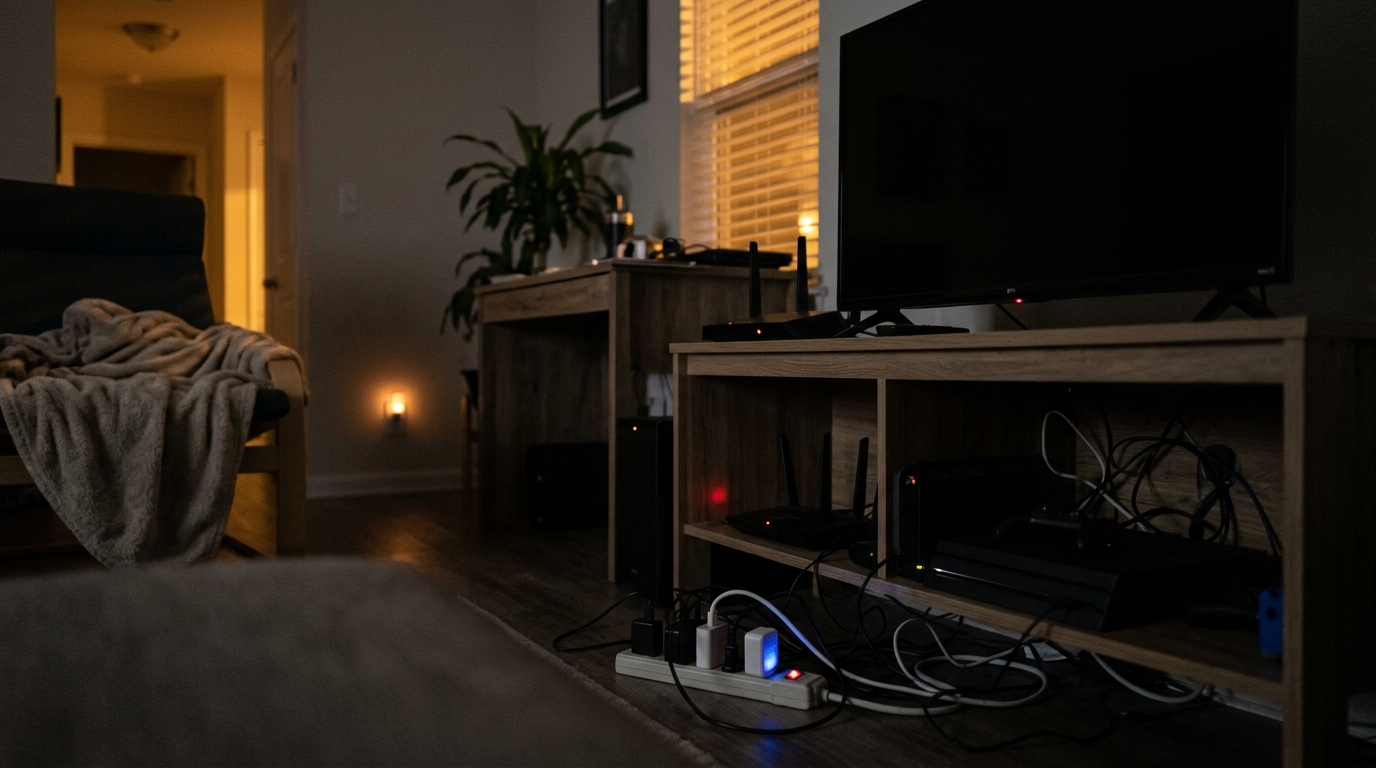
Walk through your home at 2 a.m. and everything looks asleep. But your electric meter is still ticking. The cable box is recording, the game console is waiting for a voice command, the microwave clock is glowing, and a dozen chargers and power bricks are warm to the touch. This always-on draw is called phantom load (or standby power, vampire power), and it never takes a night off.
According to the U.S. Department of Energy and Lawrence Berkeley National Laboratory, standby power accounts for roughly 5 to 10 percent of residential electricity use. For a typical household, that works out to 25 to 50 watts of continuous draw, or about 220 to 440 kWh per year. At the national average of around 16 cents per kWh, that is $35 to $70 a year, and homes loaded with entertainment gear, smart devices, and older electronics can easily reach $100 to $200 annually.
The good news is that phantom loads are one of the easiest energy costs to cut because you do not have to give up comfort or change how you live. In this post we will cover which devices waste the most, how to measure your own home with a $20 tool, and two practical approaches, a free quick fix and a smarter DIY upgrade, that can eliminate half or more of the waste.
What You’ll Need
Click on an item below to shop for the recommended items for this recipe on Amazon.
As an Amazon Associate, we earn from qualifying purchases.
How to Do It
- Walk through every room and list devices with standby lights, clocks, displays, or warm power bricks. Focus first on the TV area, home office, kitchen, and bedrooms.
- Unplug anything you do not use daily, such as spare chargers, old game consoles, secondary TVs, guest room electronics, and unused kitchen gadgets.
- If you have a watt meter, plug each suspect device into it while the device is ‘off’ and record the reading. Anything above 3 to 5 watts is worth addressing.
- Turn off the ‘quick start’ or ‘instant on’ feature in the settings of TVs, game consoles, and set-top boxes. This alone can cut a console’s standby draw from 10 to 15 watts down to about 1 watt.
- Make it a habit to unplug chargers when not in use, or leave them in one spot that is easy to switch off (like a single outlet strip you flip at bedtime).
- Group your electronics into zones, such as the entertainment center, the home office, and the kitchen counter, and note which device in each zone is the ‘master’ (usually the TV or computer).
- Install an advanced power strip in each zone. Models with a control outlet automatically cut power to peripherals (soundbar, console, printer) when the master device is turned off. Expect to pay $20 to $40 per strip.
- For devices that need power only at certain times, use plug-in timers ($8 to $15) so things like a cable modem in a guest room or a seasonal decoration cannot draw power overnight.
- Optionally, use a smart plug with energy monitoring ($10 to $20 each) on your two or three worst offenders to schedule shutoff and track the real kWh savings in an app.
- Label the strips and keep the switch or master device within easy reach so the system actually gets used. Re-check with a watt meter after a week to confirm the savings.
- Have an electrician identify outlets that serve entertainment centers, home offices, and workshop areas that you rarely use around the clock.
- Replace those outlets with wall-switched receptacles or smart outlets so one flip of a switch cuts power to everything plugged into them. Costs typically run $75 to $150 per outlet installed.
- For larger savings, ask about a smart electrical panel or circuit-level monitoring and control, which can schedule entire zones off overnight.
- Keep refrigerators, freezers, sump pumps, alarm systems, and medical devices on always-on circuits and label the panel clearly.
Why It Works: The Benefits
Cutting phantom loads by 50 to 75 percent typically saves $30 to $150 per year depending on how much electronics you own, with no change in daily habits once set up.
Less standby heat means your AC works slightly less. It is a small gain, but it compounds the electricity savings in warm climates.
Fully powering down electronics reduces thermal stress and wear on power supplies and capacitors, which can extend the life of chargers and entertainment gear.
Most power strips used for this purpose also protect pricey TVs, consoles, and computers from voltage spikes, a bonus that can save hundreds in replacement costs.
Eliminating 300 kWh of waste per year avoids roughly 250 pounds of CO2 on the average U.S. grid, equal to driving about 280 fewer miles.
💰 Savings Impact by Action
Cutting TV, console, soundbar, and DVR standby via an advanced power strip can remove up to 40 percent of a home’s phantom load.
Unplugging idle chargers and using Level VI adapters eliminates roughly 15 percent of standby waste.
Switching off printers, monitors, speakers, and docks overnight removes about 20 percent of standby draw.
Disabling ‘instant on’ and voice wake features on consoles and boxes cuts around 10 percent of continuous draw.
🏠 Key Concepts Explained
The Science Behind It
Phantom loads exist because modern electronics are rarely truly off. Instead, they enter a low-power standby state in which a small power supply stays energized to run a clock, listen for a remote control signal, keep a network connection alive, or hold a settings memory. The power supply itself is often the culprit: transformers and switching converters have fixed overhead losses, so even when the device is doing almost nothing, the supply converts and wastes a baseline amount of energy as heat.
Because electricity is billed in kilowatt-hours, small continuous loads matter more than people expect. A 5-watt device left on all year uses 43.8 kWh (5 W x 8,760 hours), costing about $7 at 16 cents per kWh. That does not sound like much until you multiply it by the 30 to 50 plugged-in devices in a typical home. The energy is not lost to the universe, though. Nearly all of it becomes heat released into your living space, which is why standby gear feels warm and why it slightly increases your air conditioning needs in summer.
Regulation has helped. DOE and ENERGY STAR standards introduced over the past 15 years cap standby consumption for many products, and a modern TV in standby often draws under 1 watt. The remaining problem is the sheer number of devices, the growth of always-listening smart products, and older equipment still in service. That is why the best strategy combines measuring what you actually have, cutting power to the worst offenders, and replacing the oldest, hungriest gear when it makes financial sense.
Frequently Asked Questions
▼ I unplugged a bunch of stuff but my bill barely changed. What’s going on?
Phantom loads typically make up only 5 to 10 percent of your bill, so the change may be small compared with heating, cooling, and water heating. Confirm savings by checking your meter or utility app over a few weeks, and use a watt meter to verify that you really cut the biggest draws. If your total standby is still above 50 watts, look for older DVRs, consoles, and desktop computers still running overnight.
▼ Will turning off my cable box or router at night cause problems?
A cable DVR may miss scheduled recordings and can take several minutes to reboot, so leave it on if you record shows. Many modems and routers can be safely put on a timer overnight if no one needs internet, but do not do this if you have security cameras, smart locks, or a medical alert device that relies on the connection.
▼ Do smart power strips actually save enough to pay for themselves?
In an entertainment center with a TV, soundbar, console, and streaming box, an advanced strip often saves 10 to 30 watts, which is $14 to $42 a year. A $25 to $35 strip typically pays back in 8 to 18 months. The payback is faster if your gear is older or you have a DVR or large home office setup.
▼ Do LED lights, smart bulbs, and smart plugs also count as phantom loads?
Yes, but they are usually small. A smart bulb draws about 0.2 to 0.5 watts when off, and a smart plug uses around 0.5 to 1.5 watts. Whole-house smart home setups with 20 or more devices can still add up to 10 to 20 watts, so consider whether each one is delivering enough convenience to justify its constant draw.
▼ Is it bad for electronics to be fully unplugged all the time?
No, fully powering down is generally fine and can even extend life by reducing heat stress. The main downsides are lost settings on very old equipment and longer startup times. Most modern devices store their settings in non-volatile memory and will return to normal after being plugged back in.
Quick Tips
- Use a watt meter on a Saturday morning and make a quick ‘top 5 vampires’ list. Fixing the top five usually captures 70 to 80 percent of the savings.
- Replace old, warm power bricks with modern chargers rated Level VI efficiency (look for the Roman numeral VI on the label), which waste far less in standby.
- Unplug phone, tablet, and laptop chargers once the device is full, or use a charging station on a switched strip you turn off at bedtime.
- Enable the lowest-power standby mode on game consoles and set-top boxes, and turn off ‘instant on,’ voice wake, and automatic overnight updates if you can schedule them for a specific time instead.
Variations for Your Situation
- Apartment/Rental: Renters can use plug-in solutions only, with no wiring changes needed. Start with 2 to 3 advanced power strips ($25 to $40 each) for the TV and office areas, and add $10 to $15 smart plugs for single devices. Everything unplugs and moves with you when your lease ends, so the savings travel too.
- Tight Budget (under $50): Skip the new gear and focus on free actions. Unplug chargers and unused electronics, turn off quick-start modes, and flip a basic $8 to $12 power strip off at bedtime for your TV area. Spend $20 on a watt meter, or borrow one from the library, to find the 2 or 3 worst offenders, and you can capture most of the savings for almost nothing.
- Older Home (pre-1980): Older homes often have fewer outlets, leading to more power strips and daisy-chaining, so inspect strips for heat or damage and avoid overloading circuits. Consider having an electrician add switched outlets in key rooms, and replace any pre-2008 electronics, especially old CRT or plasma TVs and early DVRs, since these can draw 10 to 30 watts in standby.