Electricity does not cost the same at every hour of the day. Between roughly 4 p.m. and 9 p.m., when everyone gets home, cranks the AC or heat, starts dinner, and turns on the lights, the grid is under the most strain. Utilities pay a steep premium to meet that demand, and many of them would rather pay you to use less during those hours than fire up an expensive peaker plant.
That is where off-peak rebate programs come in. Depending on your utility, you may qualify for an upfront enrollment bonus on a smart thermostat, an annual bill credit for letting the utility briefly adjust your AC during heat waves, cheaper per-kilowatt-hour rates on time-of-use plans, or cash for charging an electric vehicle after midnight. Typical programs pay $25 to $100 just to enroll, plus $20 to $100 or more per year in ongoing credits.
This post walks through how these programs work, how to find the ones you qualify for, and two practical ways to take advantage: a quick, no-cost enrollment approach and a more involved DIY upgrade that automates your shifting for bigger, longer-lasting savings.
What You’ll Need
Click on an item below to shop for the recommended items for this recipe on Amazon.
As an Amazon Associate, we earn from qualifying purchases.
How to Do It
- Log into your utility account or visit its website and search for ‘demand response,’ ‘time-of-use rates,’ ‘smart thermostat rebate,’ or ‘peak time rewards.’ Also check the DSIRE database (dsireusa.org) for programs by ZIP code.
- Compare your current rate plan with any available TOU or off-peak plan. Pull up 12 months of past bills and note your typical evening usage. If less than about 40% of your usage falls in the 4 to 9 p.m. window, TOU often saves money.
- Enroll online or by phone. For demand response, link your existing smart thermostat (Nest, ecobee, Honeywell, and others are commonly supported) through the utility’s portal.
- Set a simple behavior rule: run the dishwasher, laundry, and pool pump after 9 p.m. or before 4 p.m., and use delay-start features on appliances.
- Check your first two bills closely. Most utilities offer a bill protection or trial period, so you can switch back if the plan does not save you money.
- Before buying anything, confirm which devices your utility rebates. Typical eligible items include smart thermostats ($100 to $250, rebates of $50 to $100), smart plugs or load controllers ($15 to $40), and Level 2 EV chargers with scheduling.
- Install a compatible smart thermostat if you do not have one. Turn off power at the breaker, label the wires, mount the new base, and follow the app setup. Most take 30 to 60 minutes.
- Program a pre-cooling or pre-heating schedule: lower the setpoint by 2 to 3 degrees (summer) or raise it (winter) starting about 2 hours before the peak window, then let the setpoint drift 3 to 4 degrees during peak hours.
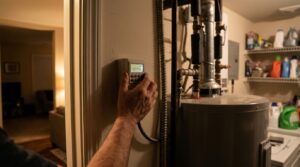
- Add smart plugs or use built-in delay-start on your dishwasher, washer, dryer, and water heater timer so these run automatically between 9 p.m. and 6 a.m.
- Schedule EV charging for the cheapest overnight hours through the car’s app or charger settings, and submit the rebate paperwork with your receipt and installation date.
- Review your utility’s hourly usage portal after 30 days and adjust setpoints or schedules to capture more off-peak savings.
- Ask your utility whether it offers battery storage, heat pump water heater, or smart panel rebates, and whether any require a licensed installer.
- Have an electrician or HVAC contractor assess options such as a heat pump water heater with a grid-connected mode ($1,200 to $3,000 installed) or a home battery that charges overnight and discharges during peak.
- Confirm your panel capacity and interconnection requirements before ordering equipment, since many installs need a permit and utility sign-off.
- Enroll the new equipment in the utility’s virtual power plant or peak-shaving program, where batteries and water heaters can earn $50 to $200+ per year in credits.
Why It Works: The Benefits
Many utilities offer $25 to $100 for enrolling a smart thermostat and up to $75 to $150 or more for qualifying smart devices or EV chargers, often applied as a bill credit or check.
On a TOU plan, off-peak rates are often 40 to 60% lower than peak rates, so shifting flexible loads directly cuts what you pay for the same energy.
Demand response programs commonly pay $20 to $100 per year per thermostat or device just for staying enrolled, with no change to your daily routine.
Most events are limited to 2 to 4 hours on a few days a year, and pre-cooling keeps indoor temperatures within 2 to 4 degrees of your setpoint.
Reducing peak demand lowers the need for fossil-fuel peaker plants, which are the dirtiest and most expensive generators on the system.
💰 Savings Impact by Action
Moving flexible loads to off-peak hours can cut the per-kWh cost of that energy by 40 to 60%, lowering total bills by roughly 10 to 25%.
Shifting AC runtime out of peak hours using thermal mass reduces peak cooling energy by up to 15 to 30%.
Running dishwashers, dryers, and water heating overnight moves roughly 10 to 15% of a typical home’s daily load into cheap hours.
Annual credits of $20 to $100 equal about 2 to 8% of a typical $1,400 yearly electric bill.
Overnight charging on an EV rate can lower fueling costs by up to 40% compared with peak-hour charging.
🏠 Key Concepts Explained
The Science Behind It
Grid electricity is priced around a simple physical constraint: supply and demand must match every second. When demand spikes in the early evening, utilities dispatch peaker plants that may only run a few hundred hours a year but cost several times more per kilowatt-hour than baseload power. Rebate and TOU programs exist to flatten that demand curve, because reducing peak load by even 5% can postpone the need for billions of dollars in new infrastructure.
Your home is a surprisingly effective battery for this purpose. Air has little heat capacity, but your drywall, framing, flooring, and furniture hold a lot of it. By pre-cooling a home from 76 to 73 degrees before the peak window, you store cooling in that thermal mass. Then, as the setpoint drifts back up to 77 or 78 degrees during peak hours, the AC compressor can stay off for much of the 4 to 9 p.m. window while indoor temperatures climb only slowly.
Appliances with built-in storage work the same way. A tank water heater holds 40 to 50 gallons of hot water, which can stay usable for many hours if well insulated, and a dishwasher or dryer can run any time without changing the end result. These loads are essentially free to shift, which is why they make up the bulk of savings in most households.
Frequently Asked Questions
▼ Why did my bill go up after I switched to a time-of-use plan?
Most likely a large share of your usage still falls in the peak window, such as evening cooking, AC, and TV. Review your hourly usage in the utility portal, shift the biggest flexible loads, and ask about switching back, since many utilities allow a plan change within 30 to 90 days.
▼ Can renters do this without landlord permission?
Yes, in most cases. You can enroll in TOU plans and use smart plugs, delay-start appliances, and portable window AC schedules without changing anything permanent. If your landlord owns the thermostat, ask whether they will enroll in demand response, since some utilities offer property-owner incentives.
▼ How long before I actually notice savings on my bill?
Enrollment bonuses typically arrive as a bill credit or check within 4 to 12 weeks. Rate-based savings show up on your very next bill after you shift usage, but give it two full billing cycles to see a reliable trend since weather affects results.
▼ What if my home is older than 30 years?
Older homes often lose cooling faster, so pre-cooling is less effective until you improve air sealing and attic insulation. Start with load shifting for appliances, and consider sealing leaks, which can cut heating and cooling loads 10 to 20%, before relying heavily on thermostat setbacks.
▼ Will the utility control my thermostat without telling me?
Demand response events are usually announced by text or email, last 2 to 4 hours, and almost always let you override from the thermostat or app. Opting out of an event can reduce your annual credit, so read the program terms before enrolling.
Quick Tips
- Call your utility and ask for a free ‘rate analysis,’ since many will compare your past usage across plans and show projected savings.
- Set a recurring phone reminder or use smart plug schedules so off-peak habits stay automatic rather than relying on memory.
- Pre-cool or pre-heat by only 2 to 3 degrees, since bigger swings can force the system to work harder and eat into your savings.
- Check your state energy office and local co-op websites in addition to your main utility, since many offer separate rebates.
Variations for Your Situation
- Apartment/Rental: Enroll in your utility’s TOU or ‘bring your own thermostat’ program using a smart plug on a window AC (about $15 to $25) and delay-start settings on shared or in-unit appliances. Ask your landlord whether the building is eligible for a multifamily demand response program.
- Tight Budget (under $50): Skip new hardware. Switch to a TOU plan only if your usage analysis supports it, run laundry and the dishwasher after 9 p.m., and manually pre-cool by 2 degrees before 4 p.m. Many utilities mail free smart plugs or LED kits to enrollees.
- Older Home (pre-1980): Prioritize attic air sealing and insulation to R-38 so your home holds pre-cooled temperatures through peak hours, then enroll in demand response. Many utilities offer separate weatherization rebates of $200 to $1,500 that pair well with off-peak programs.
- EV Owner: Enroll in an EV-specific rate or managed charging program, which often pays $50 to $150 per year or a flat bonus, and schedule charging to start after midnight. Charging 30 kWh overnight at 10 to 15 cents saves roughly $6 to $10 per full charge versus peak pricing.