Your utility bills arrive every month, you wince at the total, and then you file them away and forget about them until next month. Sound familiar? Most American households spend between $1,800 and $3,000 per year on energy, yet fewer than one in five homeowners has any kind of budget or tracking system in place. Without a baseline, you have no way to know whether your new smart thermostat is actually saving money or whether a slow refrigerator leak is quietly costing you $15 a month.
A 12-month energy budget is not about penny-pinching. It is about turning a vague monthly annoyance into a system you can actually manage. When you know what you typically spend in January versus July, you can plan for seasonal spikes, spot anomalies before they become big bills, and make smarter decisions about home upgrades. The payback on the time you invest in setting this up is immediate because you will find at least one costly habit or overlooked issue in the first 30 days.
This guide walks you through building a realistic energy budget from scratch, from pulling your historical data to setting monthly targets, choosing a tracking method, and making small adjustments that compound into serious savings. Whether you are a spreadsheet person or prefer an app, there is a practical system here for you.
What You’ll Need
Click on an item below to shop for the recommended items for this recipe on Amazon.
As an Amazon Associate, we earn from qualifying purchases.
How to Do It
- Log into your utility provider’s online portal and download or screenshot 12 months of billing history. Note both the dollar amount and the kilowatt-hours or therms used each month, not just the bill total, since rates change.
- Open a free Google Sheet or grab a notebook and list each month with three columns: last year’s usage (kWh or therms), last year’s cost, and your target for this year. Set your target as 5 to 10% below last year’s actual usage as a starting goal.
- Identify your three highest-cost months and write one sentence next to each explaining why: heating season, summer cooling, or holiday occupancy. This context prevents you from panicking when those months arrive on budget.
- Calculate your annual total and divide by 12 to find your average monthly energy budget. Compare this to what you are currently spending to see immediately whether you are above or below a reasonable baseline.
- Set a recurring 15-minute calendar reminder on the day your bill typically arrives each month to log the actual numbers and note whether you were over or under your target.
- Gather 24 months of billing data if available, either from your utility portal or by calling customer service to request historical records. Two years of data captures weather anomalies and gives you a more reliable baseline than a single year.
- Download a free energy tracking template from your utility’s website or a site like EnergyStar.gov, or build your own spreadsheet with columns for: month, billing days, kWh used, therms used, electric cost, gas cost, total cost, cost per day, and local average temperature. Adding cost per day normalizes for months with different billing cycle lengths.
- Use a smart plug with energy monitoring (available for $10 to $25 each) on your top three energy suspects: the refrigerator, the home office setup, and any window AC units. Log their monthly consumption separately so you know which appliances are driving your bill.
- Contact your utility to ask about a free home energy audit or to access their online energy use breakdown tool. Many major utilities now offer a portal view that categorizes your usage into heating, cooling, water heating, and other loads automatically.
- Set a seasonal budget review each quarter: January (review winter heating), April (plan for cooling season), July (assess summer cooling performance), and October (prepare for heating season). Adjust your monthly targets based on what you learned each quarter.
- When your actual bill varies more than 15% from your budget target in any month, spend 10 minutes diagnosing the cause before moving on. Common culprits include a thermostat set point that drifted, an extra guest staying over, a failing appliance, or a rate change buried in the bill.
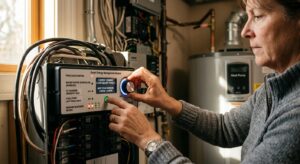
- Install a whole-home energy monitor such as a Sense, Emporia Vue, or Eyedro device in your electrical panel. These clip-on current sensors track real-time electricity use for the whole home and most can identify individual appliances through their electrical signatures within a few weeks of learning. Professional installation takes about 30 minutes and costs $75 to $150 if you are not comfortable working near your panel.
- Connect the energy monitor to its companion app and set a monthly kWh budget target based on your historical baseline. Configure push notifications for daily usage summaries and alerts when your monthly pace is running 10% over your target.
- If you have gas service for heating or water heating, add a gas usage tracker manually each month from your meter reading or bill, since most whole-home monitors only cover electricity. Some utilities provide API access that lets third-party apps pull your gas data automatically.
- Use the appliance detection feature over the first 60 days to identify your top five electricity consumers. You will often discover that an old chest freezer in the garage, an aging water heater element, or a desktop computer left on overnight is costing $20 to $50 per month more than you expected.
- Set a realistic 12-month savings goal in the app, typically 10 to 20% below your current baseline, and review progress quarterly. Use the data to build the business case for your next efficiency upgrade, whether that is a heat pump water heater, better attic insulation, or a new HVAC system.
Why It Works: The Benefits
Homeowners who actively monitor their energy use reduce consumption by 5 to 15% on average within the first three months, simply from awareness and small behavioral changes, according to multiple utility-run feedback program studies.
A seasonal budget sets realistic month-by-month targets, so a $280 January heating bill is expected and planned for rather than a crisis. You can also set up utility budget billing to spread annual costs evenly across 12 equal payments.
When you have 12 months of categorized data, you can calculate the real payback period on upgrades. For example, if your December through February gas bills average $190 and a new furnace promises 20% savings, you can accurately project a 6 to 8 year payback instead of guessing.
A sudden 20% spike in electricity use with no change in habits almost always means a failing appliance, HVAC system running overtime, or a significant air leak. A budget that flags anomalies can save you hundreds before a minor issue becomes a major repair.
The Inflation Reduction Act offers up to $3,200 per year in federal tax credits for energy efficiency upgrades. Homeowners with organized usage records and utility bills can quickly identify which upgrades qualify and calculate their personal return on investment.
💰 Savings Impact by Action
Households that monitor and review their energy use monthly reduce consumption by an average of 12% compared to non-tracking households, based on utility feedback program research.
Setting your thermostat back 7 to 10 degrees for 8 hours per day saves approximately 10% per year on heating and cooling costs according to the U.S. Department of Energy.
Eliminating standby power from electronics and unused appliances reduces total household electricity use by 5 to 10%, with the average home spending about $100 per year on phantom loads.
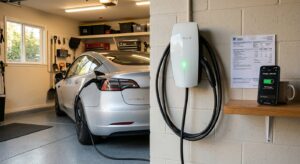
Shifting major energy use (dishwasher, laundry, EV charging) to off-peak hours on time-of-use utility plans can reduce the effective cost per kWh by 15 to 50% depending on the utility’s rate spread.
Catching and addressing a failing appliance, HVAC system running overtime, or significant air leak early through budget variance tracking prevents waste that often accounts for 15 to 25% of a household’s bill.
🏠 Key Concepts Explained
The Science Behind It
At its core, energy budgeting works because of a well-established principle in behavioral science called the feedback loop. When people receive timely, specific, and personally relevant information about their consumption, they adjust their behavior. A 2010 study published in the Journal of Consumer Research found that households given detailed energy feedback reduced consumption by an average of 12% compared to a control group that received only standard billing. The mechanism is simple: vague awareness that energy costs money is far less motivating than seeing that you spent $4.20 yesterday between 5 PM and 9 PM when your electric rate peaked.
From a building science perspective, your home’s energy consumption follows predictable physics tied to outdoor temperature, solar gain, internal heat generation from occupants and appliances, and your envelope’s thermal resistance. The relationship between heating energy and outdoor temperature is nearly linear within a given climate zone, which is why heating degree days (HDD) are such a reliable normalization tool. If your gas usage per heating degree day increased by 15% compared to last winter, that is a strong indicator that your furnace efficiency has dropped, your ductwork has developed a new leak, or your building envelope has degraded, all of which are diagnosable and fixable problems that a budget makes visible.
The financial case for tracking is also grounded in real numbers. The U.S. Energy Information Administration reports that the average American household spends about $2,060 per year on energy. Research from the American Council for an Energy-Efficient Economy consistently shows that behavioral interventions (turning off lights, adjusting thermostats, running dishwashers at off-peak hours) combined with low-cost physical improvements (air sealing, insulation, efficient lighting) can reduce that figure by 20 to 30%. A 20% reduction on a $2,060 annual bill is $412 per year in savings that requires no major capital investment and compounds every year you maintain the habit.
Frequently Asked Questions
▼ My bills vary wildly month to month and I can not figure out a pattern. Where do I start?
Start by pulling two full years of data and plotting kWh used (not dollar cost) against average outdoor temperature for each month. If usage tracks closely with temperature, your HVAC system is the dominant driver and you should focus efficiency efforts there. If usage stays high even in mild months, the culprit is likely always-on loads like an old refrigerator, a pool pump, or a server running 24/7. Isolating the pattern to weather versus non-weather loads tells you exactly where to dig next.
▼ I set a budget target but I am consistently 20 to 30% over every single month. Is my target wrong or is my home the problem?
Both are possible. First, check that your target was based on actual historical data and not an arbitrary round number. A realistic first-year savings goal is 5 to 15% below your prior-year baseline, not 30%. If your target is reasonable and you are still running over, the most common culprits are an HVAC system running longer than it should due to a dirty filter or low refrigerant, significant air leaks in your building envelope, or a major appliance operating outside its normal efficiency range. A free utility energy audit is the fastest way to diagnose the gap.
▼ Can renters track and budget their energy without access to the full account or billing history?
Yes. Ask your landlord or property manager for copies of the past 12 months of utility bills for your unit, which they are required to provide in many states. You can also set up your own account if the utility is in your name, and most major utilities will share 12 to 24 months of historical data on request. For tracking ongoing usage without modifying anything, a smart plug with energy monitoring on your largest appliances plus a whole-home clamp-style monitor (installed on the tenant side of the panel, not inside the breaker box) gives you solid real-time data with no landlord permission required.
▼ How long does it take to see savings reflected in my actual bills after I start tracking?
Behavioral changes like adjusting your thermostat schedule, shifting laundry to off-peak hours, and unplugging standby devices typically show up within one full billing cycle, usually 30 days. Physical changes like air sealing or adding insulation may take two to three months to fully reflect in your bills, especially if you are crossing seasons. The most important number to watch is kWh per day rather than the dollar total, since it strips out rate changes and billing cycle differences and gives you a clean view of your actual consumption trend.
▼ My utility’s online portal only shows the past six months. How do I get older data for a proper baseline?
Call your utility’s customer service line and ask for a 24-month usage history by billing period. Most utilities are required to provide this and can email it as a PDF or CSV within a few business days. If you have paper bills saved, those work too since the key numbers are kWh used and therms used per billing period, not just the dollar amount. If you moved in recently and have less than a year of data, ask your utility whether they can share the prior occupant’s anonymized usage history for your address, which many will provide for comparison purposes.
Quick Tips
- Use cost per day instead of total bill when comparing months with different billing cycle lengths. Divide your total bill by the number of days in the billing period to get a fair apples-to-apples comparison.
- Call your utility and ask about budget billing or levelized payment plans, which spread your estimated annual cost into 12 equal monthly payments and eliminate seasonal bill shock entirely.
- Tag unusual months in your tracking sheet with a short note such as ‘hosted Thanksgiving for 10 people’ or ‘heat wave, ran AC 24/7 for 5 days’ so that next year you can distinguish real inefficiency from legitimate one-time events.
- Review your utility rate structure at least once a year. Many utilities change their tiered rates or time-of-use schedules annually, and a 5% rate increase that you do not catch will make your budget targets feel impossible to hit without any change in actual usage.
Variations for Your Situation
- Apartment/Rental: Renters who pay their own utilities can build a full tracking system using nothing more than their monthly bill and a free spreadsheet. Focus on the appliances you control: window AC units, space heaters, refrigerators, and washers and dryers. Smart plugs at $10 to $20 each on these appliances give you appliance-level data without any landlord permission. For renters whose utilities are included in rent, ask your landlord for usage data and use it to negotiate energy-efficient upgrades like weatherstripping or LED lighting as part of your lease renewal.
- Tight Budget (under $50): The free version of this system costs nothing and still delivers real results. Download 12 months of bills from your utility portal, build a simple 12-column tracking sheet in Google Sheets, and set a 10% reduction target. Then focus your energy on the three zero-cost changes with the highest impact: setting your thermostat to 68°F in winter and 78°F in summer, unplugging devices with standby power (TVs, gaming consoles, phone chargers), and washing laundry in cold water. These three steps alone typically cut 10 to 15% off a household’s annual bill with no upfront investment.
- Older Home (pre-1980): Homes built before 1980 often lack the insulation and air sealing standards of modern construction, so your baseline usage per square foot will likely be 20 to 40% higher than a comparable newer home. When building your budget, do not benchmark against neighborhood averages without accounting for home age. Instead, use your own two-year historical average as your baseline and set a realistic 10% annual improvement goal. Prioritize getting a professional energy audit (often free through your utility) because older homes frequently have major unsealed gaps around plumbing, electrical, and HVAC penetrations that are invisible but account for a substantial share of your heating and cooling load.