Most homeowners set their thermostat to a single temperature and leave it there all day. It feels simple, but this habit is one of the most expensive mistakes you can make during summer. Your utility company charges more for electricity during peak demand hours, typically 2 PM to 8 PM on weekdays, and your AC works hardest exactly when it costs the most. The result is a cooling bill that is far higher than it needs to be.
The good news is that your home is essentially a giant thermal battery. With the right timing strategy, you can pre-cool your home in the morning when electricity is cheap, let the house coast through expensive afternoon hours, and still stay comfortable all day. The Department of Energy estimates that smart thermostat scheduling alone can save 10% per year on heating and cooling, and strategic time-of-use scheduling can push that number significantly higher depending on your utility rate structure.
This post covers exactly when to run your AC, how to program your thermostat for maximum savings, and how to use your home’s thermal mass to stay cool through peak hours without paying peak prices. Whether you have a basic programmable thermostat or a smart thermostat, there is a strategy here that will work for your home.
What You’ll Need
Click on an item below to shop for the recommended items for this recipe on Amazon.
As an Amazon Associate, we earn from qualifying purchases.
How to Do It
- Look up your utility’s time-of-use rate schedule online or on your bill. Identify peak hours (most commonly 2 PM to 8 PM on weekdays) and the price difference per kWh between peak and off-peak rates.
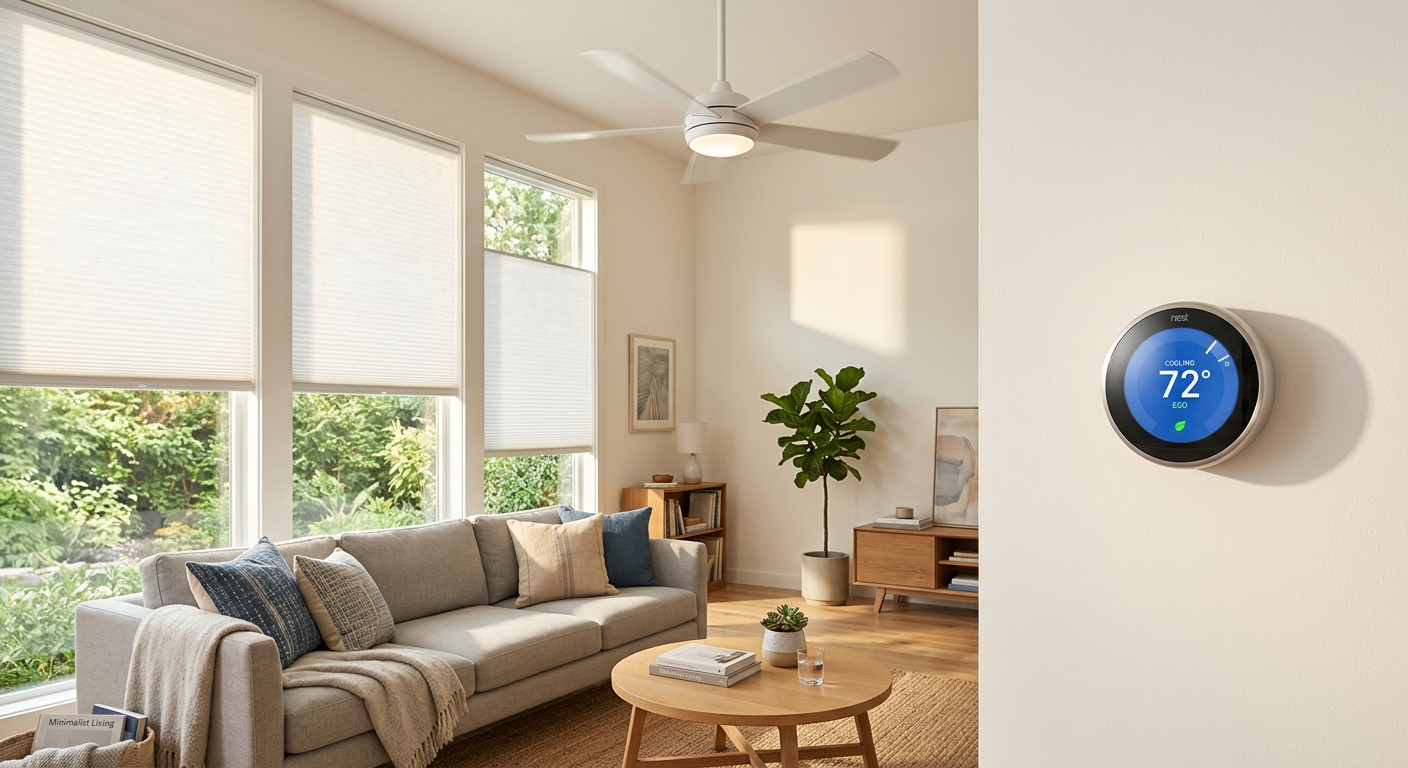
- Set your thermostat to begin cooling to 70 to 72F starting at 6 AM to 7 AM, before outdoor temperatures rise and before peak rates begin. This pre-cools your home’s thermal mass cheaply.
- Program a setback of 76 to 78F starting at 1 PM to 2 PM, just before peak rate hours. Your pre-cooled home will drift upward slowly and stay comfortable without the AC running hard during expensive hours.
- Set the thermostat to return to your comfort temperature (72 to 74F) at 8 PM when off-peak rates resume and outdoor temperatures start dropping.
- Enable a nighttime setback to 74 to 76F after 11 PM and use ceiling fans to maintain comfort, since fan use costs about $0.01 per hour versus $0.30 or more per hour for AC.
- Check your utility’s rebate portal before purchasing. Many offer $50 to $100 rebates on ENERGY STAR certified smart thermostats, making the effective cost as low as $30 to $80.
- Turn off power to your HVAC system at the breaker. Remove your old thermostat and photograph the wiring before disconnecting anything. Most smart thermostats require a common wire (C-wire); if yours is missing, use the included adapter or a compatible workaround.
- Install the new thermostat base, connect wires according to the labeled terminals, and restore power. Complete the initial setup using the thermostat app, entering your home’s square footage and your utility’s peak-rate hours when prompted.
- Enable the pre-cooling or ‘time-of-use’ feature in the app. Set a target temperature of 70 to 72F for morning hours (6 AM to 1 PM) and a comfort setback of 76 to 78F during peak hours (1 PM to 8 PM).
- Activate occupancy detection or geofencing so the thermostat automatically adjusts when no one is home, adding an additional 5 to 10% in savings during unoccupied periods.
- After 30 days, review the energy report in the app. Most smart thermostats show projected annual savings and grade your schedule efficiency, letting you fine-tune based on real data from your specific home.
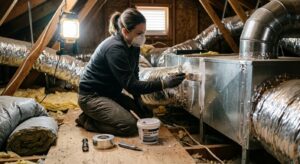
- Start with a DIY air sealing pass on your attic hatch, recessed lights, and top-plate penetrations using fire-rated caulk or foam. This alone can reduce cooling load by 15 to 20% and costs under $50 in materials.
- Install blackout or cellular shade window coverings on south and west-facing windows. Cellular shades reduce solar heat gain by up to 60% on those exposures, directly reducing how fast your pre-cooled house warms up in the afternoon.
- Add or top off attic insulation to at least R-38 (R-49 in hot climates). This is the single highest-return insulation investment for cooling and typically costs $500 to $1,500 professionally installed, with payback periods of 3 to 5 years.
- Install a smart thermostat as described in the DIY approach above, then program a more aggressive pre-cooling schedule of 69 to 71F because your better-sealed, better-insulated home will now hold that temperature well into the afternoon.
- Check with your utility about demand response enrollment. With a smart thermostat and tighter envelope, you are well positioned to participate in programs that credit $25 to $100 per summer for automatically adjusting during grid stress events.
Why It Works: The Benefits
Shifting AC runtime away from peak-rate hours can reduce your cooling costs by 20 to 40% depending on your utility’s time-of-use rate differential. On a $200 summer electric bill, that is $40 to $80 back in your pocket each month.
Running your compressor in cooler morning air instead of peak afternoon heat improves its efficiency (COP) by roughly 10 to 15%, meaning you get more cooling output for every dollar spent on electricity.
Your AC compressor experiences less strain when operating in lower ambient temperatures and for shorter bursts rather than continuously through a hot afternoon. Reduced runtime under peak thermal load can extend system life meaningfully.
A pre-cooled home with good thermal mass maintains a steadier indoor temperature throughout the day, eliminating the mid-afternoon heat spikes that plague homes where the AC is fighting a 95F outdoor temperature continuously.
Some utilities offer demand response credits of $25 to $100 per summer for customers who reduce usage during peak events. Pairing a scheduled thermostat with demand response enrollment can add meaningful bill credits on top of direct savings.
💰 Savings Impact by Action
Shifting AC runtime to off-peak hours with a pre-cooling strategy reduces cooling costs by 20 to 30% on time-of-use rate plans by avoiding peak pricing of $0.28 to $0.45 per kWh.
Raising the thermostat 7 to 10 degrees for 8 hours daily saves approximately 10% on annual cooling costs according to DOE data.
Running your AC compressor in 72 to 75F morning air instead of 95F afternoon air improves system efficiency by 10 to 15%, delivering more cooling per dollar spent.
Sealing attic and envelope penetrations reduces conditioned air loss and heat infiltration, extending the effectiveness of pre-cooling by up to 20%.
Using ceiling fans allows a thermostat setpoint 4 degrees higher with equivalent comfort, reducing compressor runtime by roughly 8% during occupied hours.
🏠 Key Concepts Explained
The Science Behind It
Your home behaves like a thermal capacitor. The mass of your walls, floors, furniture, and framing absorbs heat energy slowly and releases it slowly. When you cool that mass to 72F in the morning, you are essentially charging a thermal battery. As outdoor temperatures climb through the afternoon, heat tries to flow into your home, but it has to first warm all that stored thermal mass before the indoor air temperature rises significantly. This delay is called thermal lag, and it is the physical mechanism that makes pre-cooling so effective.
The efficiency of your air conditioner is directly tied to the temperature difference between the refrigerant and the outdoor air it must reject heat into. This relationship follows the Carnot efficiency principle: the smaller the temperature gap, the less work the compressor must do. A central AC system running at 7 AM when it is 72F outside is operating 10 to 15% more efficiently than the same system working at 3 PM when it is 97F outside. This means you are buying more cooling per kilowatt-hour in the morning, on top of paying less per kilowatt-hour under off-peak utility rates. The savings stack from both directions simultaneously.
Time-of-use electricity pricing amplifies all of this. During peak demand hours, utilities are firing up expensive peaker plants to meet demand, and they pass that cost directly to consumers. Peak rates of $0.28 to $0.45 per kWh are common in warm-climate states during summer afternoons, compared to off-peak rates of $0.08 to $0.14 per kWh in the same markets. Running one hour of AC during peak hours can cost three times as much as the same hour of cooling at 6 AM. A well-executed pre-cooling schedule is not just about using less energy; it is about shifting when you use it to pay the lowest possible rate for every BTU of cooling.
Frequently Asked Questions
▼ My house heats up too fast even after pre-cooling. What am I doing wrong?
Fast heat rebound almost always points to an insulation or air sealing problem, not a scheduling problem. Check your attic first: if you can see the tops of the joists, your insulation is likely below R-19 and heat is pouring through the ceiling. Also inspect window and door seals and look for daylight around any exterior penetrations. Fixing the thermal envelope will make your pre-cooling strategy dramatically more effective.
▼ I do not have a programmable thermostat. Can I still use this strategy?
Yes, but you will need to manually adjust the temperature twice a day. Set it to 70 to 72F when you wake up and change it to 76 to 78F before you leave for work or by 1 PM. It requires discipline but costs nothing. A basic programmable thermostat costs $25 to $35 and automates this completely, paying for itself in one to two months of summer savings.
▼ My utility does not seem to have time-of-use rates. Is scheduling still worth it?
Absolutely. Even on flat-rate plans, running your AC in the cooler morning hours makes your compressor more efficient by 10 to 15%, reducing total energy consumption regardless of when you use it. You also reduce runtime during the hottest part of the day, lowering wear on the system. The savings are smaller without TOU rate differences, but the strategy still works and costs nothing to implement.
▼ Will setting my thermostat to 78F during peak hours make my house unbearably hot?
Not if you pre-cool properly and use ceiling fans. A home cooled to 72F in the morning and set to 78F at 1 PM will typically drift to only 74 to 76F by 5 PM in a reasonably insulated house, because the thermal mass absorbs the incoming heat gradually. Ceiling fans running at medium speed make 76F feel like 72F, so most people find this arrangement comfortable. If you find yourself genuinely uncomfortable, try a setback to 76F instead of 78F as a middle ground.
▼ How long before I see lower bills after changing my thermostat schedule?
You will see results on your very next monthly statement if your utility bills on a 30-day cycle. For most homeowners, the first full billing cycle after implementing a pre-cooling schedule shows a 15 to 30% reduction in cooling costs, with savings stabilizing over two to three months as you fine-tune the schedule for your specific home. Compare the same month year-over-year rather than month-to-month for the clearest picture.
Quick Tips
- Check your utility’s website for a time-of-use rate plan option. Many customers are eligible but never enrolled, meaning they are paying flat rates when a TOU plan with off-peak discounts could save them money automatically.
- Pair your pre-cooling schedule with ceiling fans set to run counterclockwise in summer. Fans make 78F feel like 72F due to wind chill, letting you set the thermostat 4 to 6 degrees higher without discomfort.
- Close blinds and curtains on south and west-facing windows by 11 AM each day. This single habit reduces solar heat gain by 40 to 60% through those windows and significantly extends how long your pre-cooled home stays comfortable.
- On mild days when the overnight low drops below 65F, skip the AC entirely and use window fans to flush cool night air through the house from 10 PM to 7 AM. This can provide free pre-cooling that costs essentially nothing.
Variations for Your Situation
- Apartment or Rental: Renters with central AC controlled by a landlord-owned thermostat have limited options, but many landlords will allow a tenant-installed smart thermostat as long as it is restored at move-out. If that is not possible, focus on window units: run them on low from 6 AM to noon to pre-cool the room, then switch to fan-only mode or turn them off during peak hours. Add blackout curtains on west-facing windows ($20 to $40 per panel) to dramatically slow afternoon heat gain. Portable smart plugs with scheduling ($15 to $25 each) can automate window unit timing even without a smart thermostat.
- Tight Budget (under $50): Start with zero-cost scheduling using your existing thermostat and the manual adjustment method described above. Spend $5 to $10 on weatherstripping for your most drafty door to reduce air leakage and extend your pre-cool duration. Pick up a box of foam outlet gaskets for exterior walls ($3 to $5) and a can of foam sealant for attic penetrations ($8 to $12). These targeted air sealing investments cost under $25 and make your free scheduling strategy significantly more effective.
- Older Home (pre-1980): Homes built before modern energy codes typically have R-11 or less in the attic, single-pane windows, and significant air leakage, meaning your pre-cooled home will warm back up in under an hour. In these homes, scheduling alone provides modest savings of 10 to 15%. Prioritize attic air sealing (around pipes, wires, and light fixtures) before spending money on a smart thermostat. A $50 air sealing project in an older attic can reduce cooling load more than a $200 smart thermostat in a leaky home. Consider applying window film to single-pane windows ($25 to $60 per window) as a cost-effective alternative to full replacement.