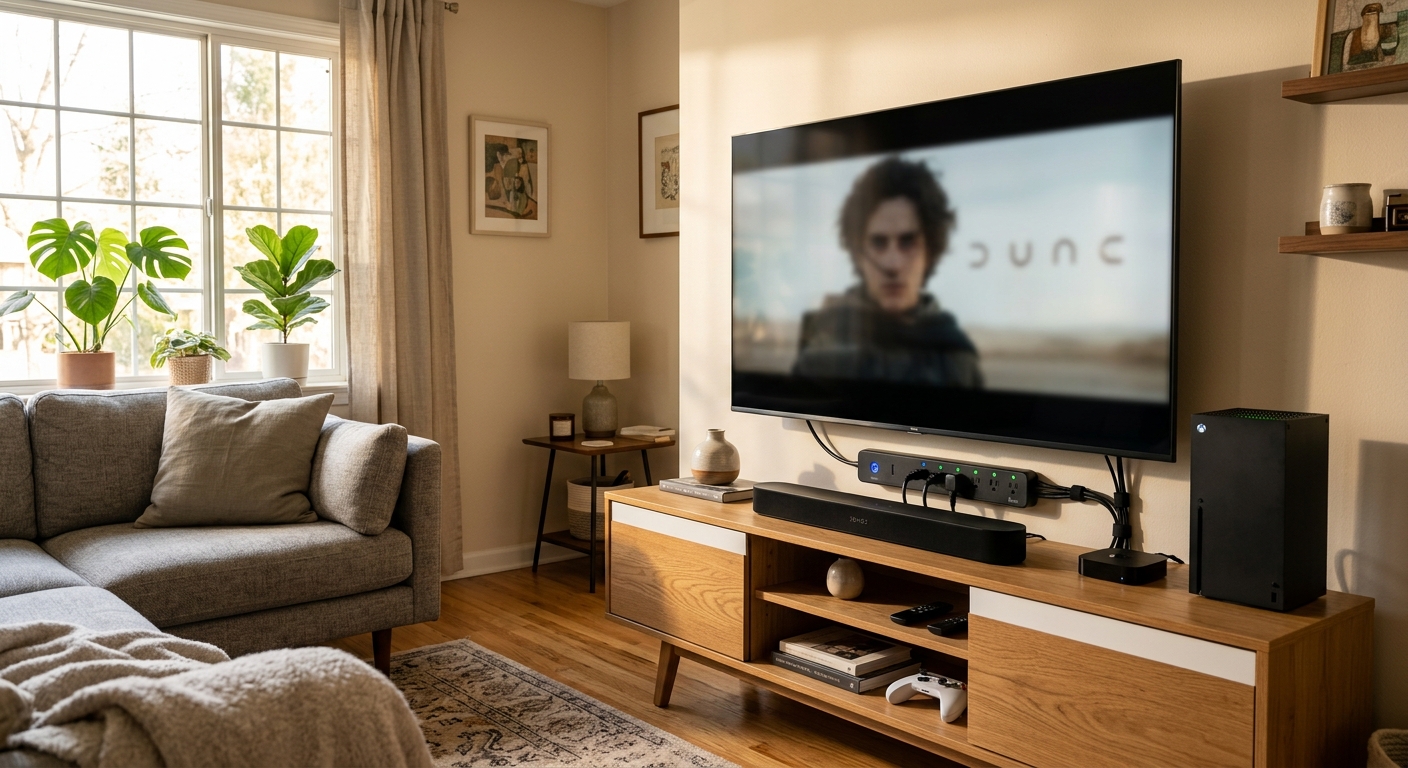
You’ve probably heard that leaving electronics plugged in wastes energy, but the scale of that waste might surprise you. The average U.S. household spends roughly $100 to $200 per year powering devices that are technically “off” – a phenomenon called standby power or phantom load. Your cable box, game console, TV, and laptop charger are all drawing current around the clock, whether you’re using them or not.
Energy-saving power strips, also called smart power strips or advanced power strips, promise to fix this automatically. But the market is flooded with products that range from genuinely useful to nearly useless, and a lot of homeowners buy the wrong type or plug devices into the wrong outlets. The result is disappointment, a returned product, and a continued phantom load problem.
This post cuts through the marketing noise. You’ll learn exactly how smart power strips work, which types actually eliminate standby waste, where they deliver real savings, and how to set one up correctly in under 15 minutes. We’ll also cover where they won’t help – because knowing the limits of a tool is just as important as knowing its strengths.
What You’ll Need
Click on an item below to shop for the recommended items for this recipe on Amazon.
As an Amazon Associate, we earn from qualifying purchases.
How to Do It
- Identify your highest-phantom-load zone. Entertainment centers and home office desks are the top two. A TV plus cable box plus game console can draw 30 to 50 watts in standby combined.
- Choose a load-sensing smart power strip with at least 7 outlets, 1000+ joule surge protection, and a clearly labeled control outlet. Brands like TrickleStar, Tripp Lite, and APC make reliable options in the $25 to $45 range.
- Plug your primary device (TV or desktop monitor) into the control outlet. This is the device whose activity determines whether everything else gets power.
- Plug peripherals that should turn off with the TV (game console, soundbar, streaming stick, Blu-ray player) into the slave or switched outlets.
- Plug devices that must stay on at all times (cable DVR, router, lamp, phone charger) into the always-on outlets.
- Power everything on, verify it all works normally, then turn off the primary device and confirm that slave outlets lose power within 30 to 60 seconds.
- Before buying anything, plug a Kill A Watt or similar energy monitor into each major outlet cluster for 24 hours. Record standby wattage for each device. Any device drawing more than 5 watts when off is a priority target.
- Map your home’s top three phantom load zones based on your audit results. Common high-waste zones are: entertainment center (often 40 to 80 watts standby), home office (often 30 to 60 watts), and bedroom media setup.
- Purchase one smart strip per zone. For home offices, consider a timer-based smart strip or a USB-sensing strip that cuts power when your laptop enters sleep mode, since desktop monitors can vary too widely in standby wattage to reliably trigger a load-sensing strip.
- Install each strip using the correct outlet assignments (control, slave, always-on) as described in the Quick Fix approach. Label each outlet with a small piece of tape so future changes are easy.
- For devices with very low standby draws that a load-sensing strip may not reliably cut, add a simple mechanical outlet timer set to cut power during overnight hours (11 PM to 7 AM). These cost $8 to $12 and eliminate standby waste on a schedule.
- After 30 days, check your electricity bill or use your energy monitor to calculate actual savings. Compare measured standby watts before and after to verify each strip is performing correctly.
- Replace standard power strips with Wi-Fi-enabled smart power strips or individual smart plugs with energy monitoring. These report real-time and historical wattage data to a smartphone app.
- Set up schedules or automations so entertainment and office devices lose power automatically at your normal bedtime and power back on before you wake up, eliminating standby draw during the 7 to 9 hours you are asleep.
- Use the energy monitoring data to rank your devices by actual standby cost per year. Most apps will calculate this automatically using your local utility rate.
- Create ‘away mode’ automations that cut power to all non-essential strips when you leave the house, using your phone’s location or a manual scene. This can save an additional $30 to $60 per year in homes where people are away for 8 to 10 hours daily.
- Review monthly energy reports in the app and adjust schedules as habits change, such as during a work-from-home period when office equipment runs longer hours.
Why It Works: The Benefits
A single smart power strip in an entertainment center can save $20 to $50 per year by cutting standby draw from a TV, game console, soundbar, and streaming devices. A home office setup adds another $15 to $30 annually.
Once installed correctly, a load-sensing smart strip requires zero behavior change. You turn off your TV as usual, and the strip handles the rest, cutting power to every peripheral automatically without you flipping a switch.
Most smart strips include surge protection rated at 1000 to 3000 joules, protecting connected electronics from voltage spikes that can silently degrade or destroy TVs, computers, and gaming systems worth hundreds of dollars.
Every watt of standby power converts directly to waste heat inside your home. Eliminating 50 watts of phantom load across your entertainment center reduces both your electricity draw and a small but real cooling load, especially in summer.
Consolidating a home theater or desk setup onto one smart strip means one cord to manage for power, and one switch to cut all power completely before travel or extended absence, with no forgotten chargers or adapters left drawing current.
💰 Savings Impact by Action
Cutting standby power to a TV, game console, soundbar, and streaming devices saves up to 8% of a typical household’s total electricity use annually.
Eliminating standby draw from monitors, desktop PCs, printers, and speakers in a home office setup saves roughly 5% of household electricity use per year.
Adding overnight schedules via timer strips or smart plugs eliminates 7 to 9 hours of daily standby draw, saving an additional 4% on electricity costs.
A full phantom load audit using an energy monitor followed by smart strip deployment across all major device clusters can reduce total household electricity use by up to 10%.
🏠 Key Concepts Explained
The Science Behind It
Every electronic device contains a power supply that converts AC wall power to the DC voltage its internal components actually use. Even when a device is off or in standby, that power supply often remains energized, drawing a small but continuous current to maintain memory states, listen for remote control signals, or enable instant-on startup. This draw is called standby power or idle load, and it is measured in watts. The Lawrence Berkeley National Laboratory has measured standby power for hundreds of consumer devices and found that cable boxes, game consoles, and network-connected TVs are among the worst offenders, some drawing 15 to 25 watts continuously in standby.
A load-sensing smart power strip works by monitoring the wattage consumed by one designated control outlet in real time, using a simple current transformer sensor. When the control device (your TV, for example) is on and in active use, it draws a relatively high wattage, often 80 to 300 watts. When you switch it off, that draw drops sharply to its standby level or to zero. The strip detects this drop and compares it against a preset threshold, typically 15 to 30 watts. When draw falls below the threshold, a relay inside the strip opens the circuit to all slave outlets, cutting power completely rather than just reducing it. This is fundamentally different from a standard switched power strip, where you have to manually flip the switch, which most people simply do not do consistently.
The energy savings are real but proportional to your actual standby loads. A home theater with a 20-watt-standby TV, a 15-watt-standby cable box, a 10-watt-standby receiver, and an 8-watt-standby game console is wasting 53 watts around the clock. Over a year at the U.S. average electricity rate of roughly 16 cents per kilowatt-hour, that is about $74 in standby electricity. A smart strip that eliminates the cable box standby (keeping it in the always-on outlet) and cuts the other three devices saves roughly $48 per year from that one outlet cluster alone, paying back a $35 strip in under 9 months.
Frequently Asked Questions
▼ My smart power strip isn’t turning off the slave outlets when I turn off the TV. What’s wrong?
The most common cause is that your TV’s standby power draw is above the strip’s switching threshold, usually 15 to 30 watts. Check your TV’s standby wattage using a Kill A Watt meter. If it idles above 20 watts, look for a smart strip with an adjustable threshold, or switch to a timer-based or smart plug approach instead. Some newer energy-efficient TVs draw so little in standby that the strip may also fail to recognize them as ‘on’, so check both directions.
▼ Can I use a smart power strip with my desktop computer setup?
Yes, but choose a USB-sensing strip rather than a load-sensing strip for a desktop PC setup. Load-sensing strips can misread a computer monitor’s standby wattage as ‘off’ and cut power to your computer unexpectedly. USB-sensing strips cut slave outlets when they detect that the USB port on your computer has lost power, which only happens when the computer fully shuts down, not when the monitor dims.
▼ Will a smart power strip actually show up as savings on my electricity bill?
Yes, but it takes one to two full billing cycles to see a clear difference, since bills reflect 30-day usage windows and can vary with weather or behavior changes. For a cleaner measurement, use a Kill A Watt meter to record standby wattage before and after installation, then calculate annual savings yourself using your utility’s rate per kilowatt-hour. Most homeowners see $20 to $80 per year per strip in a high-use zone.
▼ Is it safe to leave a smart power strip on all the time? Will it wear out?
The strip itself is designed for continuous operation and poses no fire risk when used within its rated load capacity (check the total amp or watt rating on the label). The internal relay that switches slave outlets on and off is rated for tens of thousands of cycles. Surge protection components do degrade over time regardless of use, so plan to replace the strip every 3 to 5 years even if it appears to be working fine.
▼ What if I rent and can’t make changes to the electrical system?
Smart power strips are completely renter-friendly since they plug into existing outlets and require no wiring or modifications. You can take them with you when you move, making them a zero-risk investment. The only consideration is making sure your building does not prohibit power strips in lease terms, which some student housing and dormitories do, though standard residential apartment leases almost never restrict them.
Quick Tips
- Test your smart strip after installation by turning off the control device and checking with your hand whether the slave outlet devices are getting warm. If they are still warm after 2 minutes, they are still drawing power and the strip threshold may need adjustment.
- Game consoles are among the worst standby offenders. A PlayStation or Xbox in standby can draw 10 to 15 watts. Plug these into slave outlets so they fully power down when the TV turns off.
- If your TV takes more than 3 seconds to turn on from a fully powered-off state, consider whether that tradeoff is worth the savings. Most modern TVs boot in 2 to 5 seconds even from a cold start, which is acceptable for most households.
- Smart strips degrade over time. The surge protection joule rating decreases with each surge absorbed. Plan to replace strips every 3 to 5 years or after any major electrical event like a lightning strike nearby.
Variations for Your Situation
- Apartment/Rental: Smart power strips are ideal for renters since they require no installation or landlord approval. Start with a single 7-outlet load-sensing strip for your TV and entertainment setup, available for $25 to $40. For a home office, add a USB-sensing strip for your desk. Both are fully portable when you move. If your apartment has limited outlets, a smart strip also solves the outlet shortage problem while cutting standby waste at the same time.
- Tight Budget (under $50): Buy one load-sensing smart strip ($25 to $35) and target your entertainment center first, since that is where most homes have the highest combined standby load. Skip the energy monitor for now and use free tools like your utility’s online usage dashboard to track the change over 60 days. If you have nothing to spend, start by manually unplugging game consoles and chargers when not in use, which costs nothing and eliminates 100% of their standby draw.
- Older Home (pre-1980): Homes built before 1980 often have two-prong ungrounded outlets that lack the safety ground required by modern electronics. Use a smart strip explicitly rated for use on ungrounded circuits, or have an electrician install a GFCI outlet as a safe replacement before plugging in any strip. Older wiring may also have lower ampacity, so check that the total load on any strip does not exceed 15 amps (1800 watts), and never use a smart strip as a substitute for addressing genuinely outdated or unsafe wiring.