Many utilities now bill on time-of-use (TOU) rates, where electricity costs two to four times more during peak hours, typically 4 to 9 PM on weekdays, than it does overnight. A kilowatt-hour that costs 12 cents at 2 AM might cost 35 to 50 cents at 6 PM in some regions. The catch is that most households run their heaviest flexible loads, like dishwashers, EV chargers, and water heaters, right when everyone gets home and rates are highest.
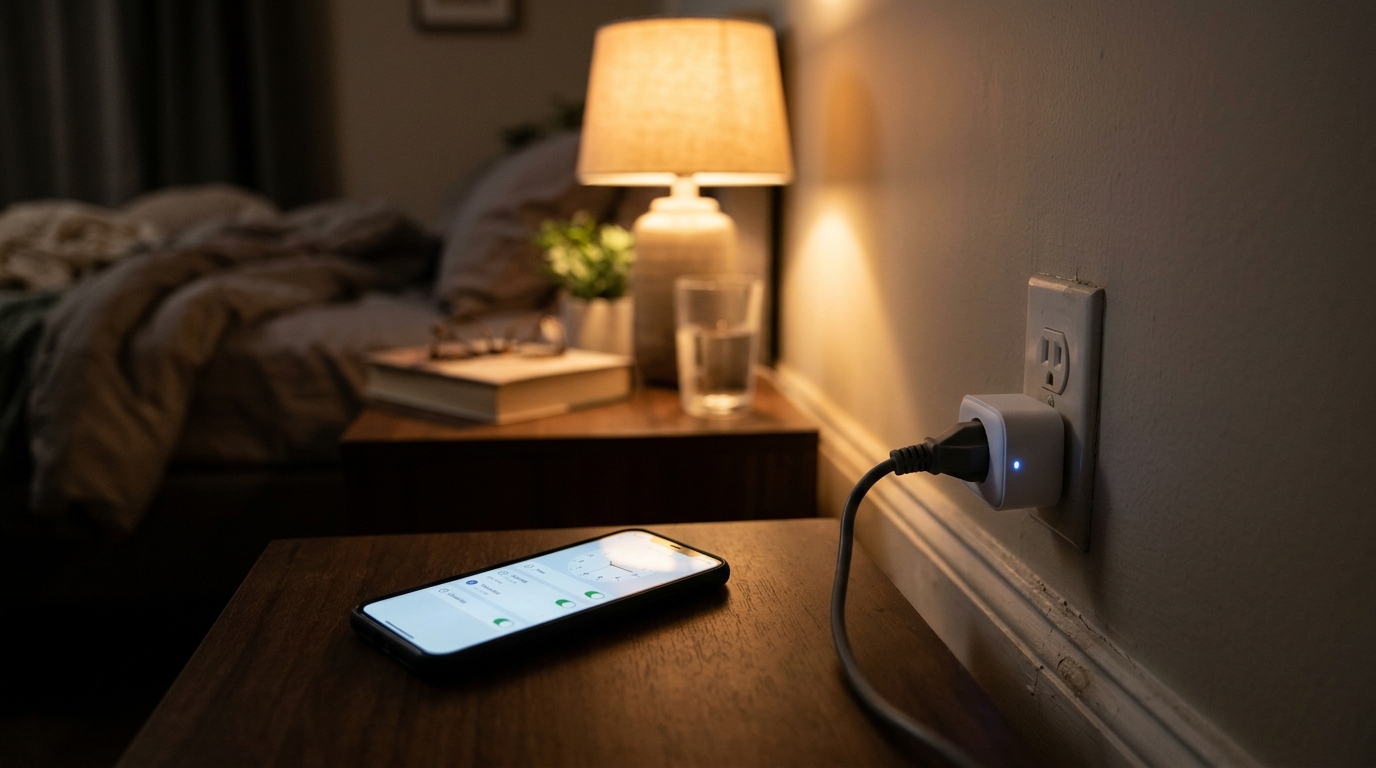
The good news is that many of these loads do not care when they run. A dishwasher cleans the same dishes at 3 AM as it does at 7 PM. A space heater, dehumidifier, or battery charger does not need you standing next to it. A smart plug lets you set a schedule once and let the device handle the timing, so your usage shifts to cheap hours automatically.
This post walks through two approaches: a quick fix using a basic Wi-Fi smart plug and your phone’s scheduling features, and a DIY upgrade using energy-monitoring plugs and rate-aware automation. You will also learn what smart plugs cannot safely control, how to find your utility’s peak window, and how to estimate your real savings before you spend a dollar.
What You’ll Need
Click on an item below to shop for the recommended items for this recipe on Amazon.
As an Amazon Associate, we earn from qualifying purchases.
How to Do It
- Call your utility or check your bill and online account to find your TOU schedule. Write down the peak hours (for example, 4 to 9 PM weekdays) and the off-peak hours.
- Pick one or two flexible devices that draw meaningful power and do not need to run during peak hours, such as a dehumidifier, a second refrigerator’s accessory heater, a battery charger, or a portable air purifier.
- Check the wattage on the device label and confirm the smart plug is rated for it, with at least a 20% safety margin below the plug’s amperage limit.
- Plug the smart plug into the wall, connect it to your Wi-Fi through the manufacturer’s app, then plug the device into the smart plug.
- Create a schedule in the app that powers the device on only during off-peak hours, and turn on any ‘vacation’ or ‘away’ randomization only if you do not rely on the device.
- Check the app’s usage history after one week to confirm the device ran when expected, then adjust the schedule as needed.
- Buy two to four energy-monitoring smart plugs rated at 15 amps with local or cloud scheduling, and note the model’s maximum wattage before assigning devices.
- Plug each target device into its own plug, then run it normally for a day to record real wattage and daily kilowatt-hours in the app.
- Rank your devices by total daily energy use and focus first on anything drawing 500 watts or more that you can delay, such as a Level 1 EV charger, a pool pump timer, or a basement dehumidifier.
- Build automations that turn devices on at the start of off-peak hours and off before peak begins, and stagger start times by 10 to 15 minutes so multiple devices do not spike demand together.
- For dishwashers and washing machines that cannot be fully cut off, use the appliance’s built-in delay start and set a smart plug to cut standby power afterward.
- Review monthly usage reports and compare your bill to the prior month, then fine-tune schedules based on actual run times.
- Ask your utility if you qualify for a smart charger, water heater, or load control rebate, as some offer $50 to $500 incentives.
- Have a licensed electrician evaluate your panel and recommend a hardwired smart relay or a scheduling controller rated for the load.
- Choose a device compatible with your utility’s TOU schedule, ideally with a rate-aware mode that adjusts automatically when rates change.
- Have the electrician install and test the controller, then set off-peak schedules and verify the load shifts as expected.
- Track your next two bills to confirm savings and adjust the schedule if your utility updates its peak window.
Why It Works: The Benefits
Shifting 3 to 5 kWh per day from peak to off-peak at a 15 to 25 cent rate gap saves roughly $15 to $35 per month, with no daily effort once scheduled.
At $10 to $25 per plug, most households recover the cost in 1 to 4 months on TOU rates, especially when controlling a high-wattage device.
Cutting power to TVs, game consoles, and chargers overnight eliminates 5 to 50 watts of continuous draw, saving about $5 to $40 per year per device group.
Moving load out of peak hours reduces strain on the grid, and some utilities offer extra bill credits or demand response rewards for doing so.
Plugs with energy monitoring show actual wattage and cost per device, which often reveals that one forgotten appliance accounts for a surprising share of your bill.
💰 Savings Impact by Action
Moving 3 to 5 kWh daily from peak to off-peak rates can cut a typical TOU bill by about 10 to 15%.
Scheduling power off for idle electronics overnight eliminates roughly 5 to 10% of standby-related usage.
Charging overnight instead of in the evening can reduce EV charging costs by 30 to 50% on steep TOU plans.
Spreading out start times on high-wattage appliances can lower demand charges by up to 10% where they apply.
🏠 Key Concepts Explained
The Science Behind It
Electricity is priced by time because the cost to generate and deliver it changes throughout the day. In the early evening, solar output fades while demand peaks as people cook, run air conditioning, and turn on lights. Utilities fill that gap with more expensive ‘peaker’ plants and stretched transmission lines, so they pass those costs on through higher peak rates. Late at night, demand drops and cheaper baseload power is plentiful.
A smart plug works by placing a Wi-Fi-controlled relay between the wall outlet and your device. The relay opens or closes the circuit on a schedule, so the device only receives power during the hours you choose. Models with energy monitoring add a current sensor that measures actual watts, which lets you calculate cost as watts divided by 1,000, multiplied by hours, multiplied by your rate per kWh.
The savings math is straightforward. If a device uses 1 kW for 3 hours daily and you shift it from a 35-cent peak rate to a 12-cent off-peak rate, you save 3 kWh times 23 cents, or about 69 cents per day. Over a year that adds up to roughly $250 from a single appliance, which is why heavy flexible loads deliver the fastest payback.
Frequently Asked Questions
▼ My smart plug keeps disconnecting from Wi-Fi and missing its schedule. What should I do?
Most smart plugs only work on 2.4 GHz Wi-Fi, so make sure your router broadcasts that band and the plug is within reasonable range. Move the plug closer to the router or add a mesh extender if the signal is weak. Also choose a plug with a local schedule feature that stores timing on the device, so it still runs if the internet drops.
▼ Can renters do this without landlord permission?
Yes, smart plugs require no wiring changes and are completely renter-friendly. Just plug them in and take them with you when you move. The only limit is that you generally cannot control the building’s central water heater or HVAC, so focus on plug-in devices like dehumidifiers, chargers, and entertainment gear.
▼ How long before I actually notice savings on my bill?
You will usually see the difference on your next full billing cycle, typically 30 days. Check the energy-monitoring data in your app weekly to confirm devices are running off-peak, then compare the TOU breakdown on your bill, which most utilities show by peak and off-peak kilowatt-hours.
▼ What if my utility does not offer time-of-use rates?
Then shifting usage will not change your rate, but smart plugs still save money by cutting standby power and automatically turning off devices you forget about. Check whether your utility offers an optional TOU plan, because switching can pay off if you can shift even 20 to 30% of your usage. Some utilities also offer demand response programs with bill credits.
▼ Is it safe to control my EV charger with a smart plug?
Only for Level 1 chargers on a standard 120-volt outlet, and only if the plug is rated for the charger’s draw, usually 12 amps continuous. Level 2 chargers run on 240 volts and should never be used with a standard smart plug. Most EVs and Level 2 chargers have built-in scheduling in their apps, which is the safest option.
Quick Tips
- Start with your single biggest flexible load, since one 1,500-watt device shifted daily usually saves more than five small electronics combined.
- Use the dishwasher’s built-in delay start rather than cutting power mid-cycle, because interrupting a wash can leave dishes dirty and waste water.
- Set schedules to end 15 to 30 minutes before peak begins so devices finish cycles instead of stopping partway through.
- Check your utility’s website for TOU rate changes each year, since peak windows and prices are often adjusted and your schedule may need updating.
Variations for Your Situation
- Apartment/Rental: Stick to plug-in loads you control, like dehumidifiers, portable heaters with a properly rated plug, entertainment centers, and chargers. A two-pack of 15-amp smart plugs runs $20 to $30 and moves with you when you leave.
- Tight Budget (under $50): Buy one or two basic Wi-Fi smart plugs ($10 to $15 each) and use the free scheduling in the app. Combine that with free steps like using your dishwasher and washing machine delay-start features and running laundry after 9 PM.
- Older Home (pre-1980): Older wiring and fewer grounded outlets mean you should check that outlets are grounded and in good condition before plugging in anything above 1,000 watts. Avoid smart plugs on shared or overloaded circuits, and consider an electrician visit if outlets feel warm or lights dim when appliances start.
- EV Owner: Use your car’s or charger’s native scheduling first, which is free and handles 240-volt loads safely. Add smart plugs only for supporting devices like a garage dehumidifier or a Level 1 trickle charger.