That small red or orange light on your TV is easy to ignore. After all, the screen is off, so how much power could it really be using? The answer surprises most people. A modern smart TV left on standby draws anywhere from 0.5 to 5 watts continuously, and older sets can pull even more. Multiply that by 8,760 hours in a year and the cost adds up faster than you might expect, especially in a household with multiple TVs, a soundbar, a streaming stick, and a gaming console all idling alongside each other.
This is called standby power, phantom load, or vampire energy, and the U.S. Department of Energy estimates it accounts for roughly 5 to 10 percent of a typical home’s total electricity use. For the average American household paying around $0.16 per kilowatt-hour, that translates to $100 to $200 per year lost to devices doing absolutely nothing useful. Your TV entertainment setup is one of the biggest single contributors to that number.
In this post, we will break down exactly what standby mode costs for common TV setups, show you how to calculate your own number, and walk through two simple approaches to eliminate that waste starting today. No tools required for the first fix, and the second approach costs under $30 with a payback measured in months.
What You’ll Need
Click on an item below to shop for the recommended items for this recipe on Amazon.
As an Amazon Associate, we earn from qualifying purchases.
How to Do It
- Identify every device in your entertainment setup: TV, soundbar, streaming stick, gaming console, cable or satellite box, and AV receiver. Each one draws standby power.
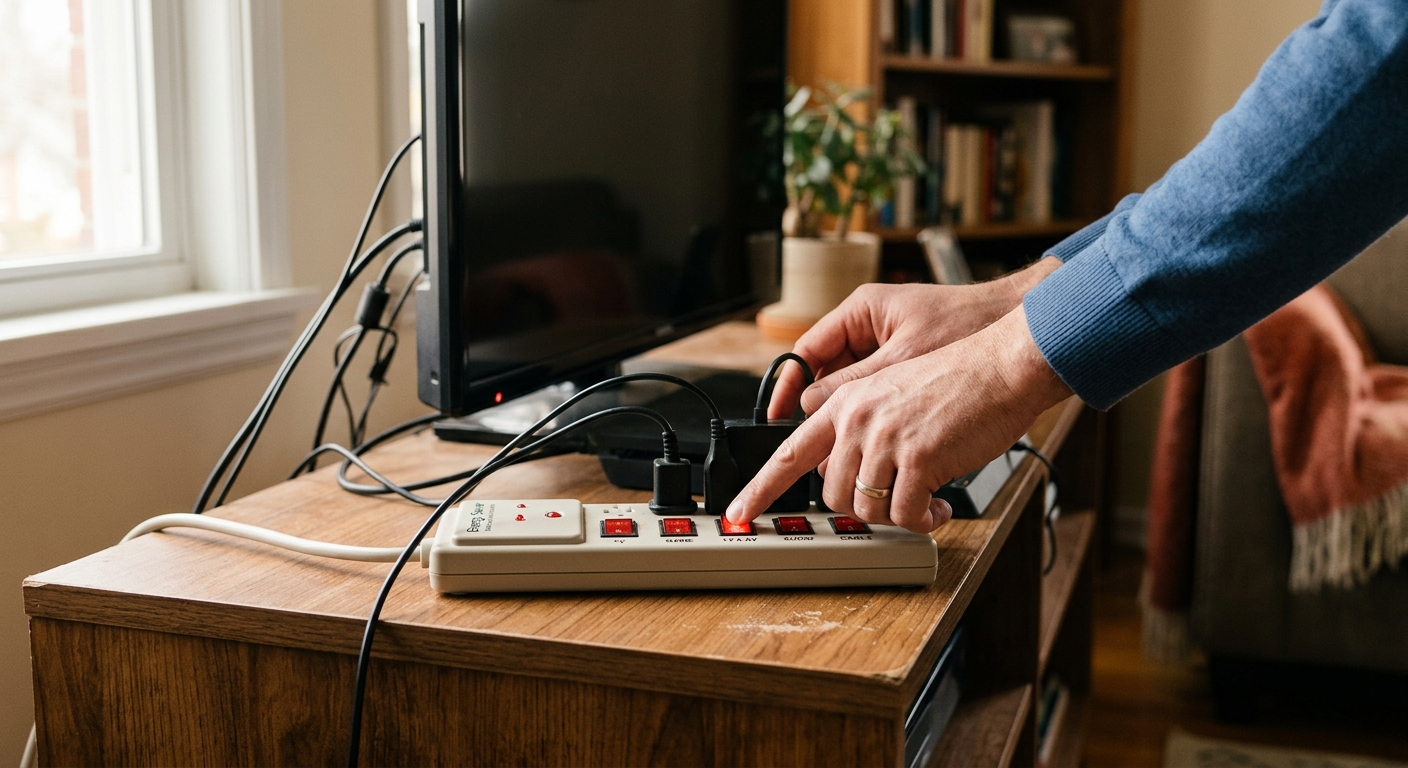
- Plug all of these devices into a single existing power strip if they are not already. This creates one switch point for everything.
- After your last viewing session each night, flip the power strip switch to the off position. This cuts power completely to all devices, dropping standby draw to zero watts.
- In the morning or before use, flip the strip back on. Most smart TVs and streaming devices take 10 to 30 seconds to reconnect, which is the only trade-off.
- Calculate your savings: add up the standby wattage of each device (check the label or manual), multiply total watts by 18 idle hours per day, divide by 1,000 for kWh, and multiply by your electricity rate. Most setups will show $25 to $60 per year saved.
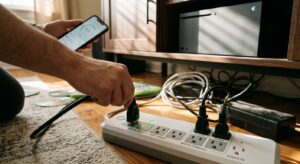
- Purchase a smart power strip with individual outlet control, or a single smart plug rated for at least 15 amps. Look for one with built-in energy monitoring such as the Kasa EP25, Wemo Insight, or similar models available for $15 to $30.
- Plug all entertainment center devices into the smart strip, or plug your existing power strip into the smart plug. One device controls everything.
- Download the companion app and connect the smart plug or strip to your home Wi-Fi network. This takes about five minutes.
- Set a daily automation schedule in the app. For example, automatically cut power at midnight and restore it at 6 a.m. Adjust to match your actual household schedule.
- Use the energy monitoring feature during the first week to log baseline standby consumption. Most apps display this in kWh and estimated monthly cost.
- After 30 days, compare your entertainment center’s monthly kWh to the prior month. Expect a 15 to 25 kWh reduction per month for a typical four-device setup, saving $2.50 to $8 on that billing cycle depending on your rate.
Why It Works: The Benefits
Eliminating standby draw from a full entertainment setup drawing 20 watts idle saves roughly 175 kWh per year, worth $28 at the national average rate and up to $60 in high-cost states like California or Connecticut.
Idle electronics convert wasted electricity into heat inside your home. Cutting 20 watts of phantom load in a living room reduces cooling load slightly in summer, contributing an additional 2 to 5 percent reduction in cooling costs in warm climates.
Fully powering down components rather than keeping them in standby reduces cumulative heat stress on capacitors and power supplies, which can meaningfully extend the life of a receiver or soundbar that might otherwise fail after 5 to 7 years.
Addressing the entertainment center often motivates homeowners to audit other devices. Households that conduct a full phantom load audit typically find $100 to $200 per year in total savings across all rooms, per DOE estimates.
The quick fix approach costs zero dollars and can be implemented in under five minutes, making the payback period effectively instantaneous with savings visible on the very next billing cycle.
💰 Savings Impact by Action
Switching off a power strip completely eliminates standby draw, saving 100 percent of the idle electricity cost for every device on that strip.
A scheduled smart plug that cuts power for 18 hours per day eliminates approximately 85 percent of annual standby consumption while still allowing devices to warm up before typical viewing hours.
Enabling eco or low-power standby in your TV’s settings reduces standby draw by 60 to 75 percent on ENERGY STAR certified smart TVs without requiring any additional hardware.
Switching a gaming console from instant-on to energy saver mode cuts its idle draw from 10 to 15 watts down to under 1 watt, reducing that device’s standby cost by up to 90 percent.
🏠 Key Concepts Explained
The Science Behind It
Standby power exists because modern electronics need a small amount of electricity to maintain their ability to respond instantly. When you press a button on your remote, the TV’s infrared receiver must already be powered and listening. Smart TVs take this further by keeping a microprocessor and Wi-Fi radio active to receive push notifications, update firmware, and support voice assistants. This architecture is efficient at its job, but it means the device never truly sleeps as long as it stays plugged in.
From a physics standpoint, every watt of standby power equals 8.76 kWh consumed per year (1 watt multiplied by 8,760 hours). At the U.S. average electricity rate of roughly $0.16 per kWh, each idle watt costs about $1.40 annually. That number seems trivial in isolation, but a typical entertainment center with four to six devices stacks idle watts the same way individual circuit resistances add up in a series circuit. A 3-watt TV, a 2-watt soundbar, a 1-watt streaming stick, and a 5-watt cable box together idle at 11 watts, costing over $15 per year from one room alone.
Cutting power completely with a switched strip or smart plug is the only way to reach true zero consumption. So-called eco standby modes reduce draw to under 0.5 watts but do not eliminate it. Over a full year, even 0.5 watts of residual draw still costs about $0.70 per device, which is negligible individually but adds up across every device in your home. The building science principle at play here is the same one that governs insulation and air sealing: small, continuous losses matter far more than large intermittent ones over the span of a year.
Frequently Asked Questions
▼ How much does standby mode actually cost per year for a typical TV?
A smart TV drawing 2 watts in standby costs roughly $2.80 per year on its own at the national average rate. However, the full entertainment setup including soundbar, gaming console, streaming stick, and cable box typically adds up to 10 to 25 watts idle, pushing the annual cost to $14 to $35 for the whole setup. Use a Kill A Watt meter to measure your specific devices and get an exact number.
▼ Will turning off my TV at the power strip cause any problems or damage it?
For most TVs, complete power removal is safe and is actually how all electronics were operated before standby modes became standard. The only real risks are losing the time and date on older sets that do not sync via internet, and potentially triggering a brief software check on smart TVs when they restart. Do not force-cut power while a TV is actively updating its firmware, as this can corrupt the update.
▼ My cable DVR needs to stay plugged in. Does that ruin the whole strategy?
Not at all. Plug your DVR into a separate outlet or the always-on socket that some smart strips include, and put everything else on the switched outlets. Your TV, soundbar, and streaming devices account for the majority of your entertainment center’s idle draw, so you will still capture 70 to 85 percent of the available savings even with the DVR staying on.
▼ How soon will I see the savings on my electric bill?
You should see a measurable reduction on your very next monthly bill after implementing these changes, though the dollar amount will be modest since a single entertainment setup saves $2 to $5 per month. If you apply the same approach to your home office, bedroom TV, and other phantom load sources simultaneously, the combined reduction of $8 to $15 per month becomes much more visible on your statement.
▼ Is a smart TV’s eco or sleep mode good enough, or do I still need to cut the power?
Eco standby modes on newer ENERGY STAR certified TVs genuinely help, typically reducing standby draw to 0.5 watts or less compared to 2 to 5 watts in normal standby. At that level the annual cost per TV drops below $1, making a smart plug borderline unnecessary for the TV itself. The bigger opportunity with eco mode TVs is still the other devices in the setup, particularly gaming consoles and cable boxes, which often have no effective low-power standby mode.
Quick Tips
- Check the energy label or user manual for your specific TV model to find its standby wattage. The difference between 0.5 watts and 5 watts standby represents a $6 per year difference per TV, which changes whether a smart plug makes financial sense.
- Gaming consoles in rest or instant-on mode are among the worst standby offenders in any home, drawing 10 to 15 watts depending on settings. Switch your console to energy saver mode in its settings and reduce this to under 1 watt without losing much convenience.
- If your cable or satellite provider’s DVR must stay on to record, plug only that box into a separate always-on outlet and put everything else on the switched smart strip. This captures 80 percent of the savings without disrupting recording schedules.
- Repeat this same audit in your home office. A desktop computer, monitor, printer, and speakers left in standby can draw 20 to 40 watts idle, often costing more annually than your living room TV setup.
Variations for Your Situation
- Apartment/Rental: Renters can implement both approaches without any landlord permission since no permanent modifications are involved. A smart plug or smart strip plugs directly into existing outlets and can be taken when you move. Focus first on gaming consoles and cable boxes, which are the largest standby offenders in most apartments and can save $20 to $40 per year on their own.
- Tight Budget (under $50): Start with zero-cost manual switching using your existing power strip. If you do not own a power strip, a basic 6-outlet strip costs $8 to $12 and pays for itself in phantom load savings within two to three months. This delivers 80 to 90 percent of the savings of a smart plug with no ongoing app or connectivity requirement.
- Older Home with Multiple TVs: Homes built before 1990 often have a TV in every room, sometimes including older CRT or plasma sets that draw 5 to 15 watts in standby compared to 0.5 to 3 watts for modern LED TVs. Prioritize the oldest or largest displays first. A single older plasma TV in standby can cost $7 to $20 per year on its own, meaning the payback on a $20 smart plug is just two to four months.