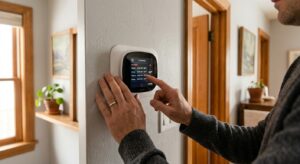
Right now, even with every light switch flipped off and no one watching TV, your home is almost certainly consuming electricity. This invisible drain, called standby power or phantom load, comes from devices that stay partially powered to maintain clocks, remote receivers, status lights, and wireless connections. The Lawrence Berkeley National Laboratory estimates that standby power accounts for roughly 5 to 10% of a typical household’s electricity use, costing the average American home between $100 and $200 every year.
The frustrating part is that most of this waste delivers zero benefit. A cable box drawing 15 to 20 watts while you sleep provides nothing you could not recover in a few seconds when you power it back on. A gaming console left in standby mode can consume more electricity in a year than a modern refrigerator. These numbers add up room by room, device by device, and most homeowners have no idea the problem exists.
This guide walks you through every major room in a typical home, identifies the biggest standby offenders, and gives you two practical approaches for eliminating the waste. Whether you want a free, 20-minute fix today or a more systematic smart-power upgrade, there are real savings waiting for you on your next electricity bill.
What You’ll Need
Click on an item below to shop for the recommended items for this recipe on Amazon.
As an Amazon Associate, we earn from qualifying purchases.
How to Do It
- Walk through every room with a notepad and identify all devices that are plugged in but used less than 4 hours a day. Focus on phone chargers with no phone attached, unused spare TVs, cable boxes in guest rooms, gaming consoles in sleep mode, desktop speakers, and kitchen appliances like toasters and coffee makers.
- Unplug every device in that list that does not need to maintain a setting or clock. Phone chargers, laptop chargers, and USB hubs are safe to unplug completely when not in use. Reconnect them only when charging.
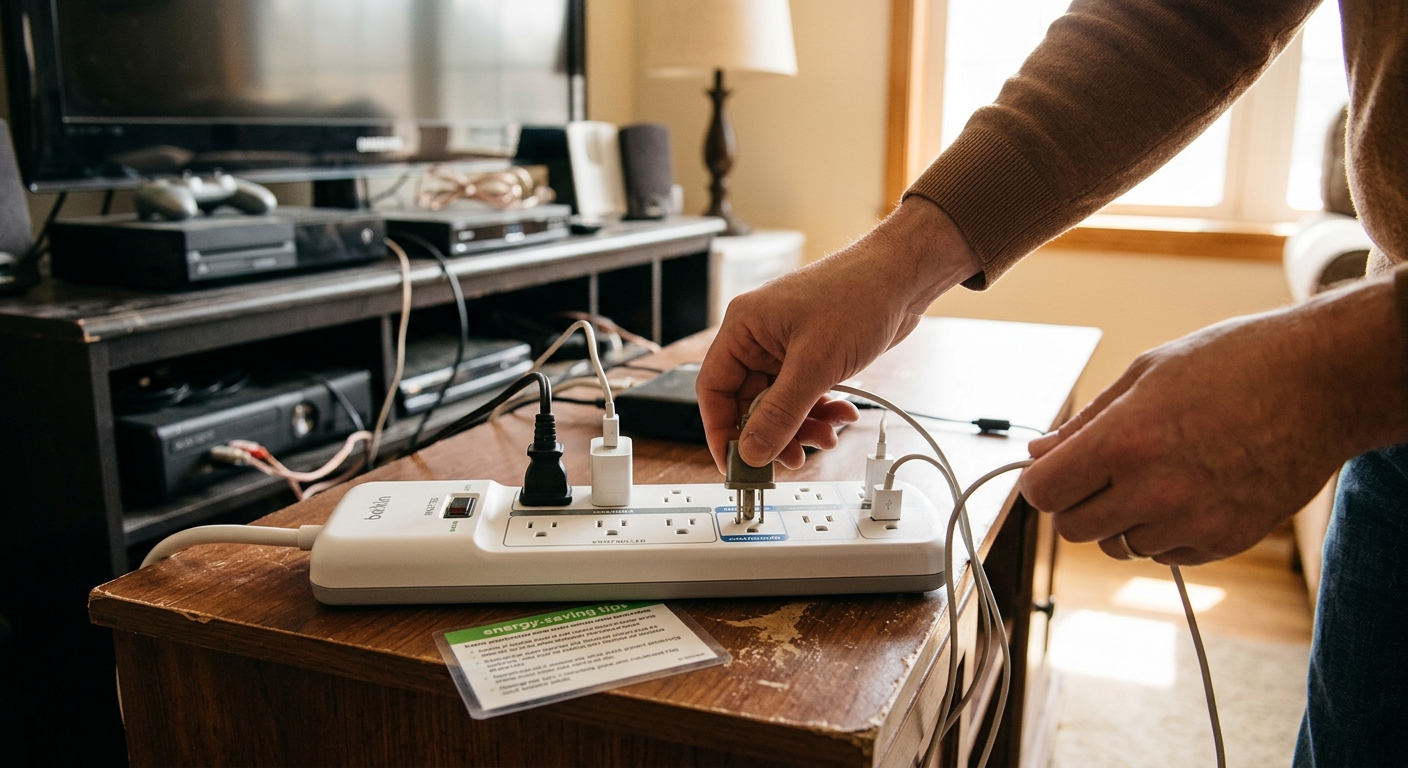
- In the living room, plug your TV, cable or streaming box, and soundbar into a single power strip. Before bed, flip the strip’s master switch to fully cut power to the entire entertainment cluster. This one habit can save $40 to $60 per year for a typical setup.
- In the home office, identify whether your computer goes into hibernate or sleep mode when idle. Sleep mode still draws 1 to 10 watts. Set your computer to hibernate after 30 minutes of inactivity via your operating system’s power settings, which drops draw to near zero.
- In the kitchen, unplug the toaster, coffee maker, and any countertop appliances when not in active use. A typical toaster draws 1 to 3 watts on standby. Multiplied across 6 to 8 kitchen appliances, that is an easy 10 to 15 watts eliminated with no cost.
- Check your garage or basement for older second refrigerators, mini-fridges, or deep freezers that are mostly empty. An old secondary fridge running nearly empty can cost $150 to $200 per year to operate. If it is less than half full, consider unplugging it or consolidating to one unit.
- Buy a smart power strip (also called an advanced power strip or APS) for each entertainment area in your home. Look for strips with a control outlet and at least 4 switched outlets. Budget $25 to $40 per strip. Brands like Tripp Lite, TrickleStar, and APC make reliable options widely available online and in hardware stores.
- In the living room, plug your TV into the control outlet on the smart strip. Plug your cable box, streaming device, soundbar, and gaming console into the switched outlets. When the TV powers off, the strip automatically cuts power to all connected devices within 30 seconds, eliminating all standby draw without any action on your part.
- In the home office, install a Wi-Fi smart plug (such as a Kasa EP25 or similar, costing $10 to $15 each) on your monitor, printer, and desk lamp circuit. Set a schedule in the companion app to cut power every night at 11 PM and restore it at 7 AM. A printer left on standby can draw 5 to 8 watts continuously, costing about $7 to $11 per year per unit.
- In the bedroom, use a smart plug on your TV and charging station. Schedule the charging station to run from 10 PM to 6 AM only, cutting power to all chargers during the day when nothing is being charged. This eliminates idle charger draw for 18 hours daily.
- Use a plug-in energy monitor such as a Kill-A-Watt meter to measure the actual standby draw of your 5 to 10 biggest devices before and after the upgrade. This confirms your real savings and helps you identify any remaining high-draw devices you may have missed. Kill-A-Watt meters cost about $25 and are available at most hardware stores.
- After 30 days, review your electricity bill against the same month in the prior year. Most households using this full approach see a 5 to 10% reduction in total kilowatt-hour usage, confirming real savings that compound month after month.
Why It Works: The Benefits
Eliminating standby load typically saves $8 to $17 per month, or $100 to $200 annually. Homes with multiple gaming consoles, a home office, and older entertainment systems can save at the high end of that range or beyond.
Devices left plugged in and energized 24 hours a day accumulate heat stress over time. Unplugging or cutting power to unused electronics reduces the number of active electrical connections in your home, lowering the statistical risk of component failure and electrical fires.
Electronics that are fully de-energized between uses experience less thermal cycling and internal component stress. Fully cutting power during the 20 hours a day a device is not in use can meaningfully extend the life of televisions, chargers, and audio equipment.
The average American home wasting 500 to 1,000 kWh per year on standby load produces roughly 350 to 700 pounds of extra CO2 annually based on the average U.S. grid mix. Eliminating that waste has the equivalent impact of planting 4 to 8 trees per year.
Once smart strips and plugs are in place, savings happen automatically with no behavior change required. The system manages power cutoff for you, which is why payback periods are so short at just 3 to 6 months for most households.
💰 Savings Impact by Action
TV, cable box, gaming console, and soundbar clusters account for up to 40% of total household standby load, making them the single highest-impact area to address first.
Desktop computers, monitors, and printers left in sleep mode contribute roughly 25% of standby waste and are easily eliminated with scheduled smart plugs or hibernate settings.
Countertop appliances with clocks or standby lights collectively draw 10 to 15% of phantom load and can be fully eliminated by unplugging when not in active use.
Phone, tablet, and laptop chargers left plugged in with no device attached account for roughly 10% of standby draw across a typical household with multiple devices.
Spare bedroom TVs, garage door openers, bathroom appliances, and other scattered devices contribute the remaining 10% of standby load and are best addressed during a room-by-room audit.
🏠 Key Concepts Explained
The Science Behind It
Standby power loss is rooted in the way modern electronics manage their off state. Most consumer devices do not have a true power-off state when plugged in. Instead, they enter a standby mode that keeps a small microcontroller running to listen for remote control signals, maintain an internal clock, or sustain a wireless network connection. This low-power state is intentional by design, built to trade a small ongoing energy cost for instant responsiveness when you want to use the device. The problem is that most homes have 20 to 40 such devices, and the individual loads aggregate into a significant monthly line item.
The physics of electricity make this loss invisible and therefore easy to ignore. A device drawing 5 watts is consuming the same energy as a 5-watt LED bulb left on permanently. While that sounds trivial, over the course of a year it equals 43.8 kWh of consumption. At the U.S. average electricity rate of approximately 16 cents per kWh, that is $7.01 per device per year. The Lawrence Berkeley National Laboratory has measured total U.S. standby consumption at roughly 50 billion kWh annually, representing about 1% of total national electricity production dedicated entirely to powering things that nobody is using.
Smart power strips and scheduled smart plugs solve this by introducing a true open circuit break between the outlet and the device, the electrical equivalent of physically pulling the plug. When a smart strip’s relay opens, current flow stops completely and the device’s standby draw drops to zero. This is meaningfully different from a device’s own off button, which only signals the device’s internal software to reduce power rather than cutting the supply entirely. The result is genuine zero-draw during the hours devices are unused, which for most electronics is 15 to 20 hours out of every 24.
Frequently Asked Questions
▼ Will cutting power to my cable box mess up my DVR recordings?
Yes, cutting power to a DVR during its scheduled recording window will cause you to miss those recordings. The safest fix is to check whether your cable provider offers a cloud DVR or streaming app that eliminates the need for the box entirely. If not, plug the DVR into a non-switched outlet and focus your energy savings on other devices in the same entertainment cluster.
▼ How do I know which devices in my house are the biggest standby wasters?
Use a Kill-A-Watt plug-in energy meter, available at hardware stores for about $25. Plug each device in one at a time, press the watt button, and record the draw while the device is in its standby or off state. Prioritize anything drawing more than 5 watts on standby, typically cable boxes, gaming consoles, older TVs, and desktop computers in sleep mode.
▼ Can renters do this without landlord permission?
Absolutely. Smart plugs, smart power strips, and the habit of unplugging unused devices require no modifications to the home’s wiring or outlets and are fully renter-safe. You plug these devices in and unplug them just like any other appliance, and you take them with you when you move.
▼ How long before I notice the savings on my electricity bill?
Most homeowners see the results within one full billing cycle, typically 30 days. For the clearest comparison, note your total kilowatt-hour usage on your current bill, implement the changes, and compare the kWh consumed on your next bill. Dollar amounts can be skewed by seasonal rate changes, so comparing kWh is the most accurate measure.
▼ My smart strip cut power to my modem and now I lose internet overnight. What do I do?
Plug your modem and router into the non-switched control outlet on the smart strip, or use a separate always-on outlet for those devices. Your modem and router need continuous power to maintain your internet connection and should not be on a switched circuit unless you intentionally want the network offline during those hours.
Quick Tips
- Set your computer to hibernate rather than sleep for overnight periods. Hibernate writes the session to disk and cuts power almost completely, versus sleep mode which can still draw 1 to 10 watts continuously.
- Buy ENERGY STAR certified devices when replacing older electronics. ENERGY STAR televisions, for example, are required to draw less than 0.5 watts in standby versus the 5 to 15 watts older models draw.
- Unplug all phone and laptop chargers when nothing is connected. Even idle chargers draw 0.1 to 0.5 watts each, and a home with 6 to 8 idle chargers wastes a small but real amount of electricity around the clock.
- Check your internet router and modem setup. These devices run 24 hours a day by design, but if your router supports scheduled Wi-Fi shutoff (many do via firmware settings), disabling Wi-Fi from midnight to 6 AM can reduce its load while you are asleep without interrupting wired devices.
Variations for Your Situation
- Apartment/Rental: Renters can capture nearly all standby savings without touching any wiring. Focus on smart plugs with scheduling apps (Kasa, Wemo, and TP-Link all offer models under $15), manual power strips with switches for entertainment areas, and unplugging idle chargers. Budget $30 to $60 for a full apartment setup and expect $60 to $120 in annual savings. All of these devices move with you when your lease ends.
- Tight Budget (under $50): Start with zero-cost behavior changes: unplug chargers when idle, flip the switch on existing power strips nightly, and put computers into hibernate mode. Then spend $25 on one Kill-A-Watt meter to identify your single biggest phantom load and address it first. This approach alone captures 50 to 70% of your total possible savings with minimal spending.
- Older Home (pre-1990): Older homes tend to have more older electronics with higher standby draws, since efficiency standards for standby power were not widely enforced until the mid-2000s. Prioritize replacing any television or audio receiver made before 2008, as these can draw 10 to 30 watts on standby compared to under 1 watt for modern equivalents. Also check for older desktop computers that may draw 20 to 40 watts in sleep mode due to outdated power supply designs.