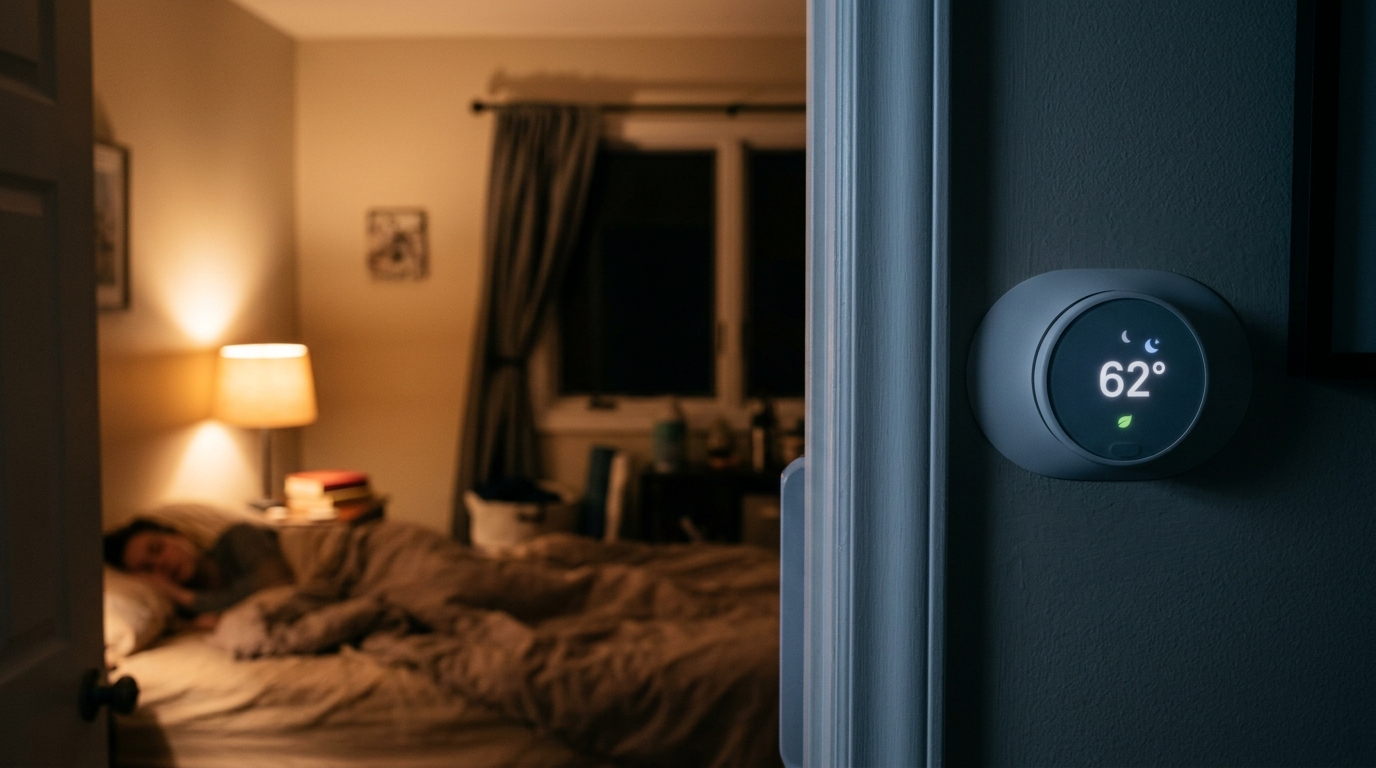
Your heating and cooling system works hardest when it fights the temperature difference between inside and outside. At night, you are asleep, under blankets, and perfectly comfortable at temperatures that would feel off during the day. A smart thermostat with a sleep algorithm takes advantage of that gap by shifting your setpoint to a more energy-efficient range while you rest, then bringing the house back to a comfortable temperature before you wake up.
Both Google Nest and Ecobee offer this feature, but they handle it differently. Nest relies heavily on learning your behavior and its Sleep Preconditioning and Time-to-Temperature logic. Ecobee uses a Smart Schedule with a dedicated Sleep comfort setting and an optional Follow Me occupancy sensor system. Neither approach is better for everyone, and neither works well if left on factory defaults.
This post explains how both sleep algorithms operate under the hood, what the settings actually do, and how to configure them for your climate and comfort level. According to ENERGY STAR, properly using programmable setbacks can save around 10% a year on heating and cooling, and a well-tuned sleep schedule delivers a big share of that savings.
What You’ll Need
Click on an item below to shop for the recommended items for this recipe on Amazon.
As an Amazon Associate, we earn from qualifying purchases.
How to Do It
- Open the Nest or Ecobee app and confirm your thermostat’s wake and sleep times match your real routine. Many people leave the default 10 p.m. to 6 a.m. window even if they go to bed at 11:30.
- On Nest, open Schedule and set a Sleep temperature of 66 to 68 degrees F in winter, or 76 to 78 degrees F in summer. Turn on Sleep Preconditioning if available so the house reaches comfort by wake time.
- On Ecobee, open Schedule, edit the Sleep comfort setting, and set heat to 66 to 68 degrees F and cool to 76 to 78 degrees F. Confirm the Smart Recovery feature is enabled in Settings.
- Make sure your Home and Away modes are also enabled so the thermostat does not fight itself between daytime and nighttime schedules.
- Check your energy report (Nest Home Report or Ecobee Home IQ) after two weeks and compare runtime hours to the prior month.
- Measure your recovery rate. On a cold night, note how long your system takes to warm the house by 2 degrees. Use this number to decide how early preconditioning should start.
- Add a remote sensor to the bedroom (Ecobee SmartSensor or Nest Temperature Sensor, roughly $40 to $80 each). Set the sensor to be the active reading during sleep hours so the thermostat targets the room you actually sleep in.
- Set your sleep temperature in 1 degree steps over a week. Start at a 4 degree setback from your daytime temperature, then deepen it by 1 degree every two nights until you find the edge of comfort, then back off by 1 degree.
- If you have a heat pump, keep setbacks to 2 to 3 degrees in winter and disable aggressive recovery. Heat pumps that recover using electric resistance backup heat can erase your savings and spike your bill.
- Review the thermostat’s runtime history weekly. Look for long morning recovery runs that signal your wake time or setback is too aggressive, and adjust accordingly.
- Pair the sleep schedule with a ceiling fan on low in summer (counterclockwise) to feel 3 to 4 degrees cooler, allowing a higher cooling setpoint without losing sleep comfort.
Why It Works: The Benefits
A consistent 7 to 8 degree overnight setback can trim roughly 8 to 12% off annual HVAC costs, which for a typical household spending $1,200 a year on heating and cooling is about $100 to $145.
Cooler bedroom temperatures in the 65 to 68 degree F range are associated with easier sleep onset and deeper rest, so energy savings and comfort often point in the same direction.
Preconditioning means the house reaches your wake temperature on time. You get savings overnight without paying for it with a cold or stuffy morning.
Fewer and shorter run cycles overnight reduce runtime hours. Fewer hours on the compressor or furnace can modestly extend equipment life.
Once tuned, the schedule runs itself. That consistency is where the savings come from, since manual setbacks tend to get forgotten.
💰 Savings Impact by Action
An 8 hour overnight setback of 7 to 10 degrees can reduce annual heating and cooling costs by up to 10% per DOE estimates.
Precisely timed preconditioning avoids over-running the system and trims an additional 2 to 4% compared to a basic schedule.
Targeting the room you actually sleep in prevents over-conditioning the rest of the house, saving roughly 3 to 5%.
A ceiling fan on low lets you raise the summer cooling setpoint by about 4 degrees, saving roughly 3 to 5% on cooling costs.
🏠 Key Concepts Explained
The Science Behind It
Heat loss from a home is roughly proportional to the temperature difference between inside and outside. When you lower your thermostat at night in winter, you reduce that difference, which slows the rate of heat escaping through walls, windows, and air leaks. The house cools down gradually, and your furnace or heat pump runs less during those hours. The reverse is true in summer: raising the cooling setpoint reduces the heat gain driving your air conditioner.
The common worry is that the system has to work extra hard to recover, canceling the savings. In practice, the energy used to recover is generally less than the energy saved while the house was sitting at a lower temperature, as long as the setback is moderate and the equipment is efficient at recovery. This is why the DOE estimates up to 10% annual savings for an 8 hour, 7 to 10 degree setback.
Nest and Ecobee improve on a basic programmable schedule by estimating how long your specific home takes to reach a target temperature. Nest calls this Time-to-Temperature, and Ecobee calls it Smart Recovery. Both use your HVAC’s measured runtime, indoor and outdoor conditions, and past performance to begin conditioning at the optimal moment. A leakier, less insulated home needs more lead time, which is one reason pairing a smart thermostat with air sealing and insulation upgrades multiplies the benefit.
Frequently Asked Questions
▼ Why is my house cold when I wake up even with Sleep Preconditioning turned on?
Your recovery window may be too short for your system, especially if you have a heat pump or a drafty home. Move your wake time earlier in the schedule by 30 to 45 minutes, or reduce the depth of the setback by 2 degrees. If the problem continues, check that your thermostat is reading the right room using a remote sensor.
▼ Can renters use Nest or Ecobee sleep features without landlord permission?
In most cases, yes, as long as you are not replacing a hardwired thermostat without approval. Many renters keep the original thermostat and use smart plugs or smart window AC controls, or ask the landlord about a swap since both brands are common upgrades. If you remove the original, keep it so you can reinstall it at move-out.
▼ How long before I notice savings on my bill?
Expect to see changes in runtime hours within one to two weeks, and in your utility bill within one to two billing cycles. Weather swings can mask results, so compare heating or cooling degree days year over year rather than raw dollars when possible.
▼ Does a deeper setback always save more money?
No. Past roughly 8 to 10 degrees, recovery energy and the use of backup heat can eat into your savings. A moderate 4 to 7 degree setback is the sweet spot for most homes, and heat pumps do best with an even smaller change.
▼ What if my home is older than 30 years?
Older homes tend to be leakier and less insulated, so they lose temperature faster overnight and recover more slowly. Use a smaller setback of 3 to 5 degrees and give preconditioning extra lead time. Sealing air leaks and adding attic insulation will improve how well the sleep algorithm performs.
Quick Tips
- Match your sleep window to your actual bedtime and wake time, not the factory defaults, and revisit it whenever your routine changes.
- Use a bedroom remote sensor if your thermostat sits in a hallway or living area that runs warmer or cooler than where you sleep.
- In summer, pair a 77 to 78 degree F setpoint with a ceiling fan on low to keep the bedroom comfortable at a lower energy cost.
- Check your thermostat’s energy history monthly for 3 months after tuning to confirm runtime is actually dropping.
- If you have a heat pump, keep winter setbacks to 2 to 3 degrees and look for a setting that limits auxiliary heat.
Variations for Your Situation
- Apartment/Rental: If you cannot replace a hardwired thermostat, use a smart plug with a window AC unit or a plug-in space heater with a built-in timer, or look for a battery-powered smart thermostat designed for renters. Many models cost $30 to $120 and can be swapped back at move-out.
- Tight Budget (under $50): Skip new hardware and use your existing thermostat’s programmable schedule to set a 5 to 7 degree overnight setback. Add a $10 to $20 door draft stopper and a ceiling fan on low to hold comfort at your new setpoint.
- Older Home (pre-1980): Start with a modest 3 to 5 degree setback and add 30 to 60 minutes of recovery lead time. Prioritize air sealing around the attic hatch, rim joists, and window frames, which can cut leakage by 10 to 20% and make the algorithm far more effective.